
HolgerKing - Minecraft Skins & Skin History
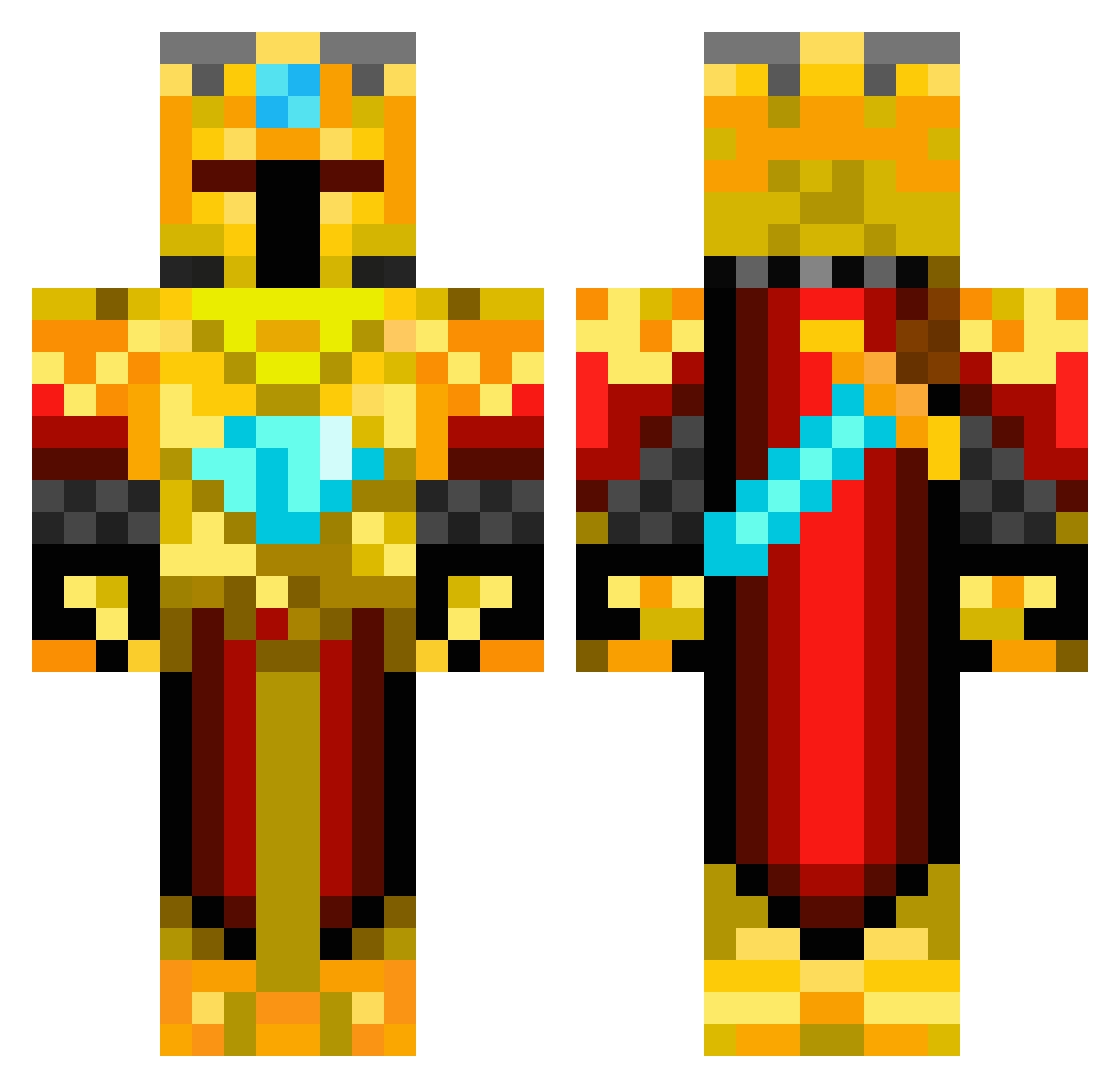
Current Minecraft skin of the player HolgerKing, loaded from the official Mojang API. Rotate the 3D model with your mouse or finger, then download the skin as a PNG file and use it in Minecraft: Bedrock Edition or Java Edition for free. When HolgerKing changes their skin, this page updates automatically and the old skin stays in the history below.
Other players with this skin (419)
HolgerKing was the 92nd player we have seen with this skin, first spotted on 14.08.2026. The same skin was seen on these players. Open a nickname to see their current skin and skin history.
 BoltShock mip7 WDEVIL Gajez ItsTacozPvP Shazmat josephslatkovsky Rdean98 Minizinny WarpDragon0 GoldenCubix ResTerPro_YT minecrafte2502 Shock00 Hopiefor Andrew4444 ThorsMittens Bjpower05 Hockeydude3223 BrigitMommy MasterLyn RogetMT Chokboy10 TBKS_kings worthys11 Flyger21 Crimson_n_Gray Total_Legitness Kmanmcboy _Soul_Gatherer_ G22688 DerivedCrib9 KingKiller921 PizzaBob1114 MinIndex EtherealMango TheOneTruKing creepers_kill21 Reinoud123 djc16 Kelanth Squints_09v2 xzanzx HartlHaus nstrike0519 Ridistrin bitbybit1 steinarpetur yooper93 Streiter2424 vishnvin Noeltree Tarnam snipershot17 Gvmsky tomluka7 YomenT GeoTheGOAT the_joepp idkwhatodo
More Golden Armor Minecraft skins
See all 170 Golden Armor skins
How to install the HolgerKing skin
- Press the Download button above to save the skin as a PNG file.
- Minecraft: Bedrock Edition (PE): open the Dressing Room from the main menu (or tap your character → Edit Character), go to Classic Skins → Owned, press the + (new skin) button, choose the downloaded PNG and pick the Classic (Steve) model. Works on PC and mobile; consoles cannot import custom skins.
- Minecraft: Java Edition: open the Minecraft Launcher, go to the Skins tab, click New Skin, load the PNG, pick the Classic (Steve) model and press Save & Use. You can also upload it at minecraft.net → Profile → Change Skin.
The skin does not show up after import - what should I do?
Restart Minecraft and open the Dressing Room again - imported skins sometimes appear only after a restart. Also make sure you selected the imported skin and picked the Classic (Steve) model.
Which model should I choose, Classic or Slim?
This skin is designed for the Classic (Steve) model. If you pick the wrong model, the arms of the skin will look stretched or squeezed.
Is the skin of HolgerKing free to download?
Yes. Press Download, save the PNG file and use it in Minecraft: Bedrock Edition or Java Edition - no payment or registration needed. The skin also works on multiplayer servers and Realms.
More skins
Looking for more? Go back to all Minecraft skins and check the top skins of the week, month and all time, or find any player's skin by nickname.