
Himaide - Minecraft Skins & Skin History
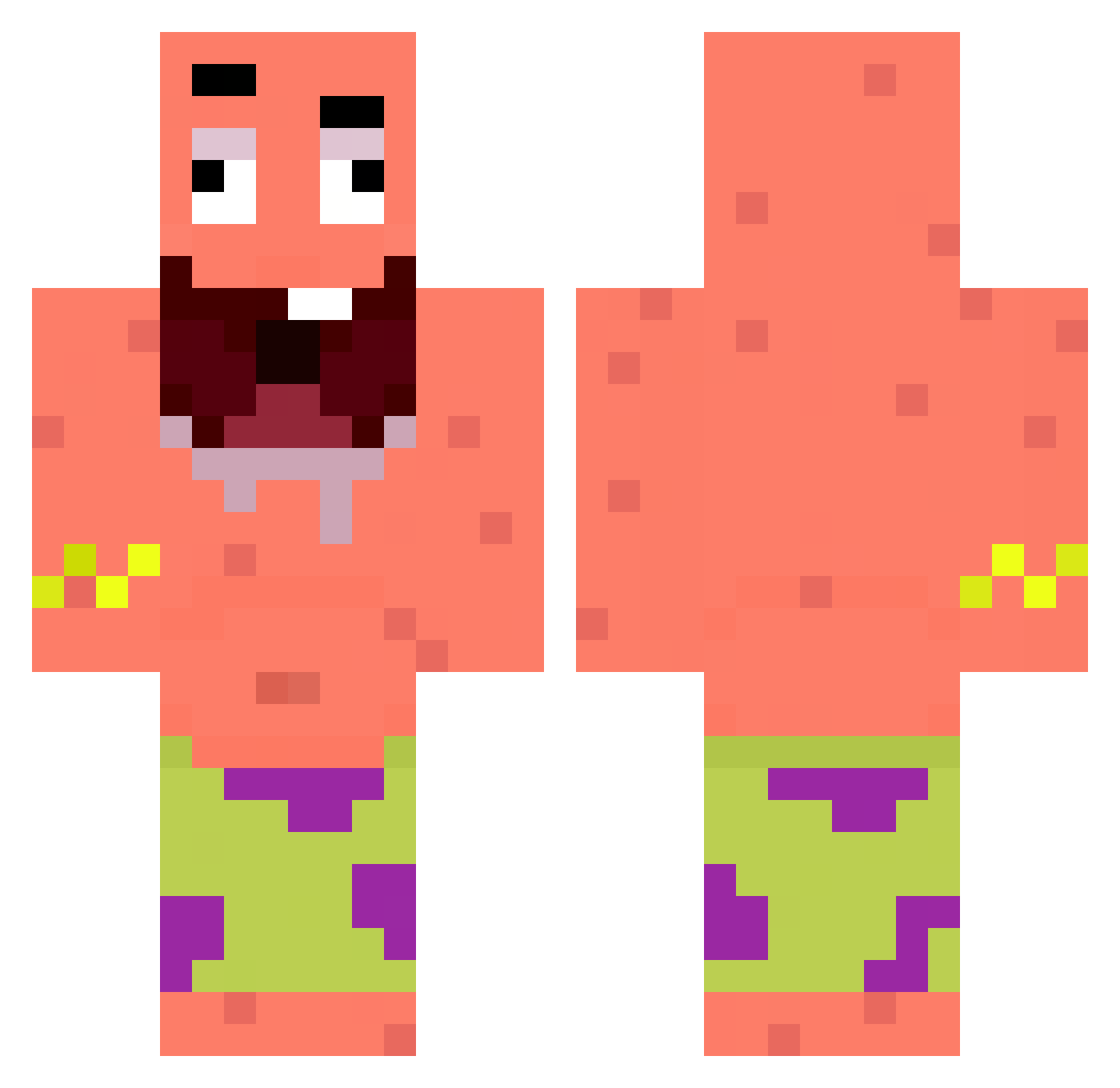
Current Minecraft skin of the player Himaide, loaded from the official Mojang API. Rotate the 3D model with your mouse or finger, then download the skin as a PNG file and use it in Minecraft: Bedrock Edition or Java Edition for free. When Himaide changes their skin, this page updates automatically and the old skin stays in the history below.
Other players with this skin (270)
Himaide was the 65th player we have seen with this skin, first spotted on 20.08.2026. The same skin was seen on these players. Open a nickname to see their current skin and skin history.
 TioGerson nanek1807 soopoo2 nicomai99 Trimce Maksbob Melz0 ShonPotrol16 Phaze_CornDog omeroner40 Fake_Junusu lanine IQ6NN BONIEKK parteculos69 wenlin23 kaczka01 MiniBers HACELONENEEE Joao_1107 Lazaaaaa_ Corpuso XXXICYBEAST DrKingStorm ReyTop KonKnuepel Nocny_nietoperz Biscuit31 Unilon bobplyzz GSLIOCLARISIKEN fvvp jpramirez17 MichaelKR Emranwys Mico24Rs EzraOnMc USUMAN Ridmen gugujao Foxy100021 XIAO_LONG_BAOBAO Puufe Jefstein Youles hayylo yadonghun NetherCookiie HELLISHTAKEOVER NoamTaub1 Szkyez matchoule Onbergg smsmano Swjshy orbinswooo trejosboyss Mroi_p WalicMaczetami MinCHU7
More Patrick Star Minecraft skins
See all 555 Patrick Star skins
How to install the Himaide skin
- Press the Download button above to save the skin as a PNG file.
- Minecraft: Bedrock Edition (PE): open the Dressing Room from the main menu (or tap your character → Edit Character), go to Classic Skins → Owned, press the + (new skin) button, choose the downloaded PNG and pick the Classic (Steve) model. Works on PC and mobile; consoles cannot import custom skins.
- Minecraft: Java Edition: open the Minecraft Launcher, go to the Skins tab, click New Skin, load the PNG, pick the Classic (Steve) model and press Save & Use. You can also upload it at minecraft.net → Profile → Change Skin.
The skin does not show up after import - what should I do?
Restart Minecraft and open the Dressing Room again - imported skins sometimes appear only after a restart. Also make sure you selected the imported skin and picked the Classic (Steve) model.
Which model should I choose, Classic or Slim?
This skin is designed for the Classic (Steve) model. If you pick the wrong model, the arms of the skin will look stretched or squeezed.
Is the skin of Himaide free to download?
Yes. Press Download, save the PNG file and use it in Minecraft: Bedrock Edition or Java Edition - no payment or registration needed. The skin also works on multiplayer servers and Realms.
More skins
Looking for more? Go back to all Minecraft skins and check the top skins of the week, month and all time, or find any player's skin by nickname.