
HexcerRespawn - Minecraft Skins & Skin History
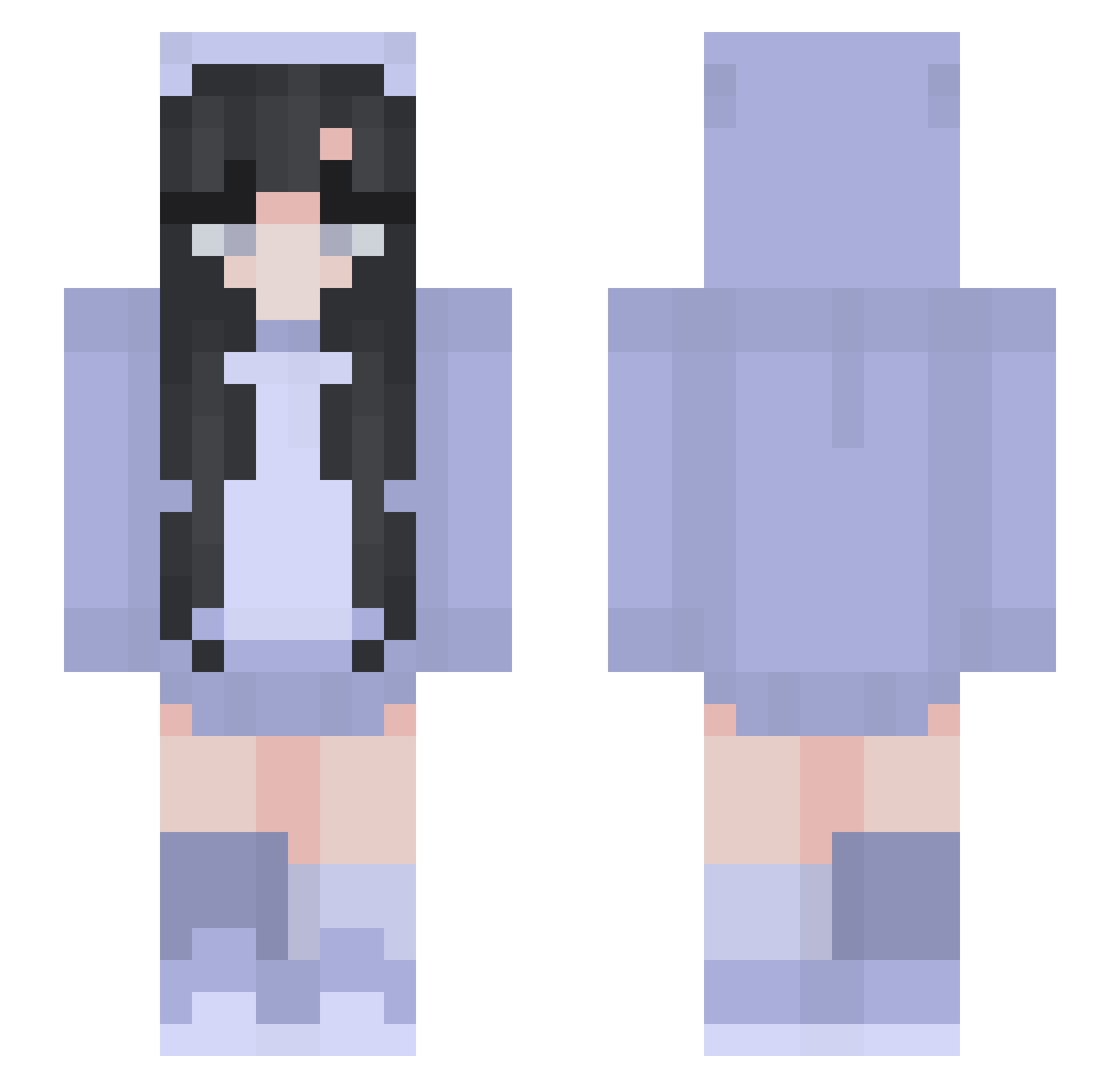
Current Minecraft skin of the player HexcerRespawn, loaded from the official Mojang API. Rotate the 3D model with your mouse or finger, then download the skin as a PNG file and use it in Minecraft: Bedrock Edition or Java Edition for free. When HexcerRespawn changes their skin, this page updates automatically and the old skin stays in the history below.
Other players with this skin (265)
HexcerRespawn was the 232nd player we have seen with this skin, first spotted on 20.10.2026. The same skin was seen on these players. Open a nickname to see their current skin and skin history.
 flooxo eunyii huetef dewmention euxjxng xSebi20x DarkZiga IkeaCouch Pulma Karola_02 neriwty frontozor clarinet12138 cri37l Sigurd53 Ivch MiniondeOculos Amolap22 smsmss Haerim1 Darkqueen01 ernarerna vmizukiv guacemily heckalazy caitlynho Tukuyomi222 shion181 WS_030 Leadiaa TraumaGuild Lcmrr s1moll Midimaus Hermit_Aruen Pay15 Skinner_123 hxmnah emirunrun1008 KTLin0423 Namdow Leda_39 kt1_5 FallenHeathen ItsSaviCat Enjudesu Anan_Ania SmellySpirit Enizel Iuuuuu_ Whitespoon1016 rhukai_fu won416 Noite_Talo SubGhosty_ Gamergirl_54 PVTVieira Ice_tea_peach_11 Vollzeitqueenie EinfachMiaa
More Pastel Minecraft skins
How to install the HexcerRespawn skin
- Press the Download button above to save the skin as a PNG file.
- Minecraft: Bedrock Edition (PE): open the Dressing Room from the main menu (or tap your character → Edit Character), go to Classic Skins → Owned, press the + (new skin) button, choose the downloaded PNG and pick the Slim (Alex) model. Works on PC and mobile; consoles cannot import custom skins.
- Minecraft: Java Edition: open the Minecraft Launcher, go to the Skins tab, click New Skin, load the PNG, pick the Slim (Alex) model and press Save & Use. You can also upload it at minecraft.net → Profile → Change Skin.
The skin does not show up after import - what should I do?
Restart Minecraft and open the Dressing Room again - imported skins sometimes appear only after a restart. Also make sure you selected the imported skin and picked the Slim (Alex) model.
Which model should I choose, Classic or Slim?
This skin is designed for the Slim (Alex) model. If you pick the wrong model, the arms of the skin will look stretched or squeezed.
Is the skin of HexcerRespawn free to download?
Yes. Press Download, save the PNG file and use it in Minecraft: Bedrock Edition or Java Edition - no payment or registration needed. The skin also works on multiplayer servers and Realms.
More skins
Looking for more? Go back to all Minecraft skins and check the top skins of the week, month and all time, or find any player's skin by nickname.