
Herry4296 - Minecraft Skins & Skin History
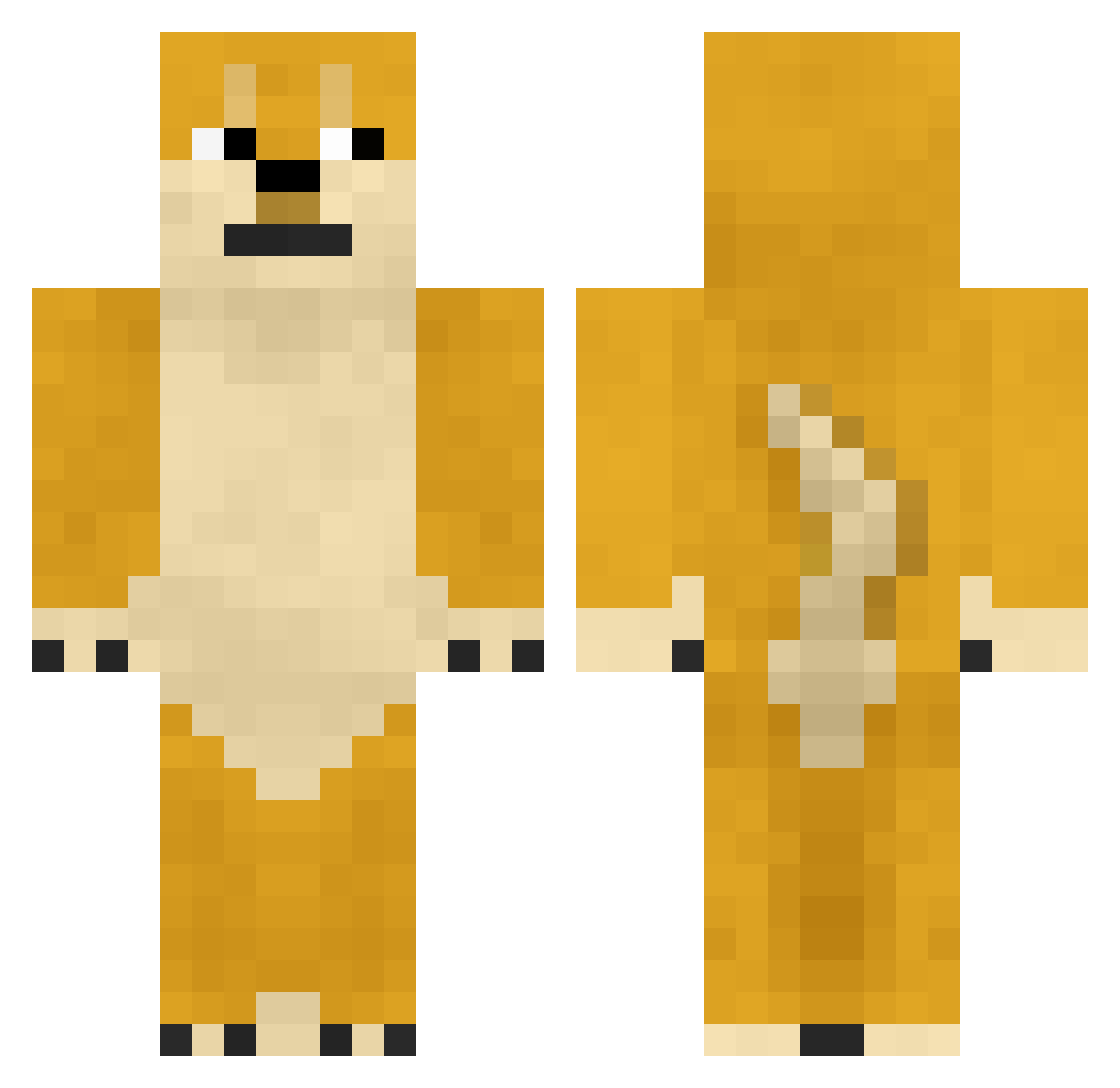
Current Minecraft skin of the player Herry4296, loaded from the official Mojang API. Rotate the 3D model with your mouse or finger, then download the skin as a PNG file and use it in Minecraft: Bedrock Edition or Java Edition for free. When Herry4296 changes their skin, this page updates automatically and the old skin stays in the history below.
Other players with this skin (746)
Herry4296 was the 156th player we have seen with this skin, first spotted on 18.08.2026. The same skin was seen on these players. Open a nickname to see their current skin and skin history.
 Fordey089 NideCandong TheArtistMC yokki21 Geami_ Sereno_23 Xuan_Hen sunkefan MinHyuck2ya Cadedude1 solaTea bugjong Orangestar17 Guts428 Damzzo1 00FA yanhaoliu Ehyuo Fengxiyang _EternityMC CjieC Einacdi LRadders Fe4r_prodigy RivalStarr25 seanN123444 BlackJphn _heheda_ NMSL_WDNM jangofett323 asdzxcqwe111222 NAF99x MHJZ Vuched D1amondb CherDk JeffryDuel_CN NoCak chang_woong 1240P doitaJP dsk3247
 Maximizeeeee kai23333 Nivenfade doge_606 ItzRealFatty jjjjjjjjjjjjjj12 ganha18 Homezipo MASCOMP 135r666 wiiiil_FuyuKawa g4sh10w Leedroid TioiL Mew3k loklok0w0 DeliciousOkada
 2321
2321More Shiba Inu Minecraft skins
How to install the Herry4296 skin
- Press the Download button above to save the skin as a PNG file.
- Minecraft: Bedrock Edition (PE): open the Dressing Room from the main menu (or tap your character → Edit Character), go to Classic Skins → Owned, press the + (new skin) button, choose the downloaded PNG and pick the Classic (Steve) model. Works on PC and mobile; consoles cannot import custom skins.
- Minecraft: Java Edition: open the Minecraft Launcher, go to the Skins tab, click New Skin, load the PNG, pick the Classic (Steve) model and press Save & Use. You can also upload it at minecraft.net → Profile → Change Skin.
The skin does not show up after import - what should I do?
Restart Minecraft and open the Dressing Room again - imported skins sometimes appear only after a restart. Also make sure you selected the imported skin and picked the Classic (Steve) model.
Which model should I choose, Classic or Slim?
This skin is designed for the Classic (Steve) model. If you pick the wrong model, the arms of the skin will look stretched or squeezed.
Is the skin of Herry4296 free to download?
Yes. Press Download, save the PNG file and use it in Minecraft: Bedrock Edition or Java Edition - no payment or registration needed. The skin also works on multiplayer servers and Realms.
More skins
Looking for more? Go back to all Minecraft skins and check the top skins of the week, month and all time, or find any player's skin by nickname.