
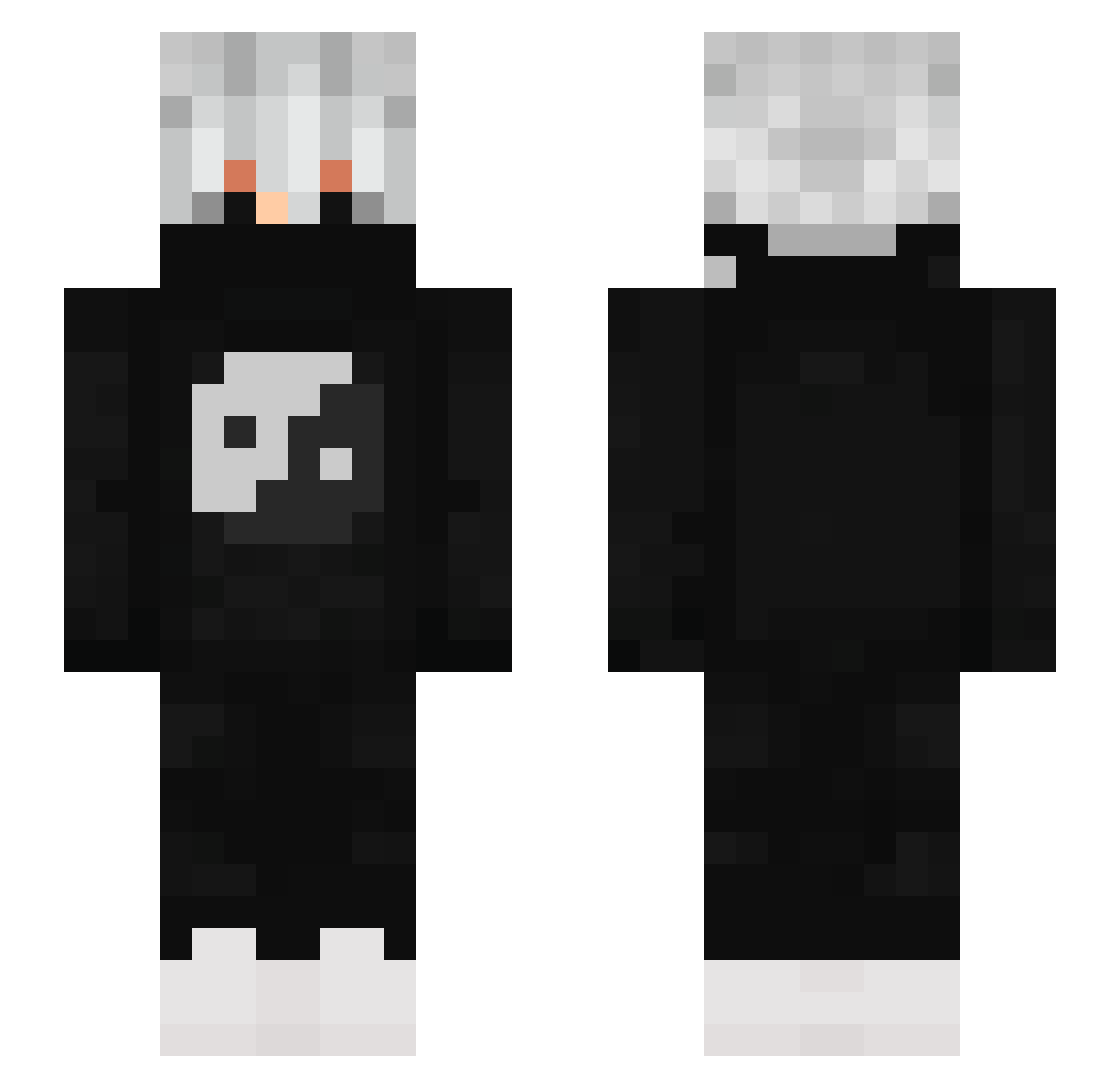
Current Minecraft skin of the player Helebit, loaded from the official Mojang API. Rotate the 3D model with your mouse or finger, then download the skin as a PNG file and use it in Minecraft: Bedrock Edition or Java Edition for free. When Helebit changes their skin, this page updates automatically and the old skin stays in the history below.
Other players with this skin (678)
Helebit was the 460th player we have seen with this skin, first spotted on 24.09.2026. The same skin was seen on these players. Open a nickname to see their current skin and skin history.
 MOURICY12 LogicalLand5400 aqua_marin3 _matiii_ BuqqCS aleixBY23 luckyymordegrelo EddieG684 guy_on240hz SnakyGolf296542 dawither53 785263 sopheap_saka WinterWolfV2 Heitorxlyy STEPHANX2 Chanceuxf3 aworkerr ttouf89 skylancer2 tari9065 _lyez_ RaZaR06 leoedu WinterSatyr6701 stage4sab M4xwell5_s xONTINHAS NotReppY drizzygg SideSnow Calvin0318 Isaac7891011 Mxtrixv1 LRG27 F4LLzinn Furiegump Rlgrise Davidek2022 Harzx1 edins19n amitrickss Itami942 BridgerOP W1ndd__ steye123 akss_1 jmface Anony7 Sangomax_HC Cormid Nioly_ Mrquastenmark YYYUUUTTTOOO Goldaflasida_MC Crack_auf_Pxnner fearfall Sightsplit Lalaliam Astroo08
More Yin Yang Minecraft skins
How to install the Helebit skin
- Press the Download button above to save the skin as a PNG file.
- Minecraft: Bedrock Edition (PE): open the Dressing Room from the main menu (or tap your character → Edit Character), go to Classic Skins → Owned, press the + (new skin) button, choose the downloaded PNG and pick the Slim (Alex) model. Works on PC and mobile; consoles cannot import custom skins.
- Minecraft: Java Edition: open the Minecraft Launcher, go to the Skins tab, click New Skin, load the PNG, pick the Slim (Alex) model and press Save & Use. You can also upload it at minecraft.net → Profile → Change Skin.
The skin does not show up after import - what should I do?
Restart Minecraft and open the Dressing Room again - imported skins sometimes appear only after a restart. Also make sure you selected the imported skin and picked the Slim (Alex) model.
Which model should I choose, Classic or Slim?
This skin is designed for the Slim (Alex) model. If you pick the wrong model, the arms of the skin will look stretched or squeezed.
Is the skin of Helebit free to download?
Yes. Press Download, save the PNG file and use it in Minecraft: Bedrock Edition or Java Edition - no payment or registration needed. The skin also works on multiplayer servers and Realms.
More skins
Looking for more? Go back to all Minecraft skins and check the top skins of the week, month and all time, or find any player's skin by nickname.