
Hayato1285 - Minecraft Skins & Skin History
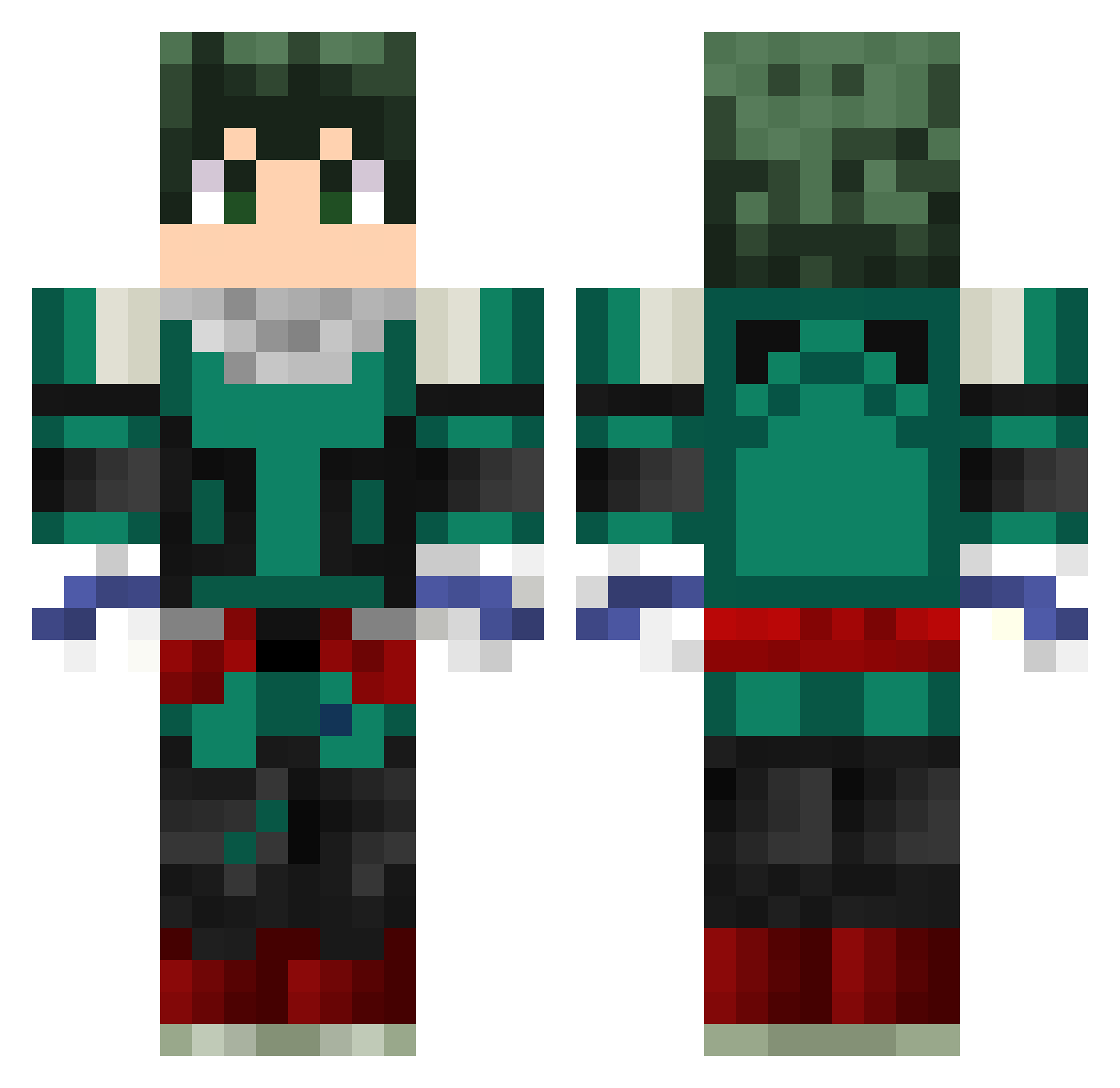
Current Minecraft skin of the player Hayato1285, loaded from the official Mojang API. Rotate the 3D model with your mouse or finger, then download the skin as a PNG file and use it in Minecraft: Bedrock Edition or Java Edition for free. When Hayato1285 changes their skin, this page updates automatically and the old skin stays in the history below.
Other players with this skin (230)
Hayato1285 was the 110th player we have seen with this skin, first spotted on 01.09.2026. The same skin was seen on these players. Open a nickname to see their current skin and skin history.
 Papasblessing zXzadventurer Cr3shy Agamagoh GrEaTmArCsTeR HOBBOBAGGINZ YURILEEX IxHunter97 deku_sigma_sauce GarotoBatata ozural cezinhabemdaora Frosty_Lea GGWPYouKnow Asmada Chibi_hooks Tosiak06 RichMosca33 Blue_Stitch Narsiles Medhyou Yuuki102 Meliodas2207 xXFliperXx SADsaga Taddyland BarrosoG kimplix Aar0nMdz ParagonXD Toun0_0 Watchout21 modeza ONLY_LUCA INitup ArsieZ Shiznanigan JaMorant6969 Assass1nHunt3r9 LouiePoo42 Enterprisedd Sweats1 Shojowaru ArthurLokobr Maxelinho B_Pony_Dingdong nael_brr Jonah006 Skyo91 gabi_D_luffy Georjdufour Alfa2207 eLiTe_Lxuis 7Fom RafaNatali perry2d2 EunchaeFan MerlinDeku OWGSwep Lixpio83
More Deku Minecraft skins
How to install the Hayato1285 skin
- Press the Download button above to save the skin as a PNG file.
- Minecraft: Bedrock Edition (PE): open the Dressing Room from the main menu (or tap your character → Edit Character), go to Classic Skins → Owned, press the + (new skin) button, choose the downloaded PNG and pick the Classic (Steve) model. Works on PC and mobile; consoles cannot import custom skins.
- Minecraft: Java Edition: open the Minecraft Launcher, go to the Skins tab, click New Skin, load the PNG, pick the Classic (Steve) model and press Save & Use. You can also upload it at minecraft.net → Profile → Change Skin.
The skin does not show up after import - what should I do?
Restart Minecraft and open the Dressing Room again - imported skins sometimes appear only after a restart. Also make sure you selected the imported skin and picked the Classic (Steve) model.
Which model should I choose, Classic or Slim?
This skin is designed for the Classic (Steve) model. If you pick the wrong model, the arms of the skin will look stretched or squeezed.
Is the skin of Hayato1285 free to download?
Yes. Press Download, save the PNG file and use it in Minecraft: Bedrock Edition or Java Edition - no payment or registration needed. The skin also works on multiplayer servers and Realms.
More skins
Looking for more? Go back to all Minecraft skins and check the top skins of the week, month and all time, or find any player's skin by nickname.