
HaxMeow - Minecraft Skins & Skin History
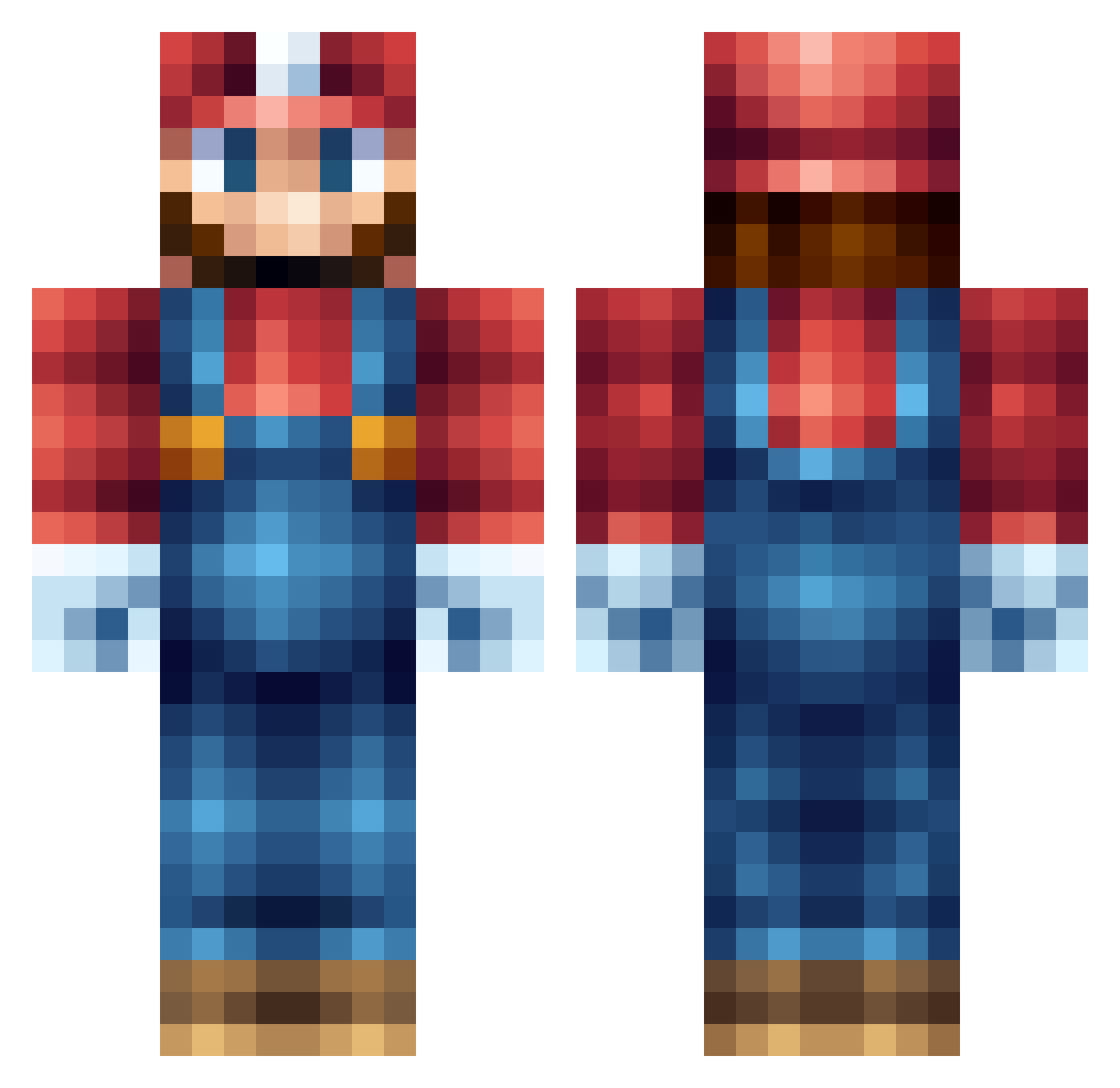
Current Minecraft skin of the player HaxMeow, loaded from the official Mojang API. Rotate the 3D model with your mouse or finger, then download the skin as a PNG file and use it in Minecraft: Bedrock Edition or Java Edition for free. When HaxMeow changes their skin, this page updates automatically and the old skin stays in the history below.
Other players with this skin (65)
HaxMeow was the 39th player we have seen with this skin, first spotted on 30.09.2026. The same skin was seen on these players. Open a nickname to see their current skin and skin history.
 Tobsken ZUZ12 Dr_Malou Maydragon_ PokeRuby2003 Lervayne Starplanet776 Apollooos Pirattttaaa crqzy_Rk garminecraft xu__lin Flamesli Im_The_Battler gjiure bbgkota Marionair KateWeinberger TheRedGuy23 pps80138 MillerChen scotty2255 Hak_i_Kuglerne tomcbumpz ollieanderson32 JP_Eternal2 cassdubi Chuck72 Junyoung0728 dorkybarb NOKB_ON111111111 Kittyy_katrina eGalaxy2021 mmpann BroHand _Boysle Masaki_0314 spade0111 CantonReid Zhuge_233 CrazyMario22 Ashotik001 Xalalau tubarto _VIT0_ ABSO87 jackthedemon111 byloris ToXiC_T_ReX Jaceruu DustyZoo9023529 icy1990 SSSupermario Sasakj Tinnitus85 TheCaptainBabo
 Aerialsss 10_Gal AntTheSav Socially_RejectD
More Nintendo Minecraft skins
How to install the HaxMeow skin
- Press the Download button above to save the skin as a PNG file.
- Minecraft: Bedrock Edition (PE): open the Dressing Room from the main menu (or tap your character → Edit Character), go to Classic Skins → Owned, press the + (new skin) button, choose the downloaded PNG and pick the Classic (Steve) model. Works on PC and mobile; consoles cannot import custom skins.
- Minecraft: Java Edition: open the Minecraft Launcher, go to the Skins tab, click New Skin, load the PNG, pick the Classic (Steve) model and press Save & Use. You can also upload it at minecraft.net → Profile → Change Skin.
The skin does not show up after import - what should I do?
Restart Minecraft and open the Dressing Room again - imported skins sometimes appear only after a restart. Also make sure you selected the imported skin and picked the Classic (Steve) model.
Which model should I choose, Classic or Slim?
This skin is designed for the Classic (Steve) model. If you pick the wrong model, the arms of the skin will look stretched or squeezed.
Is the skin of HaxMeow free to download?
Yes. Press Download, save the PNG file and use it in Minecraft: Bedrock Edition or Java Edition - no payment or registration needed. The skin also works on multiplayer servers and Realms.
More skins
Looking for more? Go back to all Minecraft skins and check the top skins of the week, month and all time, or find any player's skin by nickname.