
HarutyaSaikyo - Minecraft Skins & Skin History
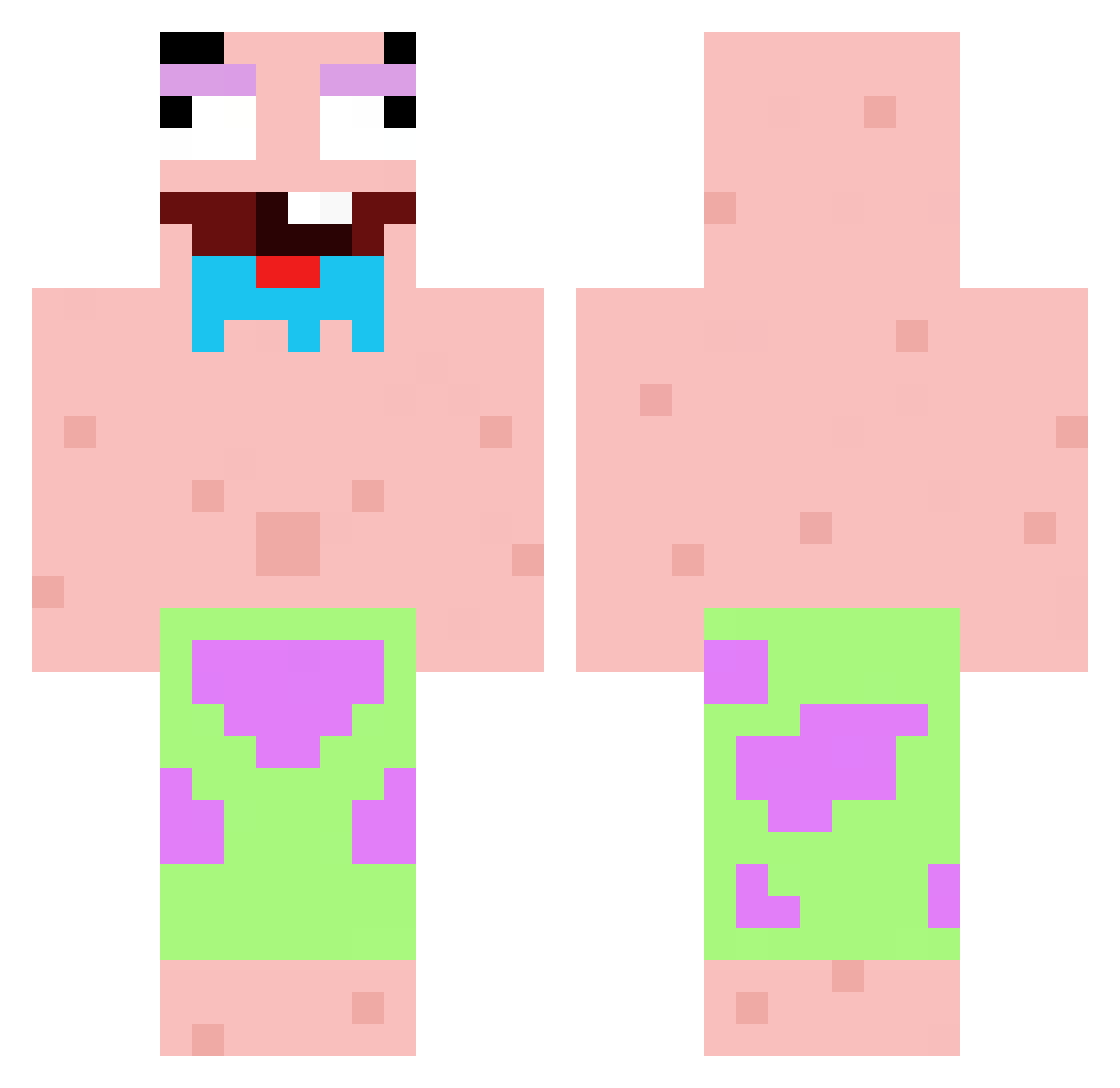
Current Minecraft skin of the player HarutyaSaikyo, loaded from the official Mojang API. Rotate the 3D model with your mouse or finger, then download the skin as a PNG file and use it in Minecraft: Bedrock Edition or Java Edition for free. When HarutyaSaikyo changes their skin, this page updates automatically and the old skin stays in the history below.
Other players with this skin (107)
HarutyaSaikyo was the 78th player we have seen with this skin, first spotted on 19.10.2026. The same skin was seen on these players. Open a nickname to see their current skin and skin history.
 Reqzsy LoveNugget47 XLAM_9311 Maozapozza Plyzito Monkecena912 xiaozbItnoooop NEORSH sombramxt Aizen4576 dReam_wANG Nadie9166 Walitam eddie132444 papacenco Cylaw18 FlatSweatMain OFHunterDracoOF stresone MrWhiteEye PaW2K datheordore Timo_cz hashiiia Nate_Zero honzalohiguain cafeore28x RageMines Hao731 mumijka BurtonBlazers nuuud SogeBear RealGFelipe ndmii SebastianF16 Layzen354 Duynam24 ForsakenTricks saddd147 panda_king546 PopChamp martimi10 BensonSoCute pierokoka ChunkLock maback1214 yanzu_ Mr_Nishino notadam23 bombombin litangdingzhen55 Titoo96 pharella JTMoney199 Forza972 Flewt_ Valkyrax Bugz1n_ Exulcerare
More Patrick Star Minecraft skins
See all 712 Patrick Star skins
How to install the HarutyaSaikyo skin
- Press the Download button above to save the skin as a PNG file.
- Minecraft: Bedrock Edition (PE): open the Dressing Room from the main menu (or tap your character → Edit Character), go to Classic Skins → Owned, press the + (new skin) button, choose the downloaded PNG and pick the Classic (Steve) model. Works on PC and mobile; consoles cannot import custom skins.
- Minecraft: Java Edition: open the Minecraft Launcher, go to the Skins tab, click New Skin, load the PNG, pick the Classic (Steve) model and press Save & Use. You can also upload it at minecraft.net → Profile → Change Skin.
The skin does not show up after import - what should I do?
Restart Minecraft and open the Dressing Room again - imported skins sometimes appear only after a restart. Also make sure you selected the imported skin and picked the Classic (Steve) model.
Which model should I choose, Classic or Slim?
This skin is designed for the Classic (Steve) model. If you pick the wrong model, the arms of the skin will look stretched or squeezed.
Is the skin of HarutyaSaikyo free to download?
Yes. Press Download, save the PNG file and use it in Minecraft: Bedrock Edition or Java Edition - no payment or registration needed. The skin also works on multiplayer servers and Realms.
More skins
Looking for more? Go back to all Minecraft skins and check the top skins of the week, month and all time, or find any player's skin by nickname.