
Haruko66 - Minecraft Skins & Skin History
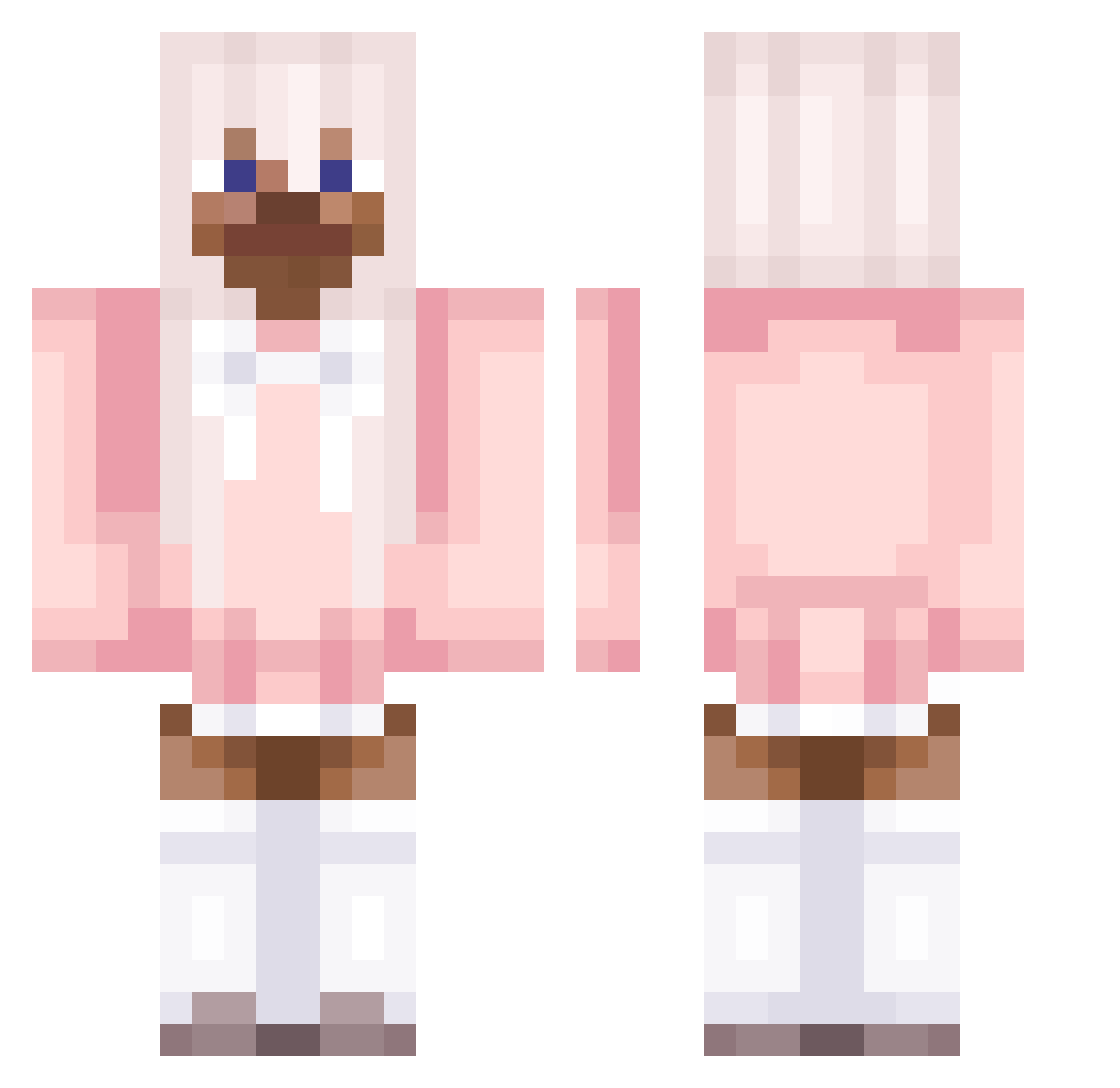
Current Minecraft skin of the player Haruko66, loaded from the official Mojang API. Rotate the 3D model with your mouse or finger, then download the skin as a PNG file and use it in Minecraft: Bedrock Edition or Java Edition for free. When Haruko66 changes their skin, this page updates automatically and the old skin stays in the history below.
Other players with this skin (90)
Haruko66 was the 22nd player we have seen with this skin, first spotted on 24.08.2026. The same skin was seen on these players. Open a nickname to see their current skin and skin history.
 Zeghar SergoBush Peipus g0bl1nc0r3 dotsie beagodinho Jellyiio Spootikai Tatero DonSucio NukeAlt16 _LoGiSTeRr_ Cristovic NukeAlt12 PINKTRO rare_devil Jean_Cachette prostatemilker SiropDeBanane aneresst taromilkteaaa16 Sk3lzz envixz SH4RPNESS______ ___Femboy papaeng_z SteveDelphine ghoriko stacyplayer FLYHOU Rxigxn NukeAlt15 Ryandoctics c21h23no5_ iaravic2008 Pinkv0dka7 chiakixd Cutehomelessman animeboy_ verlangen mawa109 DDgamerpro45 KapYsta09 Oladmar jeepersjebes SERCHO MRC07125 NukeAlt5 Business_Girl _Shantae_ jho9 Pierani HaraBunny Hoes_Mad_UwU NukeAlt17 Toix_Bomb peeposimp SaltIsgoodAsF PLadex_ 1Fion
More Pastel Minecraft skins
How to install the Haruko66 skin
- Press the Download button above to save the skin as a PNG file.
- Minecraft: Bedrock Edition (PE): open the Dressing Room from the main menu (or tap your character → Edit Character), go to Classic Skins → Owned, press the + (new skin) button, choose the downloaded PNG and pick the Classic (Steve) model. Works on PC and mobile; consoles cannot import custom skins.
- Minecraft: Java Edition: open the Minecraft Launcher, go to the Skins tab, click New Skin, load the PNG, pick the Classic (Steve) model and press Save & Use. You can also upload it at minecraft.net → Profile → Change Skin.
The skin does not show up after import - what should I do?
Restart Minecraft and open the Dressing Room again - imported skins sometimes appear only after a restart. Also make sure you selected the imported skin and picked the Classic (Steve) model.
Which model should I choose, Classic or Slim?
This skin is designed for the Classic (Steve) model. If you pick the wrong model, the arms of the skin will look stretched or squeezed.
Is the skin of Haruko66 free to download?
Yes. Press Download, save the PNG file and use it in Minecraft: Bedrock Edition or Java Edition - no payment or registration needed. The skin also works on multiplayer servers and Realms.
More skins
Looking for more? Go back to all Minecraft skins and check the top skins of the week, month and all time, or find any player's skin by nickname.