
Hansonpro50 - Minecraft Skins & Skin History
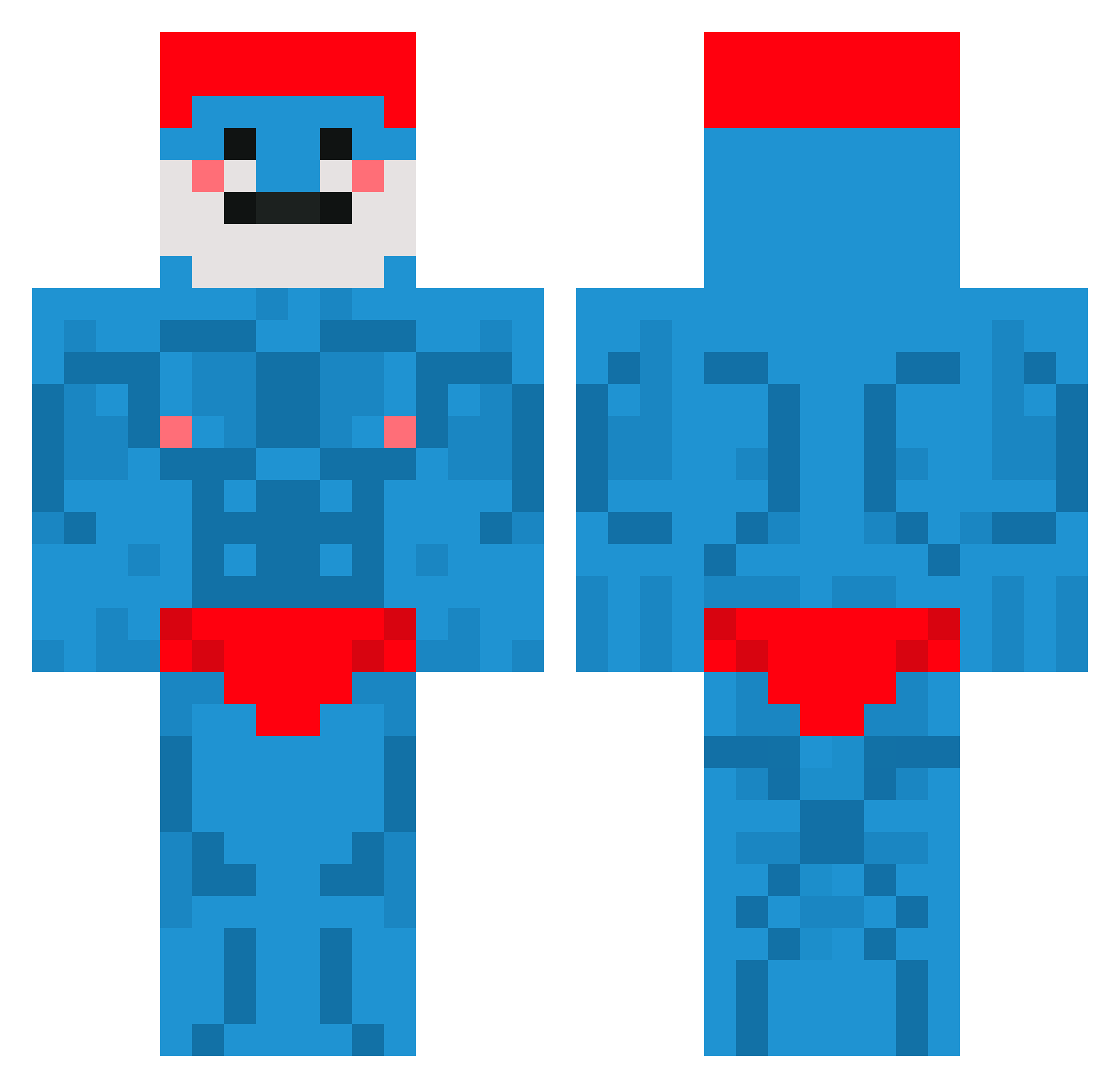
Current Minecraft skin of the player Hansonpro50, loaded from the official Mojang API. Rotate the 3D model with your mouse or finger, then download the skin as a PNG file and use it in Minecraft: Bedrock Edition or Java Edition for free. When Hansonpro50 changes their skin, this page updates automatically and the old skin stays in the history below.
Other players with this skin (660)
Hansonpro50 was the 76th player we have seen with this skin, first spotted on 04.08.2026. The same skin was seen on these players. Open a nickname to see their current skin and skin history.
 GC_Cyber BerryTUCO min_woo0 King_Slender Tenzess Nyaika Petinou Xerapsy Its_Ho_Jesus Jonvs31 Upland577 Caiillou Forealmacklin YankaFan Takeunch SumppiPihisee Yuma_7 Josemcm CutBushPl2006 Le_Tigre_Breton_ Bumbinchen
 Gabreu7 LeFeminista CrayzEngineer minerward JoshuaPie888 Hlopak_ BmwSocaForte MrPexfekt shadownuke995 VarmPotet
 Wale_Sensei StupidFemale Fetter_Nachbar TRHUDE Moooshroomm _streak4 umato77 mb3550 SchwanzusLongus0 EjandBj kalcifer25 Branjaa iibajo carnelianAV MuddyMadMan Cheggus Godleuzz _Bobby_Shmurda__ Noot2k slimedust Dyndal22 DetroitCitizen Nonolerigolo5 mecksie Ziemniak213799 Ojtislav8383 stavebnibeton28 D3pset yonatancool1000
More Bodybuilder Minecraft skins
See all 1175 Bodybuilder skins
How to install the Hansonpro50 skin
- Press the Download button above to save the skin as a PNG file.
- Minecraft: Bedrock Edition (PE): open the Dressing Room from the main menu (or tap your character → Edit Character), go to Classic Skins → Owned, press the + (new skin) button, choose the downloaded PNG and pick the Classic (Steve) model. Works on PC and mobile; consoles cannot import custom skins.
- Minecraft: Java Edition: open the Minecraft Launcher, go to the Skins tab, click New Skin, load the PNG, pick the Classic (Steve) model and press Save & Use. You can also upload it at minecraft.net → Profile → Change Skin.
The skin does not show up after import - what should I do?
Restart Minecraft and open the Dressing Room again - imported skins sometimes appear only after a restart. Also make sure you selected the imported skin and picked the Classic (Steve) model.
Which model should I choose, Classic or Slim?
This skin is designed for the Classic (Steve) model. If you pick the wrong model, the arms of the skin will look stretched or squeezed.
Is the skin of Hansonpro50 free to download?
Yes. Press Download, save the PNG file and use it in Minecraft: Bedrock Edition or Java Edition - no payment or registration needed. The skin also works on multiplayer servers and Realms.
More skins
Looking for more? Go back to all Minecraft skins and check the top skins of the week, month and all time, or find any player's skin by nickname.