
Hangeul_ - Minecraft Skins & Skin History
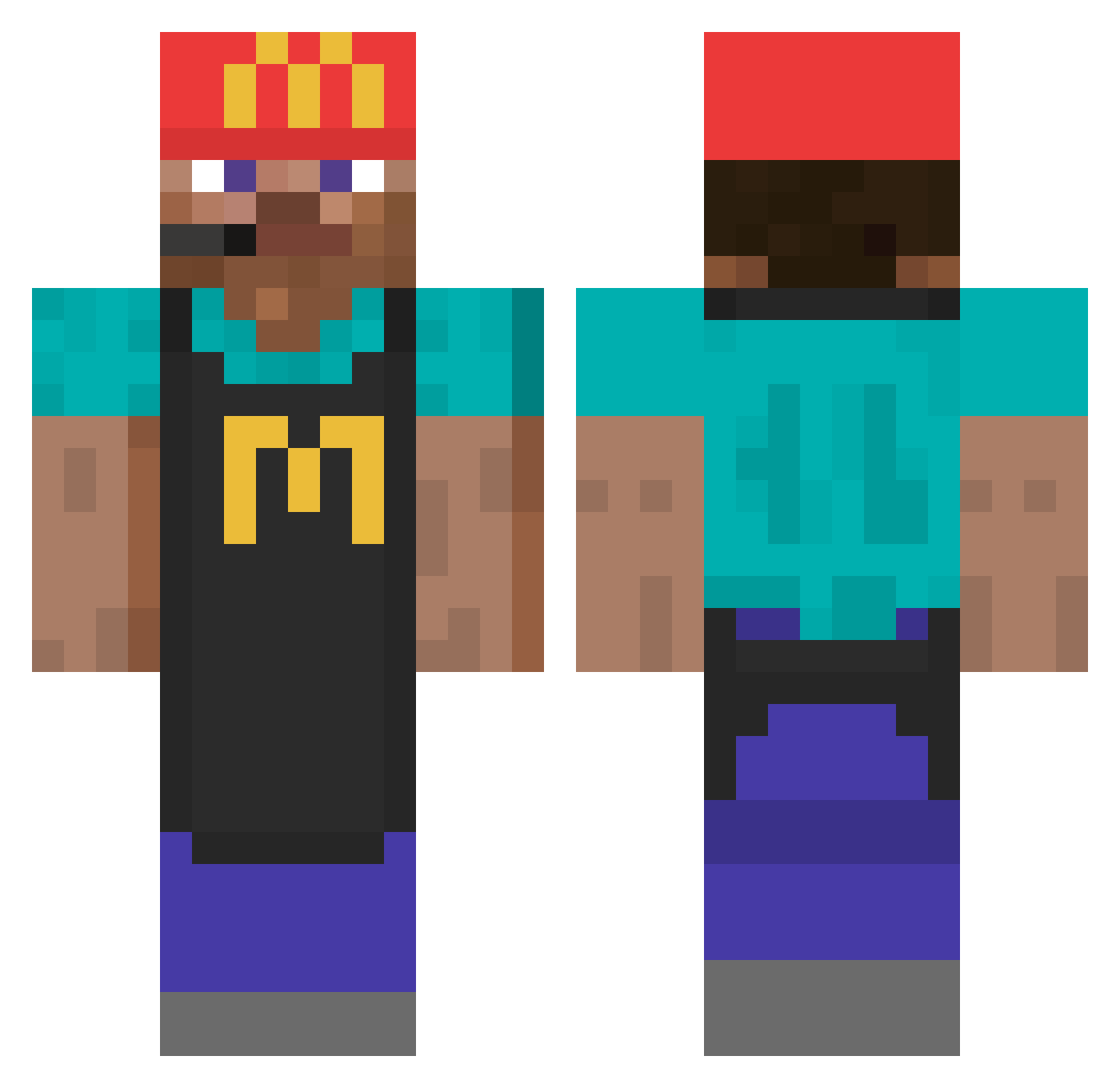
Current Minecraft skin of the player Hangeul_, loaded from the official Mojang API. Rotate the 3D model with your mouse or finger, then download the skin as a PNG file and use it in Minecraft: Bedrock Edition or Java Edition for free. When Hangeul_ changes their skin, this page updates automatically and the old skin stays in the history below.
Other players with this skin (906)
Hangeul_ was the 332nd player we have seen with this skin, first spotted on 08.09.2026. The same skin was seen on these players. Open a nickname to see their current skin and skin history.
 wngs scarwou Aznoob felipefdx_ Relander_491 Dobrodushen52 Dwarfel zzJuLAIN JTK9904 Eo_03 Abadjiev_17 AL_GazaL KaALM0oN Un_bon_pamboli HoeLeeMoeLee_ rhatjfg77 Irax__ LonelyAleks
 Mael270poto yL0397ccccccc Entity100 schoncool ZeroAsu_p mariahuana AitanaAa_A mxrko08
 Brightside119 mamiLAtricoteuse PopTartEater12 Zooc archergoodee Den2006 silvertip321 piNNNq_ Walleboy vicocmoi hdksk8 _noe_23 lblixildl FAZE_WATER420 MrYurix8 Vogeflo Demonetise iHelixl
 NathanSpunkInMe Orpheax Mulkaaa velicsu Rcol1890 FriendlyElf peugeot308 xaMS NutGod69 PURIN2M Crashman402 Lunoxifi JellyjopsYT sofia200402 Vok_24 Sjurds
More Cashier Minecraft skins
How to install the Hangeul_ skin
- Press the Download button above to save the skin as a PNG file.
- Minecraft: Bedrock Edition (PE): open the Dressing Room from the main menu (or tap your character → Edit Character), go to Classic Skins → Owned, press the + (new skin) button, choose the downloaded PNG and pick the Classic (Steve) model. Works on PC and mobile; consoles cannot import custom skins.
- Minecraft: Java Edition: open the Minecraft Launcher, go to the Skins tab, click New Skin, load the PNG, pick the Classic (Steve) model and press Save & Use. You can also upload it at minecraft.net → Profile → Change Skin.
The skin does not show up after import - what should I do?
Restart Minecraft and open the Dressing Room again - imported skins sometimes appear only after a restart. Also make sure you selected the imported skin and picked the Classic (Steve) model.
Which model should I choose, Classic or Slim?
This skin is designed for the Classic (Steve) model. If you pick the wrong model, the arms of the skin will look stretched or squeezed.
Is the skin of Hangeul_ free to download?
Yes. Press Download, save the PNG file and use it in Minecraft: Bedrock Edition or Java Edition - no payment or registration needed. The skin also works on multiplayer servers and Realms.
More skins
Looking for more? Go back to all Minecraft skins and check the top skins of the week, month and all time, or find any player's skin by nickname.