
HamstyPlay - Minecraft Skins & Skin History
Current Minecraft skin of the player HamstyPlay, loaded from the official Mojang API. Rotate the 3D model with your mouse or finger, then download the skin as a PNG file and use it in Minecraft: Bedrock Edition or Java Edition for free. When HamstyPlay changes their skin, this page updates automatically and the old skin stays in the history below.
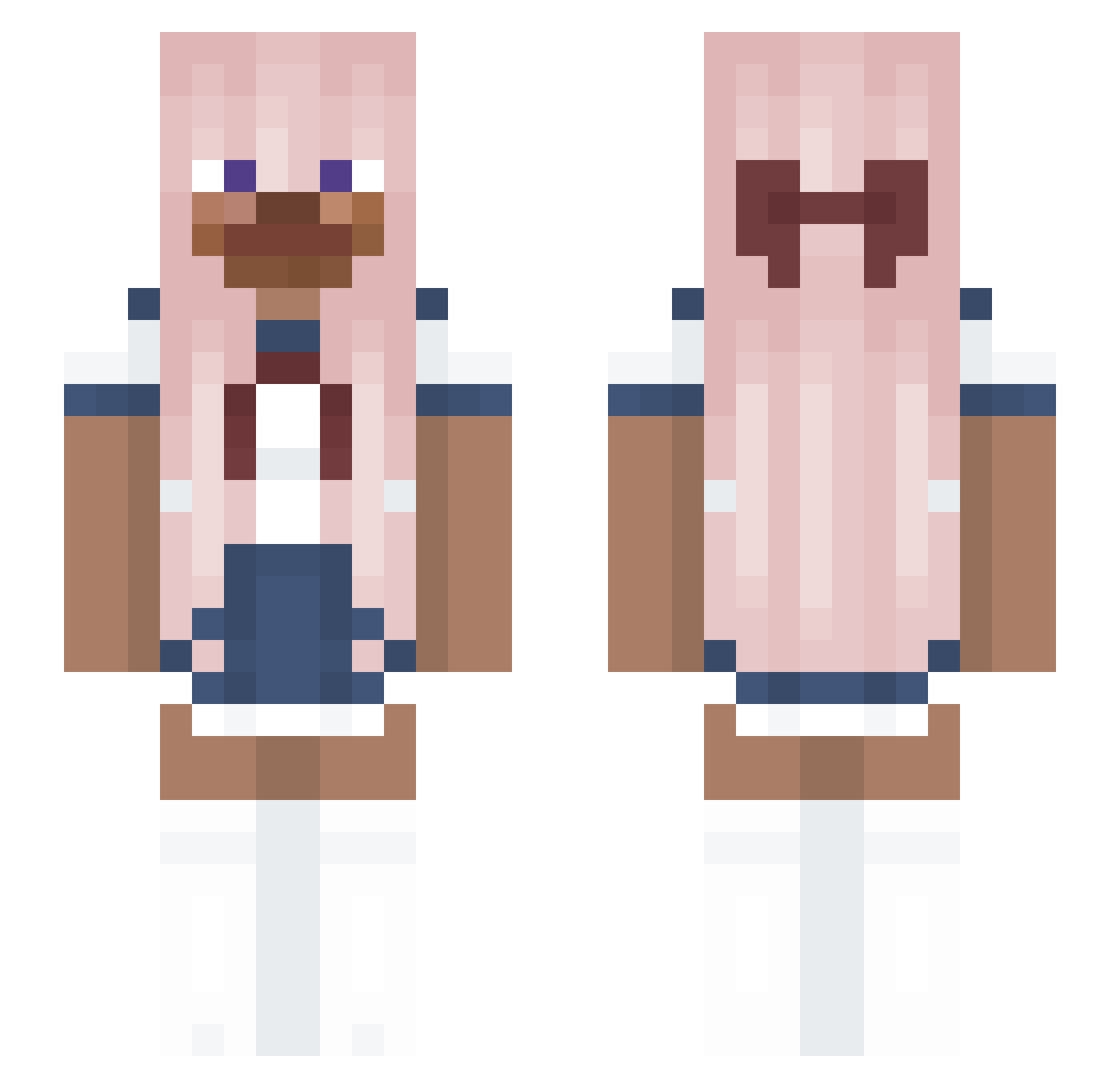
Other players with this skin (176)
HamstyPlay was the 30th player we have seen with this skin, first spotted on 10.08.2026. The same skin was seen on these players. Open a nickname to see their current skin and skin history.
 EnricoLazzari 4A21YuYanwai Rocket7651 Buternam bulldozer123xd
 sebplay1 Ferragut by_hiro IrohPlayz999YT Mako_the_chako cybrbunni 03__ BohneMormone Onishan96 cushiontwin Susanno osuszsa Hasles
 adam44566 Sheep_Beep_Beep bestbrodepvz Legosy
 Kybalions frankikoo mylesss_s Hrebecek69 G_blank eunchan12345 MrSlupo MizaAFK Kazsz eLucis198 mworty5 ph3n0m3nal_ kidok_kishkami KONRADOMO kid1515 MCcalexander88 Ferxaaa Noraax joker07107 Plopcito 1SrDarius KO755 weo_weoweo FSUISBACK201196 yedoo0104 Artiom_Teras neesatru ILoveMen22 Akikas Vitruzz0 Taylor_2413 mnjihwan
 sublimepneuma Sempai_Yiyi tostada45 Faelaa 189981 Joycefish
More Anime School Uniform Minecraft skins
See all 236 Anime School Uniform skins
How to install the HamstyPlay skin
- Press the Download button above to save the skin as a PNG file.
- Minecraft: Bedrock Edition (PE): open the Dressing Room from the main menu (or tap your character → Edit Character), go to Classic Skins → Owned, press the + (new skin) button, choose the downloaded PNG and pick the Slim (Alex) model. Works on PC and mobile; consoles cannot import custom skins.
- Minecraft: Java Edition: open the Minecraft Launcher, go to the Skins tab, click New Skin, load the PNG, pick the Slim (Alex) model and press Save & Use. You can also upload it at minecraft.net → Profile → Change Skin.
The skin does not show up after import - what should I do?
Restart Minecraft and open the Dressing Room again - imported skins sometimes appear only after a restart. Also make sure you selected the imported skin and picked the Slim (Alex) model.
Which model should I choose, Classic or Slim?
This skin is designed for the Slim (Alex) model. If you pick the wrong model, the arms of the skin will look stretched or squeezed.
Is the skin of HamstyPlay free to download?
Yes. Press Download, save the PNG file and use it in Minecraft: Bedrock Edition or Java Edition - no payment or registration needed. The skin also works on multiplayer servers and Realms.
More skins
Looking for more? Go back to all Minecraft skins and check the top skins of the week, month and all time, or find any player's skin by nickname.