
HamoodeGG - Minecraft Skins & Skin History
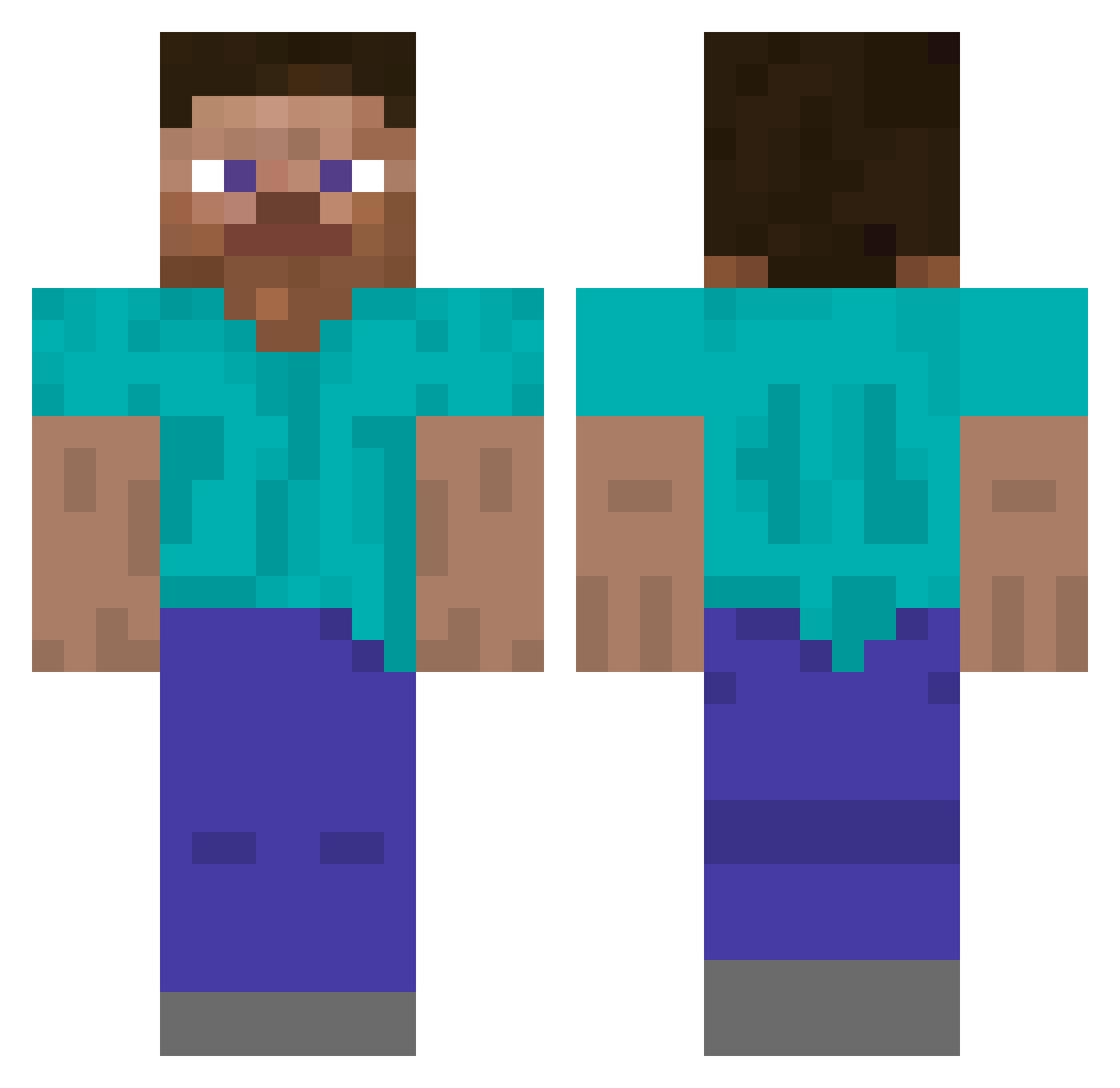
Current Minecraft skin of the player HamoodeGG, loaded from the official Mojang API. Rotate the 3D model with your mouse or finger, then download the skin as a PNG file and use it in Minecraft: Bedrock Edition or Java Edition for free. When HamoodeGG changes their skin, this page updates automatically and the old skin stays in the history below.
Other players with this skin (251)
HamoodeGG was the 206th player we have seen with this skin, first spotted on 11.10.2026. The same skin was seen on these players. Open a nickname to see their current skin and skin history.
 23no_ itssoover11 vas19149 _Stormz1 GenericPulsar 360Robin cumbank Wedders Royyo MadAngryBoy hropak RCExploit Rambambadon III MikeeX2 qtx0 PeaceDalise MrKedian paraphrenia TheDiddyDisciple Xyl2tol Dewode GodPanita ipx2 Mersol JUR0KU SonGoku9850 CFMPQ ignitors eliteball awesomenova_09 Pitos202143 Sznurpiq SeanCommon FatFetus69 arifco xxunx_rok yCursed _yjj_ EachDuck ric447 Savtrix bbmbastos CopitoMC3154 kasimb Namentis 0zig lil_huh MqKiLyy NotPoison CERTIFIEDVIRGIN J3RRA BennyNetenyahu Forkat Meleagro Simysimsim singsongsangsong patrykgrabow dalheag zxow
Previous skins of HamoodeGG
Skins that HamoodeGG wore before, newest first. Click a skin to open its page and download it.
How to install the HamoodeGG skin
- Press the Download button above to save the skin as a PNG file.
- Minecraft: Bedrock Edition (PE): open the Dressing Room from the main menu (or tap your character → Edit Character), go to Classic Skins → Owned, press the + (new skin) button, choose the downloaded PNG and pick the Classic (Steve) model. Works on PC and mobile; consoles cannot import custom skins.
- Minecraft: Java Edition: open the Minecraft Launcher, go to the Skins tab, click New Skin, load the PNG, pick the Classic (Steve) model and press Save & Use. You can also upload it at minecraft.net → Profile → Change Skin.
The skin does not show up after import - what should I do?
Restart Minecraft and open the Dressing Room again - imported skins sometimes appear only after a restart. Also make sure you selected the imported skin and picked the Classic (Steve) model.
Which model should I choose, Classic or Slim?
This skin is designed for the Classic (Steve) model. If you pick the wrong model, the arms of the skin will look stretched or squeezed.
Is the skin of HamoodeGG free to download?
Yes. Press Download, save the PNG file and use it in Minecraft: Bedrock Edition or Java Edition - no payment or registration needed. The skin also works on multiplayer servers and Realms.
More skins
Looking for more? Go back to all Minecraft skins and check the top skins of the week, month and all time, or find any player's skin by nickname.