
Hammy6907 - Minecraft Skins & Skin History
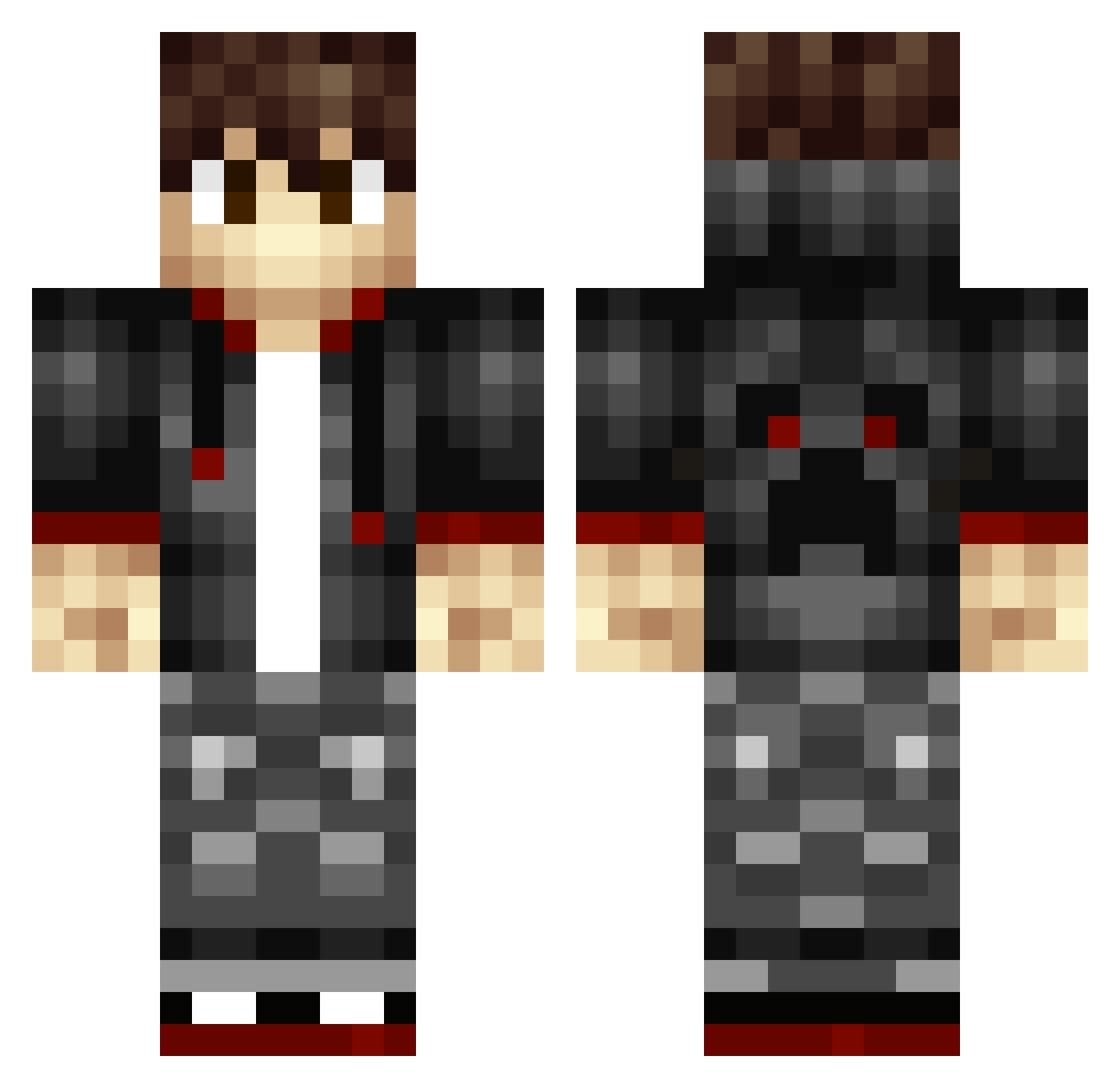
Current Minecraft skin of the player Hammy6907, loaded from the official Mojang API. Rotate the 3D model with your mouse or finger, then download the skin as a PNG file and use it in Minecraft: Bedrock Edition or Java Edition for free. When Hammy6907 changes their skin, this page updates automatically and the old skin stays in the history below.
Other players with this skin (344)
Hammy6907 was the 26th player we have seen with this skin, first spotted on 02.08.2026. The same skin was seen on these players. Open a nickname to see their current skin and skin history.
 enderman1231 AndersSng MakFinder Jake_Justice_94 Futtt Lukas010308 fflayne wofdog lijunliang SVossie Hirguth LoganS9 BlackJack32201 ELD2004 kluijf2000 cdv4433 Seleker CasualAlien IcoSauro Alexmonstervenom 125CC_Biker DBWBomb koreapinglord OverheadGolf65 Bogo942 IrishPotato69 Tekkiiii cccorp KajPihl Willembillem Spidey369 Vividzs McAwsome greeny7780 iTzHazzza SUPERspoon101 RochelleVlogs Andy_Senpai17 RubaDubdub89 69_Charlie_69 DocMach nlkillerbee Rafael20062006 Pro_Victor_33 nighthawk813 AtonLoL ShadowyDwarf Coletrain6204 By_Max03 TheBlankBaller UtopianChaos Kirin93 vxdragonslayer OxySempra Hopecs
 Nijaboy400 kidfury0907 Zarkito Stre4K Ashieboyyy
How to install the Hammy6907 skin
- Press the Download button above to save the skin as a PNG file.
- Minecraft: Bedrock Edition (PE): open the Dressing Room from the main menu (or tap your character → Edit Character), go to Classic Skins → Owned, press the + (new skin) button, choose the downloaded PNG and pick the Classic (Steve) model. Works on PC and mobile; consoles cannot import custom skins.
- Minecraft: Java Edition: open the Minecraft Launcher, go to the Skins tab, click New Skin, load the PNG, pick the Classic (Steve) model and press Save & Use. You can also upload it at minecraft.net → Profile → Change Skin.
The skin does not show up after import - what should I do?
Restart Minecraft and open the Dressing Room again - imported skins sometimes appear only after a restart. Also make sure you selected the imported skin and picked the Classic (Steve) model.
Which model should I choose, Classic or Slim?
This skin is designed for the Classic (Steve) model. If you pick the wrong model, the arms of the skin will look stretched or squeezed.
Is the skin of Hammy6907 free to download?
Yes. Press Download, save the PNG file and use it in Minecraft: Bedrock Edition or Java Edition - no payment or registration needed. The skin also works on multiplayer servers and Realms.
More skins
Looking for more? Go back to all Minecraft skins and check the top skins of the week, month and all time, or find any player's skin by nickname.