
HaL0BrInE - Minecraft Skins & Skin History
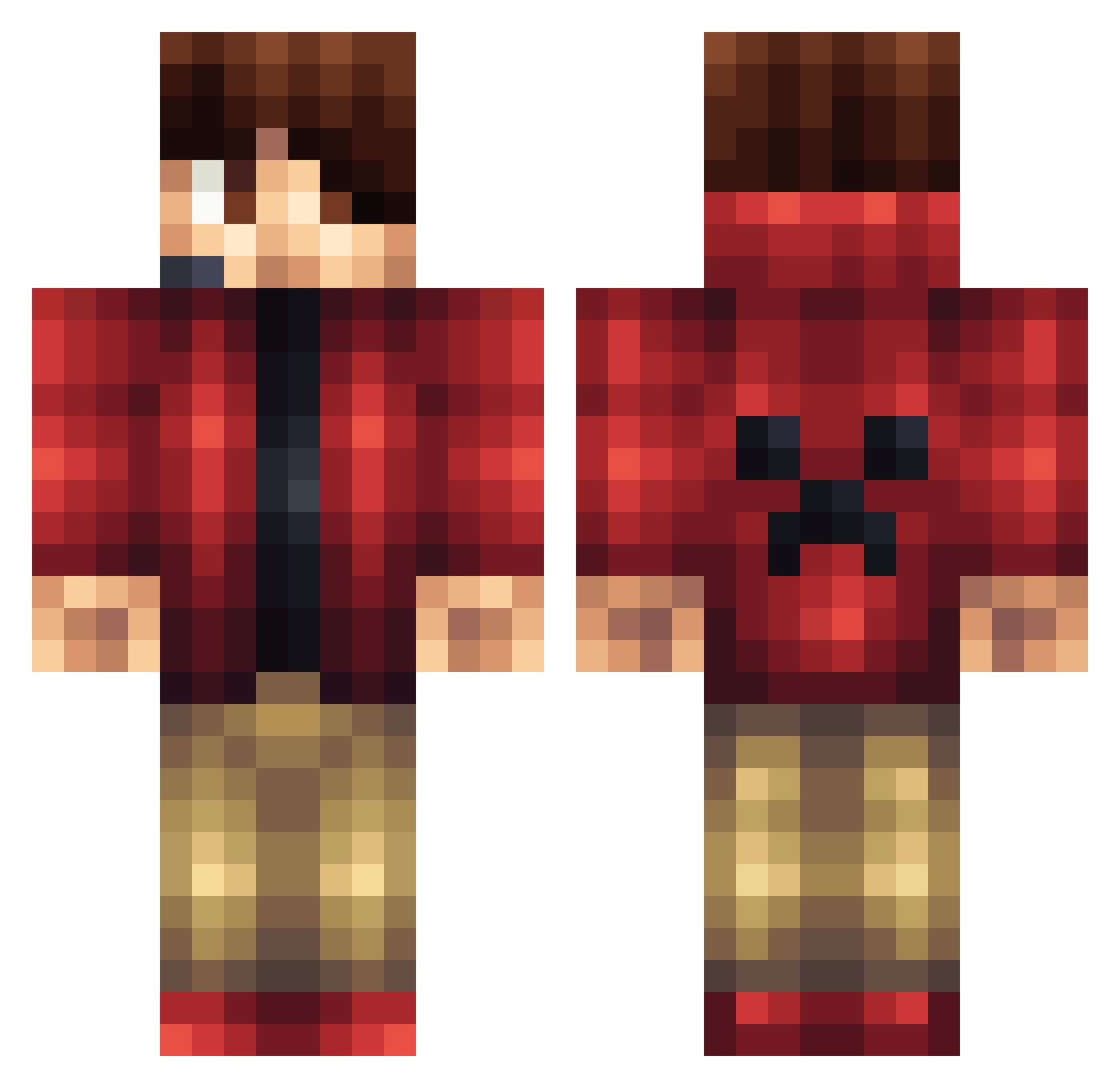
Current Minecraft skin of the player HaL0BrInE, loaded from the official Mojang API. Rotate the 3D model with your mouse or finger, then download the skin as a PNG file and use it in Minecraft: Bedrock Edition or Java Edition for free. When HaL0BrInE changes their skin, this page updates automatically and the old skin stays in the history below.
Other players with this skin (1428)
HaL0BrInE was the 1237th player we have seen with this skin, first spotted on 05.11.2026. The same skin was seen on these players. Open a nickname to see their current skin and skin history.
 justice2167 Mighty_miner19 shinoooo RuneTheMaster RILEY070 shyboyjoel okjay Manzate CreeperBoy893 ros103 SUPERCOOLCOR ryan102199 daque2000 PSGfriends madman23401 DigralloGamer Andirazar AuroraPlayzMC michellebridge02 Adeci_ MonsterBeast987 UKJosh janan6723 DirtMonkeyNH MajorPoofy11 scaryman571 Monkeyninja807 Gunther41 HSVTom2000 blazer101104 skezwanrice Biblical_ steelersman3301 BozzeHD Mossy3DG zF_FlexII_ shark1008 ramsay03 lanjezz _Vasdar_ Alfonso2811 steveMan3457 PixelVisionary gobsi LUKEELLY rich2011 antdro1 DeadloxMC2014 leelinua KingFouad SaradoxTheEpicz7 EclipseDusk XDA_Alt00 explosiveshark BingBongwoo NBA7878 nickbot253 Dabroyourhomey cubegamer13 anEmber
More Headset Minecraft skins
How to install the HaL0BrInE skin
- Press the Download button above to save the skin as a PNG file.
- Minecraft: Bedrock Edition (PE): open the Dressing Room from the main menu (or tap your character → Edit Character), go to Classic Skins → Owned, press the + (new skin) button, choose the downloaded PNG and pick the Classic (Steve) model. Works on PC and mobile; consoles cannot import custom skins.
- Minecraft: Java Edition: open the Minecraft Launcher, go to the Skins tab, click New Skin, load the PNG, pick the Classic (Steve) model and press Save & Use. You can also upload it at minecraft.net → Profile → Change Skin.
The skin does not show up after import - what should I do?
Restart Minecraft and open the Dressing Room again - imported skins sometimes appear only after a restart. Also make sure you selected the imported skin and picked the Classic (Steve) model.
Which model should I choose, Classic or Slim?
This skin is designed for the Classic (Steve) model. If you pick the wrong model, the arms of the skin will look stretched or squeezed.
Is the skin of HaL0BrInE free to download?
Yes. Press Download, save the PNG file and use it in Minecraft: Bedrock Edition or Java Edition - no payment or registration needed. The skin also works on multiplayer servers and Realms.
More skins
Looking for more? Go back to all Minecraft skins and check the top skins of the week, month and all time, or find any player's skin by nickname.