
HaBiit_ - Minecraft Skins & Skin History
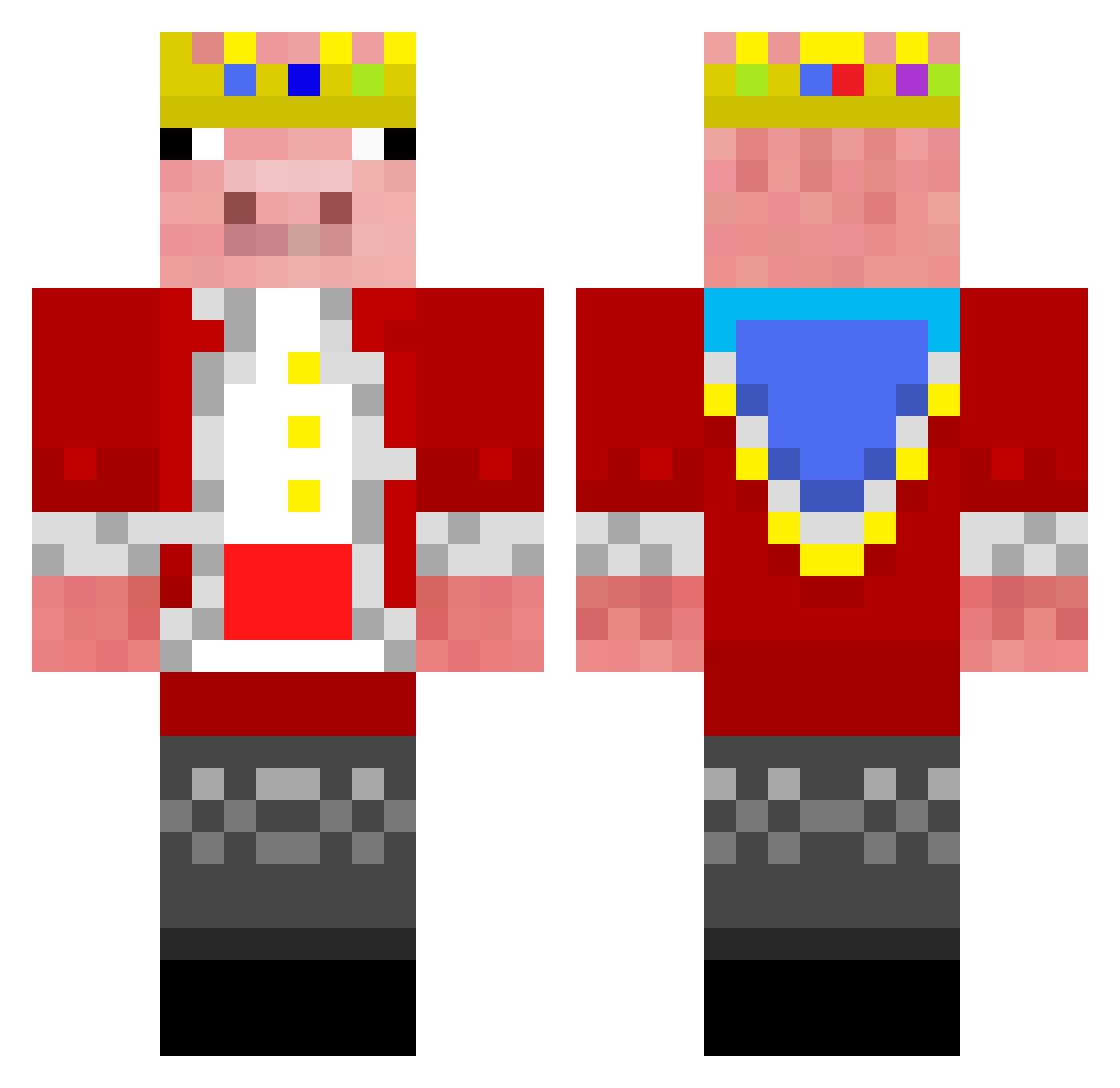
Current Minecraft skin of the player HaBiit_, loaded from the official Mojang API. Rotate the 3D model with your mouse or finger, then download the skin as a PNG file and use it in Minecraft: Bedrock Edition or Java Edition for free. When HaBiit_ changes their skin, this page updates automatically and the old skin stays in the history below.
Other players with this skin (292)
HaBiit_ was the 60th player we have seen with this skin, first spotted on 19.08.2026. The same skin was seen on these players. Open a nickname to see their current skin and skin history.
 chleb7175v2
 TheGreatNeos hyplexMiner TECHINSEE binichnicht Kleinerraffi13 Baggy_x BattleMe Liddell_tSPhUt Morggyplayz Zovoryx HomemCrepe masterxd_ gamerguy41 IlliumBr arkzw
 RiverDee CodePixie v1bezzzz qual The_P4U1 CalmKiwi6617 DavidePetr10 Mecra_ advmwan Supernova_710 Stylerking aditya1313 Johnny0922 Swttttt
 MistyBirch58831 Mr_Common_Sense Notpsycho8370 xMicieq daqavis Technowarden Its_Avired Vulcanise uwuforwomen 18437317
 Antfrostdgh
 fullsteamahd10 Harry_Potter_42 Szedox MichaelCK casdepro8 BellaKendal papa229 MR_MIDNIGHT001 Billionaire0
 Edin15x MainDuoSword Nilden Andy2553678 praffop MookMan_ chlebdominik ata_panda
 Miks_MC Theobaboss
More Pig Minecraft skins
How to install the HaBiit_ skin
- Press the Download button above to save the skin as a PNG file.
- Minecraft: Bedrock Edition (PE): open the Dressing Room from the main menu (or tap your character → Edit Character), go to Classic Skins → Owned, press the + (new skin) button, choose the downloaded PNG and pick the Classic (Steve) model. Works on PC and mobile; consoles cannot import custom skins.
- Minecraft: Java Edition: open the Minecraft Launcher, go to the Skins tab, click New Skin, load the PNG, pick the Classic (Steve) model and press Save & Use. You can also upload it at minecraft.net → Profile → Change Skin.
The skin does not show up after import - what should I do?
Restart Minecraft and open the Dressing Room again - imported skins sometimes appear only after a restart. Also make sure you selected the imported skin and picked the Classic (Steve) model.
Which model should I choose, Classic or Slim?
This skin is designed for the Classic (Steve) model. If you pick the wrong model, the arms of the skin will look stretched or squeezed.
Is the skin of HaBiit_ free to download?
Yes. Press Download, save the PNG file and use it in Minecraft: Bedrock Edition or Java Edition - no payment or registration needed. The skin also works on multiplayer servers and Realms.
More skins
Looking for more? Go back to all Minecraft skins and check the top skins of the week, month and all time, or find any player's skin by nickname.