
HUYULIN - Minecraft Skins & Skin History
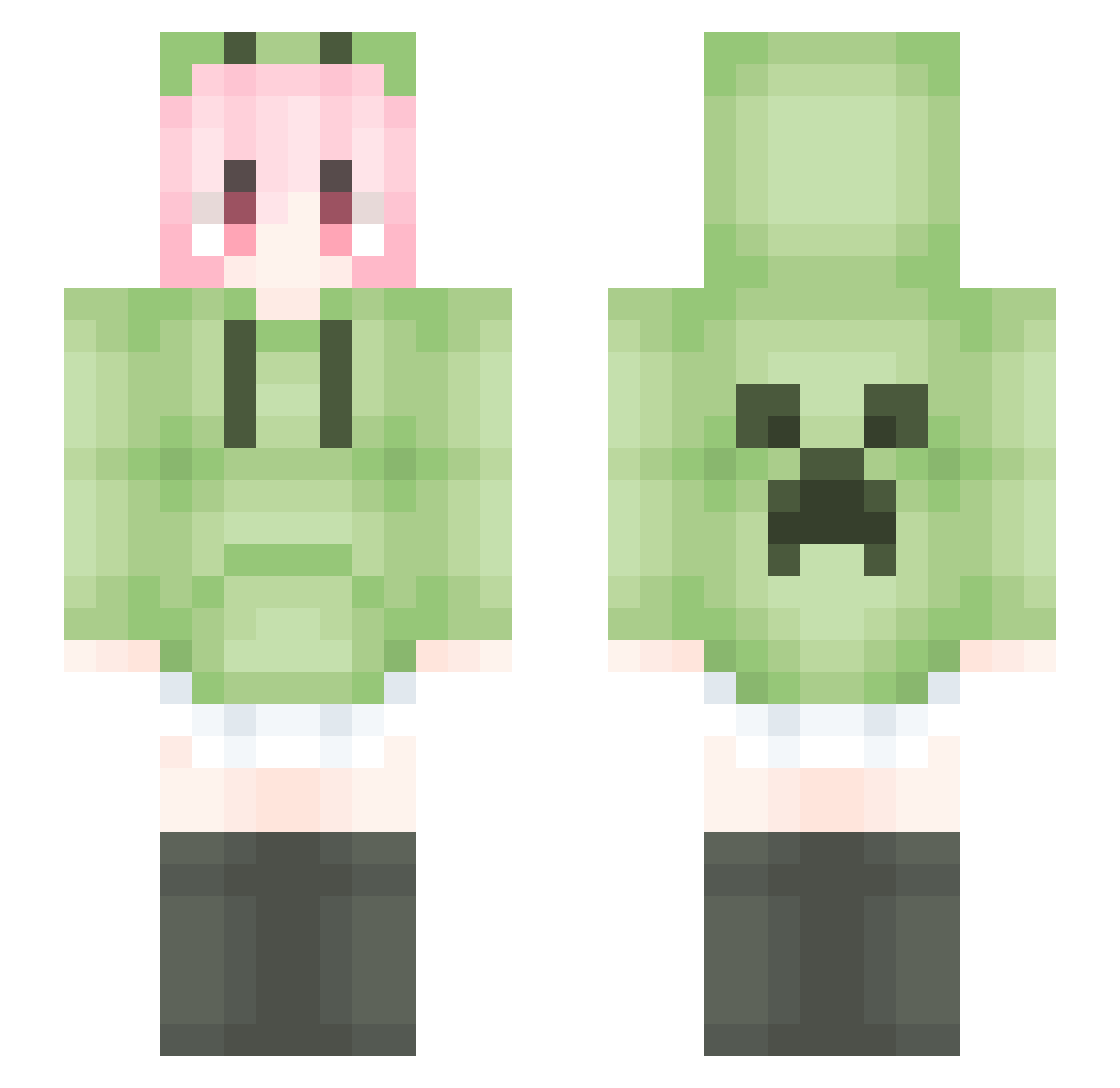
Current Minecraft skin of the player HUYULIN, loaded from the official Mojang API. Rotate the 3D model with your mouse or finger, then download the skin as a PNG file and use it in Minecraft: Bedrock Edition or Java Edition for free. When HUYULIN changes their skin, this page updates automatically and the old skin stays in the history below.
Other players with this skin (2036)
HUYULIN was the 2006th player we have seen with this skin, first spotted on 17.11.2026. The same skin was seen on these players. Open a nickname to see their current skin and skin history.
 YanHanSEN zww114514 Zemodya Q834209906_l_WuM Beizi_0531 mcsusu AirSilver0 xiaoxiao114514 Lovekillsus qwsdo ForCy_RR jell666 zyntaimei weiguang666 FengLing013 Ms0H pandengzhe CGCX Abroa05 ranmo1 misumiXP sNx441 MCchanming muxie_233 JQbao wsy020403 RojuuMortem LinXiu_gPZfJM831 I_GUS xeyiiii RChan555 hldsj MC_ChAog Fortunatecd Saber_C8 LiquidBounceB114 Phylife NormanChris xixi0511 duolaimeng XisianColin Hrone_ AiQinHai Crayon22333 OVO9527 Lycorisradiata_Y ARCHER000027 chdust Mo_nian_san yoawd ShiningDJ huik1 ystsb Pakchxz smithy_kidd SRfea Feng695 TTOfii KingSundial liu_888
More Anime Girl Minecraft skins
See all 15160 Anime Girl skins
How to install the HUYULIN skin
- Press the Download button above to save the skin as a PNG file.
- Minecraft: Bedrock Edition (PE): open the Dressing Room from the main menu (or tap your character → Edit Character), go to Classic Skins → Owned, press the + (new skin) button, choose the downloaded PNG and pick the Slim (Alex) model. Works on PC and mobile; consoles cannot import custom skins.
- Minecraft: Java Edition: open the Minecraft Launcher, go to the Skins tab, click New Skin, load the PNG, pick the Slim (Alex) model and press Save & Use. You can also upload it at minecraft.net → Profile → Change Skin.
The skin does not show up after import - what should I do?
Restart Minecraft and open the Dressing Room again - imported skins sometimes appear only after a restart. Also make sure you selected the imported skin and picked the Slim (Alex) model.
Which model should I choose, Classic or Slim?
This skin is designed for the Slim (Alex) model. If you pick the wrong model, the arms of the skin will look stretched or squeezed.
Is the skin of HUYULIN free to download?
Yes. Press Download, save the PNG file and use it in Minecraft: Bedrock Edition or Java Edition - no payment or registration needed. The skin also works on multiplayer servers and Realms.
More skins
Looking for more? Go back to all Minecraft skins and check the top skins of the week, month and all time, or find any player's skin by nickname.