
HRf563 - Minecraft Skins & Skin History
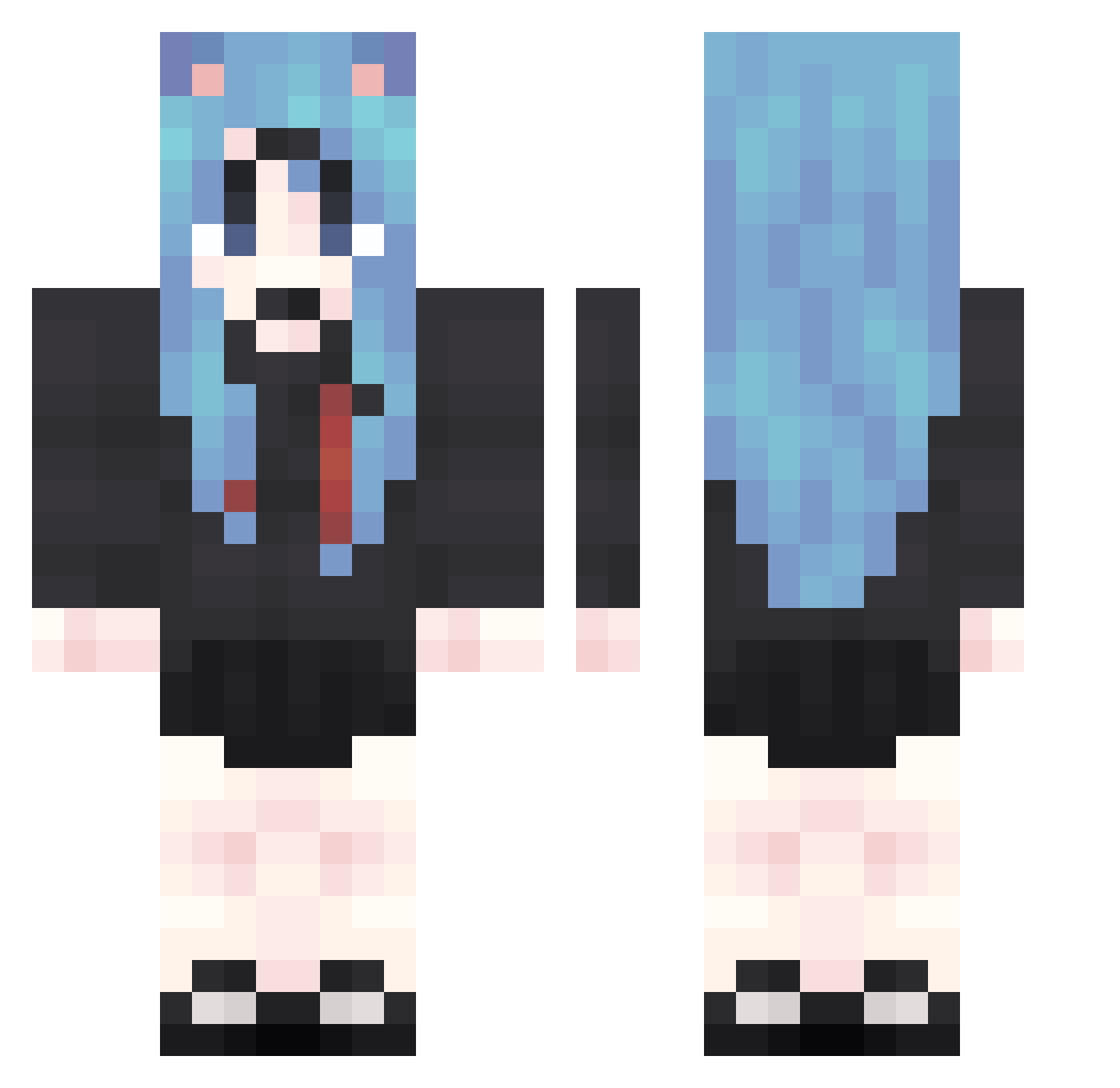
Current Minecraft skin of the player HRf563, loaded from the official Mojang API. Rotate the 3D model with your mouse or finger, then download the skin as a PNG file and use it in Minecraft: Bedrock Edition or Java Edition for free. When HRf563 changes their skin, this page updates automatically and the old skin stays in the history below.
Other players with this skin (2067)
HRf563 was the 2067th player we have seen with this skin, first spotted on 20.11.2026. The same skin was seen on these players. Open a nickname to see their current skin and skin history.
 wVN898 anm53 TuP154 AWA955 KWp117 awd764 Smj336 vue161 MyA522 bgu226 PYi503 ocS82 dhI533 dwU237 SpK693 RXJ964 jYa492 dgR71 Kgv463 NIm708 pzm896 Pry8 PXA966 xiv378 Izg108 XtF73 riL393 QeR486 tcO469 CED233 azT601 tiA412 qLm719 pbH416 UOJ624 FbG155 xrZ25 tFs360 Sif285 oKw175 VOZ742 yMq430 SJX657 mbG34 Kib19 YGP121 RCz710 vqw572 vMI889 HLs955 Xyk766 xlu223 LWe885 cQn425 nWJ2 ovO952 pTB219 EoJ171 ezo144 rAO640
More School Uniform Minecraft skins
See all 7628 School Uniform skins
How to install the HRf563 skin
- Press the Download button above to save the skin as a PNG file.
- Minecraft: Bedrock Edition (PE): open the Dressing Room from the main menu (or tap your character → Edit Character), go to Classic Skins → Owned, press the + (new skin) button, choose the downloaded PNG and pick the Classic (Steve) model. Works on PC and mobile; consoles cannot import custom skins.
- Minecraft: Java Edition: open the Minecraft Launcher, go to the Skins tab, click New Skin, load the PNG, pick the Classic (Steve) model and press Save & Use. You can also upload it at minecraft.net → Profile → Change Skin.
The skin does not show up after import - what should I do?
Restart Minecraft and open the Dressing Room again - imported skins sometimes appear only after a restart. Also make sure you selected the imported skin and picked the Classic (Steve) model.
Which model should I choose, Classic or Slim?
This skin is designed for the Classic (Steve) model. If you pick the wrong model, the arms of the skin will look stretched or squeezed.
Is the skin of HRf563 free to download?
Yes. Press Download, save the PNG file and use it in Minecraft: Bedrock Edition or Java Edition - no payment or registration needed. The skin also works on multiplayer servers and Realms.
More skins
Looking for more? Go back to all Minecraft skins and check the top skins of the week, month and all time, or find any player's skin by nickname.