
HArB910 - Minecraft Skins & Skin History
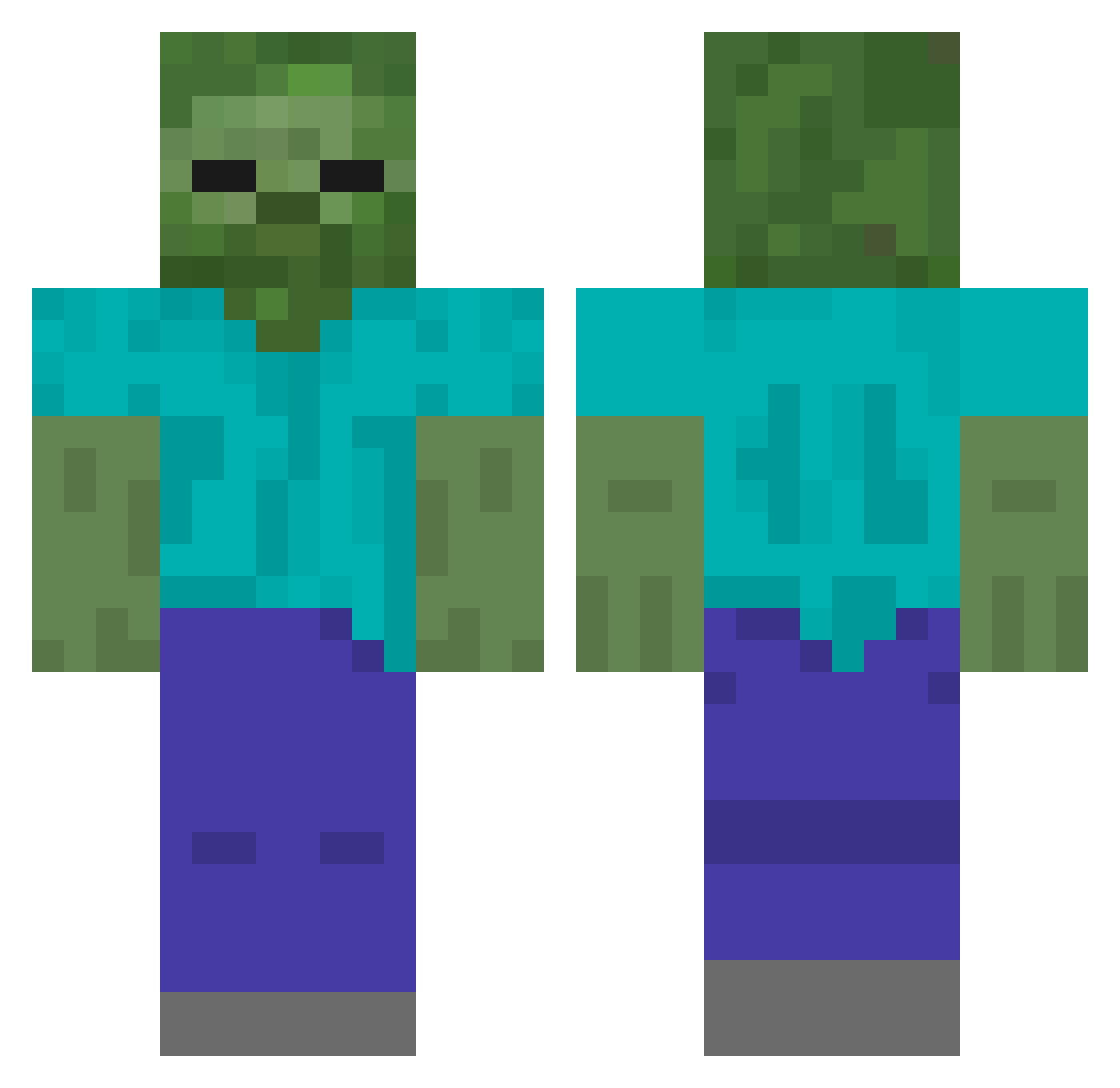
Current Minecraft skin of the player HArB910, loaded from the official Mojang API. Rotate the 3D model with your mouse or finger, then download the skin as a PNG file and use it in Minecraft: Bedrock Edition or Java Edition for free. When HArB910 changes their skin, this page updates automatically and the old skin stays in the history below.
Other players with this skin (440)
HArB910 was the 407th player we have seen with this skin, first spotted on 17.10.2026. The same skin was seen on these players. Open a nickname to see their current skin and skin history.
 mlx21 TTKTTT2 Pollo9999 VCLin00 sanvage juicybeat xisnoDy HugO645 fangb7 HiRz761 L_Z_1 GunnerShepardson kuyyai58 red_person Niuyubo HhEG865 EvanBuck FENGCHEN2470 aooi333 tainanlewa dgff121 niumochoubin yujun0802 zarotobi WBCO The_WaterMonkey xunxian1 HPzh743 HFUw403 Miyako_1213 metromusic91225 HWaa260 Majs_bajs008 HIwo135 chana521 HIok395 HBgv17 wzlz langsu Executioner3018 HyenaPlayZ Dolsotbibimbob Surp1us_ BestDtier 996596 99yearsoldplaymc schile WU_DI666 HmPc521 Hvyo572 HiAz2 HtKn559 Huka452 ZRWSJ HgPi606 Like_Medusa Submish lyen911 Promise793 jakesahomo
More Undead Minecraft skins
How to install the HArB910 skin
- Press the Download button above to save the skin as a PNG file.
- Minecraft: Bedrock Edition (PE): open the Dressing Room from the main menu (or tap your character → Edit Character), go to Classic Skins → Owned, press the + (new skin) button, choose the downloaded PNG and pick the Classic (Steve) model. Works on PC and mobile; consoles cannot import custom skins.
- Minecraft: Java Edition: open the Minecraft Launcher, go to the Skins tab, click New Skin, load the PNG, pick the Classic (Steve) model and press Save & Use. You can also upload it at minecraft.net → Profile → Change Skin.
The skin does not show up after import - what should I do?
Restart Minecraft and open the Dressing Room again - imported skins sometimes appear only after a restart. Also make sure you selected the imported skin and picked the Classic (Steve) model.
Which model should I choose, Classic or Slim?
This skin is designed for the Classic (Steve) model. If you pick the wrong model, the arms of the skin will look stretched or squeezed.
Is the skin of HArB910 free to download?
Yes. Press Download, save the PNG file and use it in Minecraft: Bedrock Edition or Java Edition - no payment or registration needed. The skin also works on multiplayer servers and Realms.
More skins
Looking for more? Go back to all Minecraft skins and check the top skins of the week, month and all time, or find any player's skin by nickname.