
HANK0001 - Minecraft Skins & Skin History
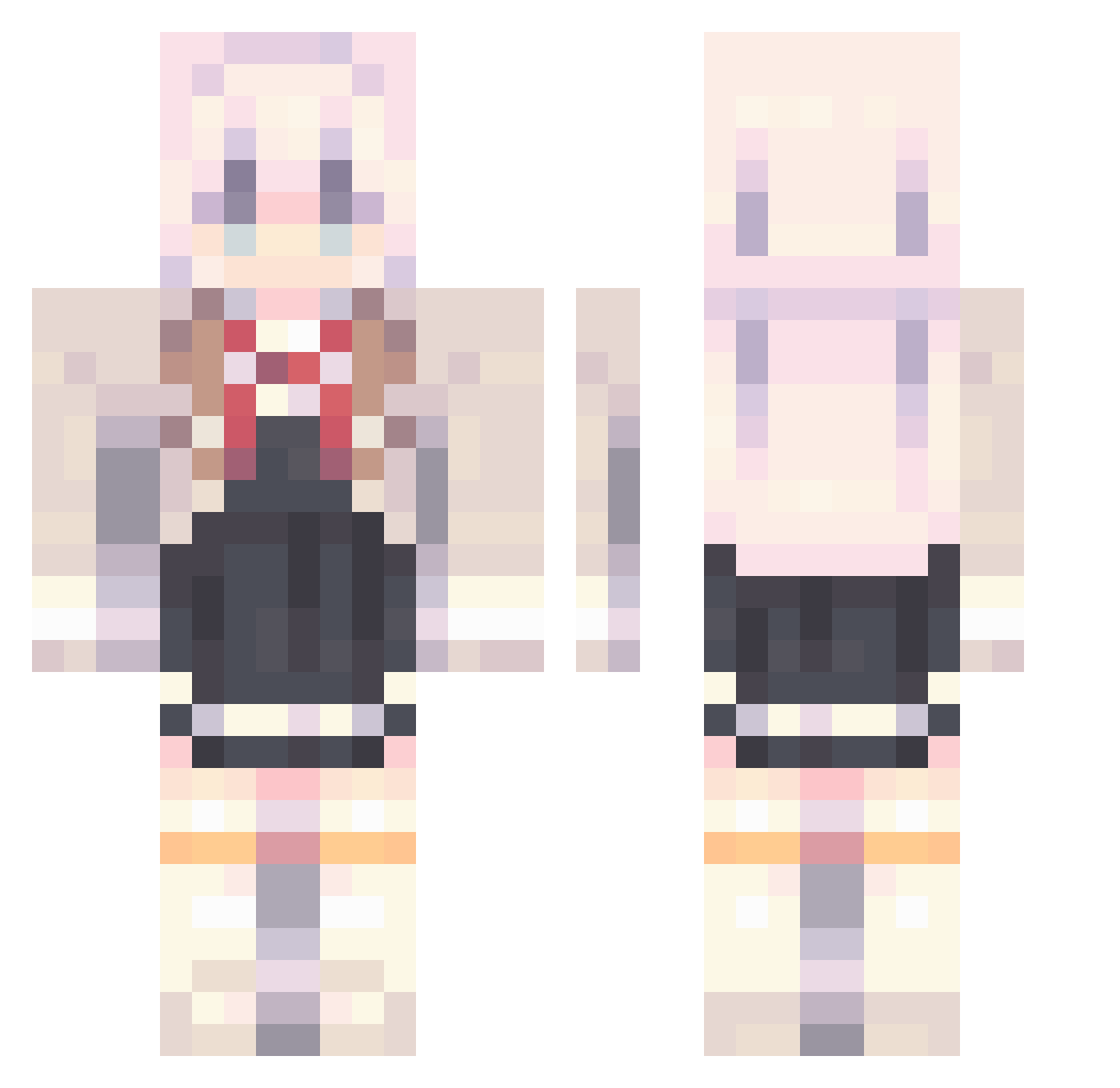
Current Minecraft skin of the player HANK0001, loaded from the official Mojang API. Rotate the 3D model with your mouse or finger, then download the skin as a PNG file and use it in Minecraft: Bedrock Edition or Java Edition for free. When HANK0001 changes their skin, this page updates automatically and the old skin stays in the history below.
Other players with this skin (908)
HANK0001 was the 461st player we have seen with this skin, first spotted on 17.09.2026. The same skin was seen on these players. Open a nickname to see their current skin and skin history.
 Yamada504 s31019227 aynwife cleaner944 viteklol Romme110 PureInferno_ pingo156 SadBee0727 SummerPockets1 _Kres_ Nyasaurus 9bnt temtem_ smilegq Chensito_Ms fogi0543 ChickenDIU Sheep667 RGBunny2009 __ReimU_ Melatonin_Chris power_quin niuniu0326 TheJP777 WarfareOMG Karlitoepic leonelj123456 Black_Pupil Coppile MasterIceZ TriLeaf123 ExeTHA Krypton203 Youy__ UAENA0630 Rossings8656 Han_SeungChae1 Jumbs76 hommesoja KreySlay benklxn DarkenSharky Sucukiii1511 Wwwooocats FFFdian jth0923 bart5336 5555anyu Helenas2 MyGFIsPerfect TEACHWIN SmileZXY _Creamm Unkn0wn2224 wangxun123 adnaPRC sh4f Sebastian8541 Geruros
More School Uniform Minecraft skins
See all 6647 School Uniform skins
How to install the HANK0001 skin
- Press the Download button above to save the skin as a PNG file.
- Minecraft: Bedrock Edition (PE): open the Dressing Room from the main menu (or tap your character → Edit Character), go to Classic Skins → Owned, press the + (new skin) button, choose the downloaded PNG and pick the Classic (Steve) model. Works on PC and mobile; consoles cannot import custom skins.
- Minecraft: Java Edition: open the Minecraft Launcher, go to the Skins tab, click New Skin, load the PNG, pick the Classic (Steve) model and press Save & Use. You can also upload it at minecraft.net → Profile → Change Skin.
The skin does not show up after import - what should I do?
Restart Minecraft and open the Dressing Room again - imported skins sometimes appear only after a restart. Also make sure you selected the imported skin and picked the Classic (Steve) model.
Which model should I choose, Classic or Slim?
This skin is designed for the Classic (Steve) model. If you pick the wrong model, the arms of the skin will look stretched or squeezed.
Is the skin of HANK0001 free to download?
Yes. Press Download, save the PNG file and use it in Minecraft: Bedrock Edition or Java Edition - no payment or registration needed. The skin also works on multiplayer servers and Realms.
More skins
Looking for more? Go back to all Minecraft skins and check the top skins of the week, month and all time, or find any player's skin by nickname.