
GwoppyZinky - Minecraft Skins & Skin History
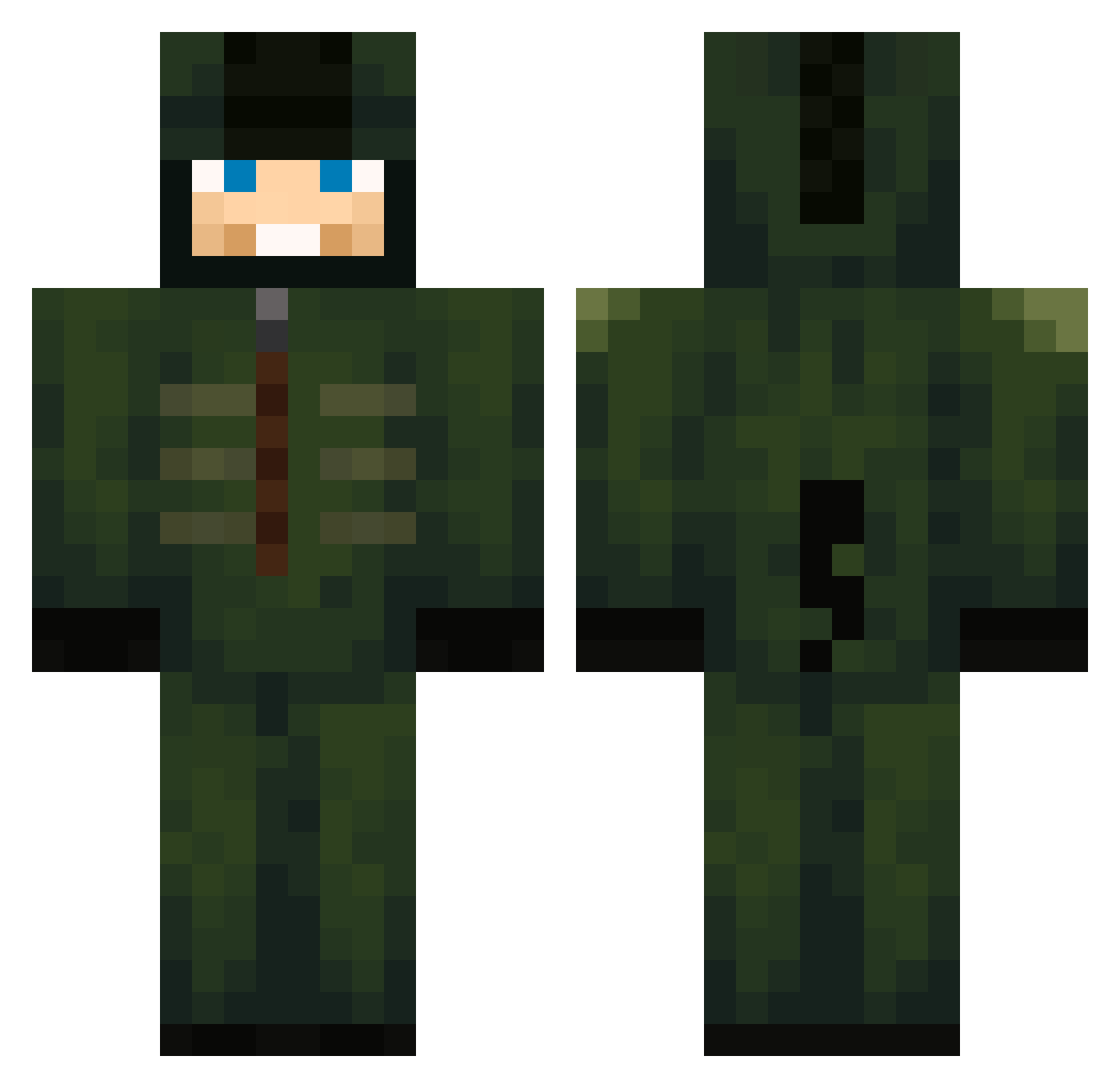
Current Minecraft skin of the player GwoppyZinky, loaded from the official Mojang API. Rotate the 3D model with your mouse or finger, then download the skin as a PNG file and use it in Minecraft: Bedrock Edition or Java Edition for free. When GwoppyZinky changes their skin, this page updates automatically and the old skin stays in the history below.
Other players with this skin (600)
GwoppyZinky was the 598th player we have seen with this skin, first spotted on 20.10.2026. The same skin was seen on these players. Open a nickname to see their current skin and skin history.
 ArminGipss MichaelACM Nooiirr CrYpT11Cz 5arsha gru_gaming rlarjsdn3123 Humpback_whale48 HungerWars GroscacaduQ Marcos700 dekefreke GQGRQGQ kosatochkin sukkv2 CODblackops7 evelove1017 MainDarkin pshmaster sinnnn01 Dewinss44 SeasonMandarin koophunter sMaiTcs flexiytp Quatschkopf17 LesDoigtsDePieds LeftRightDownUp Death_stab Gems01065 KittKattKidd MedinaMinecraft NuNu0424 Esiben Lukaszzzs Hubert1006 slubybob chris4795 kherzik jorisk058 Kremski12 Themafiadog Megaman943 hqex01 Nationwide1205 Scar4Lux qtkyl18 R3alRasta Devid1810 PeterUK netious_ Special_Chayce MoDZ_Raphous_V2 Sambaw12 ChihuahuaOwO KvamsKrakk doomguy10924 wonsub2jilong carpokeryt Cynistre
More Kigurumi Minecraft skins
How to install the GwoppyZinky skin
- Press the Download button above to save the skin as a PNG file.
- Minecraft: Bedrock Edition (PE): open the Dressing Room from the main menu (or tap your character → Edit Character), go to Classic Skins → Owned, press the + (new skin) button, choose the downloaded PNG and pick the Classic (Steve) model. Works on PC and mobile; consoles cannot import custom skins.
- Minecraft: Java Edition: open the Minecraft Launcher, go to the Skins tab, click New Skin, load the PNG, pick the Classic (Steve) model and press Save & Use. You can also upload it at minecraft.net → Profile → Change Skin.
The skin does not show up after import - what should I do?
Restart Minecraft and open the Dressing Room again - imported skins sometimes appear only after a restart. Also make sure you selected the imported skin and picked the Classic (Steve) model.
Which model should I choose, Classic or Slim?
This skin is designed for the Classic (Steve) model. If you pick the wrong model, the arms of the skin will look stretched or squeezed.
Is the skin of GwoppyZinky free to download?
Yes. Press Download, save the PNG file and use it in Minecraft: Bedrock Edition or Java Edition - no payment or registration needed. The skin also works on multiplayer servers and Realms.
More skins
Looking for more? Go back to all Minecraft skins and check the top skins of the week, month and all time, or find any player's skin by nickname.