
Gutinha - Minecraft Skins & Skin History
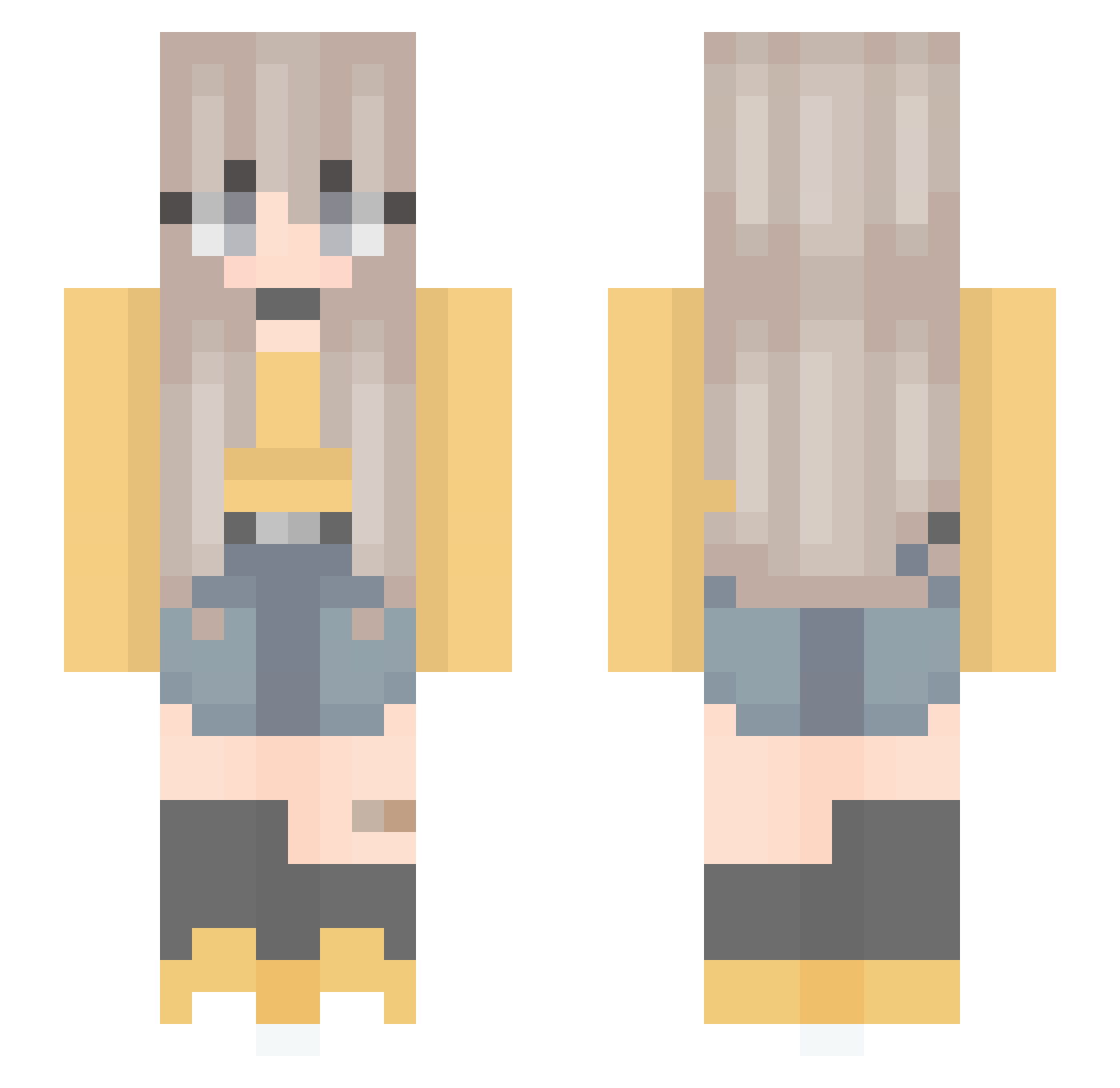
Current Minecraft skin of the player Gutinha, loaded from the official Mojang API. Rotate the 3D model with your mouse or finger, then download the skin as a PNG file and use it in Minecraft: Bedrock Edition or Java Edition for free. When Gutinha changes their skin, this page updates automatically and the old skin stays in the history below.
Other players with this skin (301)
Gutinha was the 218th player we have seen with this skin, first spotted on 15.10.2026. The same skin was seen on these players. Open a nickname to see their current skin and skin history.
 sueuwu UNKNOWN0711 Ruru_o0o lxssiger bbysophia JazzyCH _Ikuu_ Kaciaa jm7_ SlytherinQueenx Eliruz jannnjea2 YLnn_ Vuttiphat HrRi0 Loogah_ sgvn Kurapikaxx QQFU2K Snooziell Keezori KikiBunbun1008 lalisaa_ Piotrus2137 Wondertail Heilya tjdgus00 sdjaf ElysianWen HyperRin Duckie_Momo_ tobywu04 lizftf DirtBlocc_ Petyanna hyperpocky28 kaelawoo24 Yuncheenn Himajin3dayo Aigne2009 Finka_P Takikomigohann MandaM bai_lu0715 Pink_Raws B1LLYYY ButterflyFlower8 acba007 LaLatina47 Siwa96 YaelTa guestB15 _sock_puppet_ _Nullity_0 sabycrew SweetLea Reagan20000808 Lhire_17 Ningteaea aniitacr
More Anime Minecraft skins
How to install the Gutinha skin
- Press the Download button above to save the skin as a PNG file.
- Minecraft: Bedrock Edition (PE): open the Dressing Room from the main menu (or tap your character → Edit Character), go to Classic Skins → Owned, press the + (new skin) button, choose the downloaded PNG and pick the Slim (Alex) model. Works on PC and mobile; consoles cannot import custom skins.
- Minecraft: Java Edition: open the Minecraft Launcher, go to the Skins tab, click New Skin, load the PNG, pick the Slim (Alex) model and press Save & Use. You can also upload it at minecraft.net → Profile → Change Skin.
The skin does not show up after import - what should I do?
Restart Minecraft and open the Dressing Room again - imported skins sometimes appear only after a restart. Also make sure you selected the imported skin and picked the Slim (Alex) model.
Which model should I choose, Classic or Slim?
This skin is designed for the Slim (Alex) model. If you pick the wrong model, the arms of the skin will look stretched or squeezed.
Is the skin of Gutinha free to download?
Yes. Press Download, save the PNG file and use it in Minecraft: Bedrock Edition or Java Edition - no payment or registration needed. The skin also works on multiplayer servers and Realms.
More skins
Looking for more? Go back to all Minecraft skins and check the top skins of the week, month and all time, or find any player's skin by nickname.