
Guilherme7oi - Minecraft Skins & Skin History
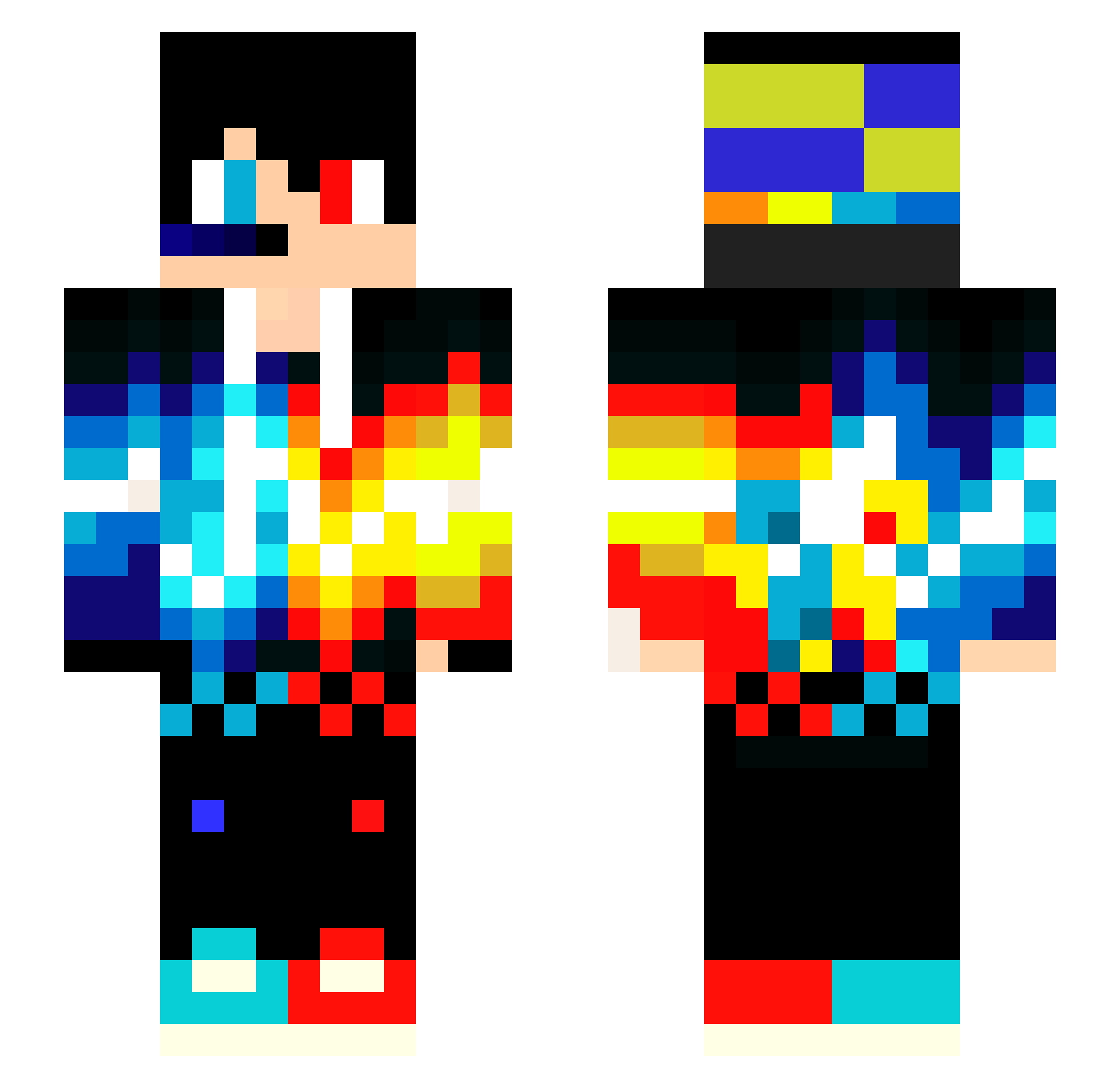
Current Minecraft skin of the player Guilherme7oi, loaded from the official Mojang API. Rotate the 3D model with your mouse or finger, then download the skin as a PNG file and use it in Minecraft: Bedrock Edition or Java Edition for free. When Guilherme7oi changes their skin, this page updates automatically and the old skin stays in the history below.
Other players with this skin (79)
Guilherme7oi was the 44th player we have seen with this skin, first spotted on 10.09.2026. The same skin was seen on these players. Open a nickname to see their current skin and skin history.
 yGabrielGunner EnderDragonBoyVn XzDESTROYERzX yuji098 Rafaeu CameronDSM JuniorPro2018 vanIngen1990 MileNick Lucasbrix Floppy674 RyanTiger KIKI1818 talapka MC_CM majd999 TokesP xXxVladyxXx ZspattZ isando1337 Miffo123 level412 PNIkuIku007 kagehito2378 iamverypoor joaoedudu redblue123_VN zack2711 callidior_ jason20051124 xDestiny27 HTCRAFT09 Lynx2046 ZeBRenok_B_GUCSi JonahMrnr Jason2316 B10ckBust3r CoringaMSD SorteDrage08 Sebskov guerrafuture JAMACKBr _Asmit_ Zatin_play roamprom LucasJuulMadsen Hexer0 vodafone_05 Hi_Blacktea41 hitboy2 Detektiv_Alien tsugumi_ch MishaBelii PED_RO Flicking_TnT GearMan24K23 GnomeChild29 XandeNeves kevinreis12345 danlikeaboss
More Fire And Ice Minecraft skins
See all 630 Fire And Ice skins
How to install the Guilherme7oi skin
- Press the Download button above to save the skin as a PNG file.
- Minecraft: Bedrock Edition (PE): open the Dressing Room from the main menu (or tap your character → Edit Character), go to Classic Skins → Owned, press the + (new skin) button, choose the downloaded PNG and pick the Slim (Alex) model. Works on PC and mobile; consoles cannot import custom skins.
- Minecraft: Java Edition: open the Minecraft Launcher, go to the Skins tab, click New Skin, load the PNG, pick the Slim (Alex) model and press Save & Use. You can also upload it at minecraft.net → Profile → Change Skin.
The skin does not show up after import - what should I do?
Restart Minecraft and open the Dressing Room again - imported skins sometimes appear only after a restart. Also make sure you selected the imported skin and picked the Slim (Alex) model.
Which model should I choose, Classic or Slim?
This skin is designed for the Slim (Alex) model. If you pick the wrong model, the arms of the skin will look stretched or squeezed.
Is the skin of Guilherme7oi free to download?
Yes. Press Download, save the PNG file and use it in Minecraft: Bedrock Edition or Java Edition - no payment or registration needed. The skin also works on multiplayer servers and Realms.
More skins
Looking for more? Go back to all Minecraft skins and check the top skins of the week, month and all time, or find any player's skin by nickname.