
Guihe_ - Minecraft Skins & Skin History
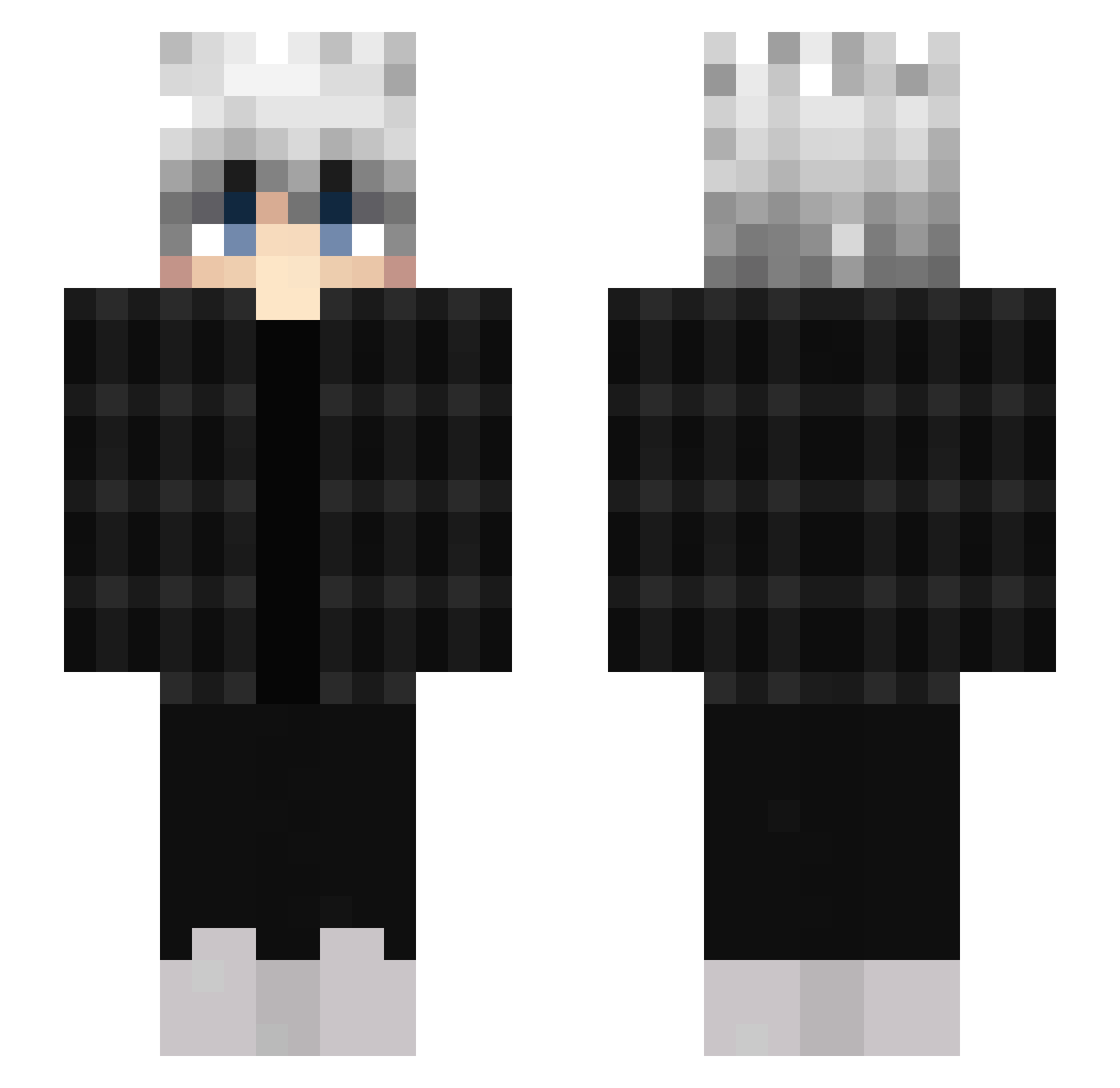
Current Minecraft skin of the player Guihe_, loaded from the official Mojang API. Rotate the 3D model with your mouse or finger, then download the skin as a PNG file and use it in Minecraft: Bedrock Edition or Java Edition for free. When Guihe_ changes their skin, this page updates automatically and the old skin stays in the history below.
Other players with this skin (453)
Guihe_ was the 196th player we have seen with this skin, first spotted on 08.09.2026. The same skin was seen on these players. Open a nickname to see their current skin and skin history.
 EdgyBoi9 luiz1 BigBoiBlizy Shizokun Ferafi pekechu0v0 Theabyss5555 Ryuzin2033 G_Jingles S3mikkelbeer qlbe Ukrainiangod codycookie lztmarketbetter bizzelbam TJTJTJ0075 Luro08 AverageShark creeper0250 Chaps1738 wysi727_ GKSK VL_Tornado Weber244 GekkoKing420 sxmpatischer_ Fery_Pups SwEGoO YakiNattsu lazatio masterkim1009 GL1tchAffexx NMnEPATOP9683 savvy_craft Praziks_ Wensed Kami_tedi WAYxTREME Roni_rn Snezhocheek Dayyk TASOUT6624 Nxightmarree Keinplatz Genow1 oTYMODYMOo BanDDi Qwantum devilwalk1 G4Quazek Mrcapslok SahSherlock sansu keynoGG PanikInsel863 KuduGnu vlfb unncessary 1414120 iliLeo
How to install the Guihe_ skin
- Press the Download button above to save the skin as a PNG file.
- Minecraft: Bedrock Edition (PE): open the Dressing Room from the main menu (or tap your character → Edit Character), go to Classic Skins → Owned, press the + (new skin) button, choose the downloaded PNG and pick the Slim (Alex) model. Works on PC and mobile; consoles cannot import custom skins.
- Minecraft: Java Edition: open the Minecraft Launcher, go to the Skins tab, click New Skin, load the PNG, pick the Slim (Alex) model and press Save & Use. You can also upload it at minecraft.net → Profile → Change Skin.
The skin does not show up after import - what should I do?
Restart Minecraft and open the Dressing Room again - imported skins sometimes appear only after a restart. Also make sure you selected the imported skin and picked the Slim (Alex) model.
Which model should I choose, Classic or Slim?
This skin is designed for the Slim (Alex) model. If you pick the wrong model, the arms of the skin will look stretched or squeezed.
Is the skin of Guihe_ free to download?
Yes. Press Download, save the PNG file and use it in Minecraft: Bedrock Edition or Java Edition - no payment or registration needed. The skin also works on multiplayer servers and Realms.
More skins
Looking for more? Go back to all Minecraft skins and check the top skins of the week, month and all time, or find any player's skin by nickname.