
unncessary - Minecraft Skins & Skin History
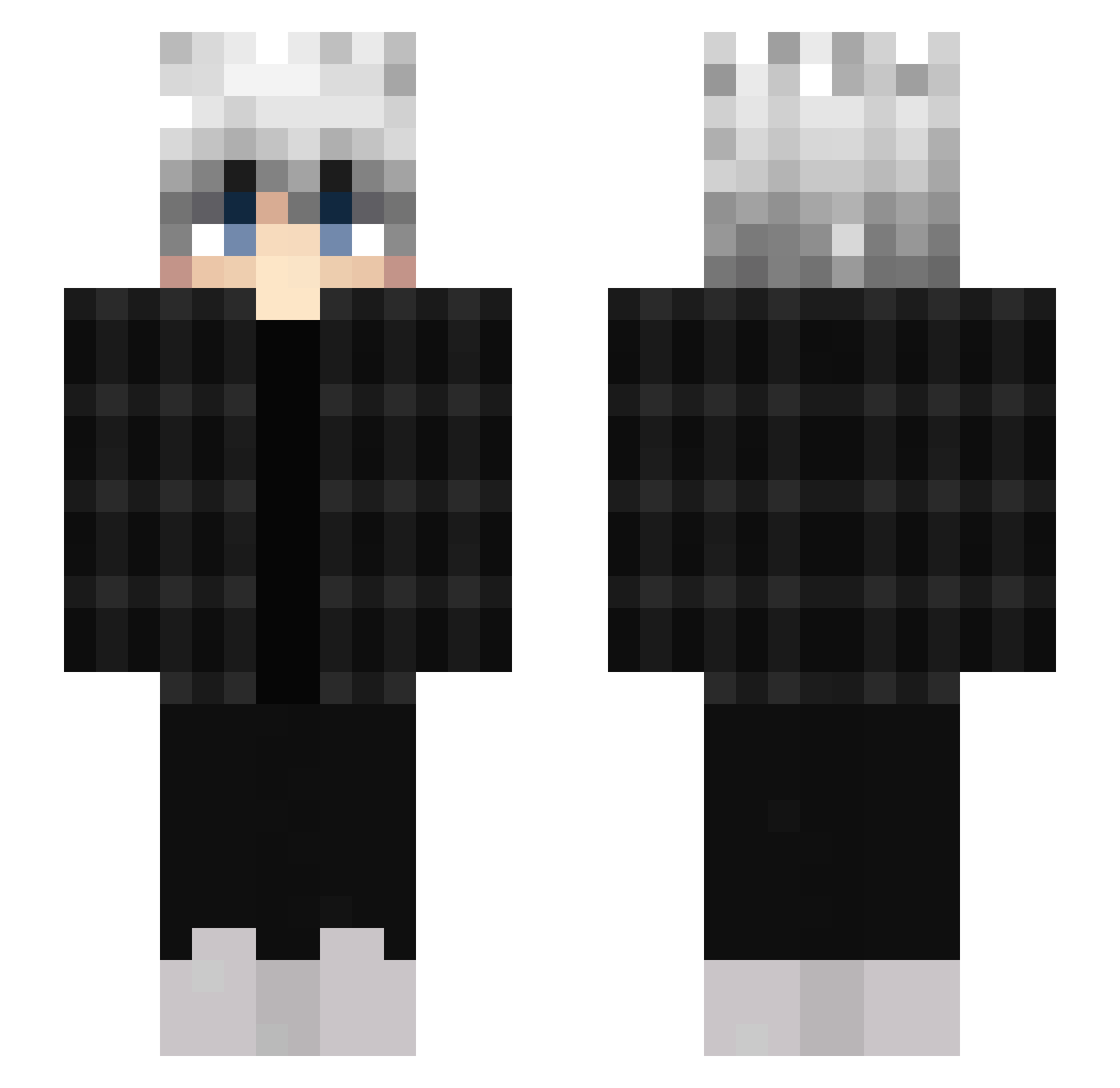
Current Minecraft skin of the player unncessary, loaded from the official Mojang API. Rotate the 3D model with your mouse or finger, then download the skin as a PNG file and use it in Minecraft: Bedrock Edition or Java Edition for free. When unncessary changes their skin, this page updates automatically and the old skin stays in the history below.
Other players with this skin (453)
unncessary was the 163rd player we have seen with this skin, first spotted on 31.08.2026. The same skin was seen on these players. Open a nickname to see their current skin and skin history.
 iliLeo vlfb theDraven07 PanikInsel863 keynoGG MC_Marlo SahSherlock Mrcapslok G4Quazek Wisnia_czerwony xFreezykingx Steyc BanDDi Genow1 Loruto1 Nxightmarree Dayyk Fakke_ WAYxTREME D4sChr1s Praziks_ xvein01_ Fab_i GL1tchAffexx masterkim1009 gavino313 Killerhead1 lazatio Daniel_03112005 Fery_Pups Excersion jun_19 sxmpatischer_ RlOUS GekkoKing420 warata VL_Tornado GKSK Chaps1738 Vitain30 Paduy creeper0250 SekkuJustVibin k_bronze_y 53laztr Luro08 Keweny lztmarketbetter codycookie KainAim Ukrainiangod qlbe S3mikkelbeer G_Jingles rxsehead AziShiro pekechu0v0 adriaqn roed69 luiz1
How to install the unncessary skin
- Press the Download button above to save the skin as a PNG file.
- Minecraft: Bedrock Edition (PE): open the Dressing Room from the main menu (or tap your character → Edit Character), go to Classic Skins → Owned, press the + (new skin) button, choose the downloaded PNG and pick the Slim (Alex) model. Works on PC and mobile; consoles cannot import custom skins.
- Minecraft: Java Edition: open the Minecraft Launcher, go to the Skins tab, click New Skin, load the PNG, pick the Slim (Alex) model and press Save & Use. You can also upload it at minecraft.net → Profile → Change Skin.
The skin does not show up after import - what should I do?
Restart Minecraft and open the Dressing Room again - imported skins sometimes appear only after a restart. Also make sure you selected the imported skin and picked the Slim (Alex) model.
Which model should I choose, Classic or Slim?
This skin is designed for the Slim (Alex) model. If you pick the wrong model, the arms of the skin will look stretched or squeezed.
Is the skin of unncessary free to download?
Yes. Press Download, save the PNG file and use it in Minecraft: Bedrock Edition or Java Edition - no payment or registration needed. The skin also works on multiplayer servers and Realms.
More skins
Looking for more? Go back to all Minecraft skins and check the top skins of the week, month and all time, or find any player's skin by nickname.