
GuffNation - Minecraft Skins & Skin History
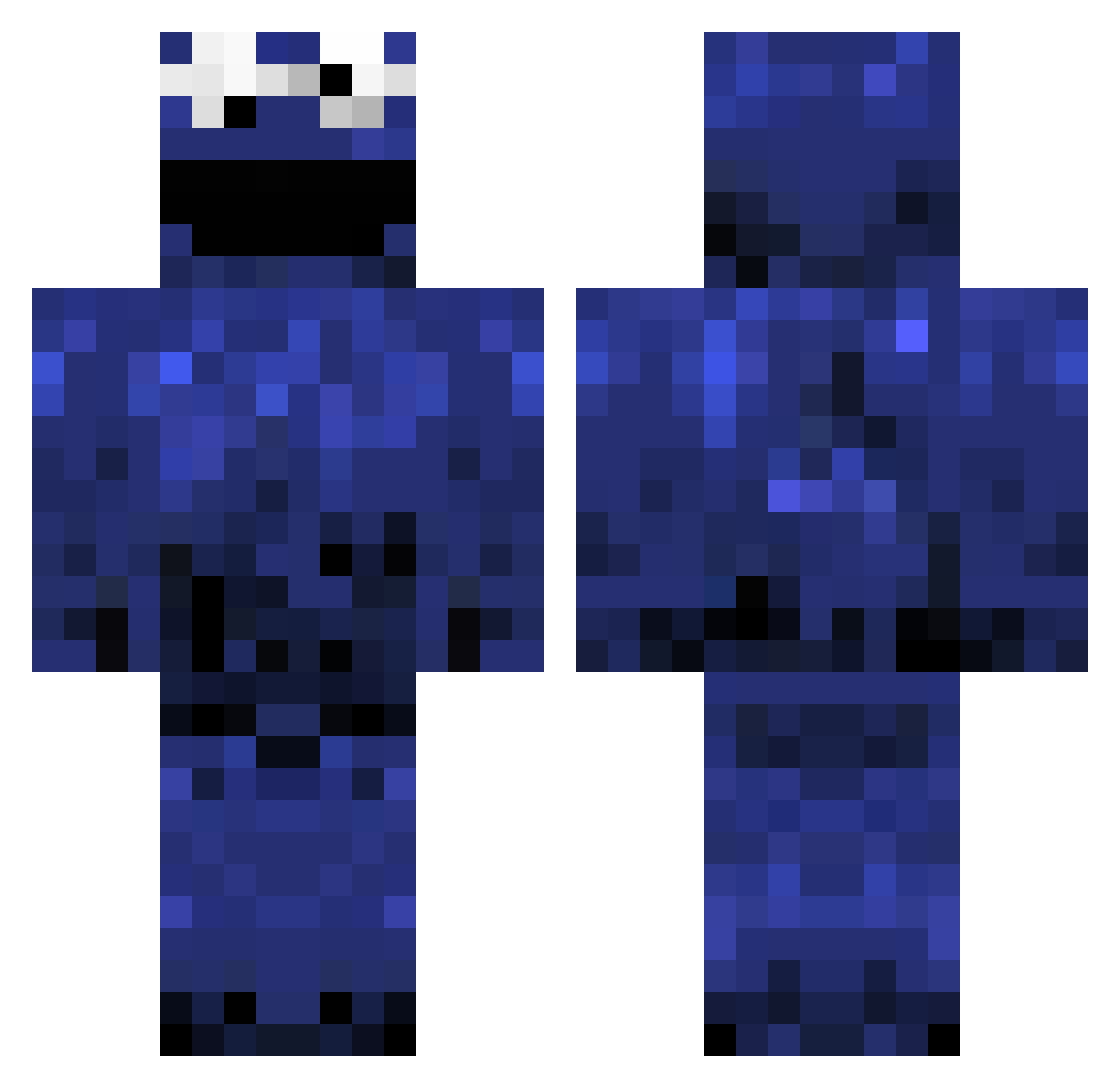
Current Minecraft skin of the player GuffNation, loaded from the official Mojang API. Rotate the 3D model with your mouse or finger, then download the skin as a PNG file and use it in Minecraft: Bedrock Edition or Java Edition for free. When GuffNation changes their skin, this page updates automatically and the old skin stays in the history below.
Other players with this skin (978)
GuffNation was the 937th player we have seen with this skin, first spotted on 18.10.2026. The same skin was seen on these players. Open a nickname to see their current skin and skin history.
 owna9e007 jordey1234 Xerovoxx Schweinemann superman1880 Pav68 Sykoklown master_chief2011 Dailter lameleaf1 PandamoniumPanda piteretard totallytorix0 WhiteFontaine Angi3r KrispyTemper patrykw2001 TSwan22 Pandam toogler TsangMan XxChrisPKremexX MClifft11 ConvictNetwork viktklass cocachery MR_BEAST123 alphanerd97 googleboy15 RedDoTColor xXLOLLY_POPZXx jonahboris steviemacdonald cratercritter StepeMiocic Splatssu JoeGirgis7 Krispiigt pickelnickel LoNgTeRmVaLuE Xandat Paulza97 stitch30m CHILICHEESEFRlES joey123123 Creepbrugh Teemus01 100percentirish duggernout2 topform1 mustangs24 Seryoster Darkpwr lukelane0778 Th33M0nk Fatalcontact RaysDaddy superfail10 whwiep diamondcookie8u
More Cookie Monster Minecraft skins
See all 241 Cookie Monster skins
How to install the GuffNation skin
- Press the Download button above to save the skin as a PNG file.
- Minecraft: Bedrock Edition (PE): open the Dressing Room from the main menu (or tap your character → Edit Character), go to Classic Skins → Owned, press the + (new skin) button, choose the downloaded PNG and pick the Classic (Steve) model. Works on PC and mobile; consoles cannot import custom skins.
- Minecraft: Java Edition: open the Minecraft Launcher, go to the Skins tab, click New Skin, load the PNG, pick the Classic (Steve) model and press Save & Use. You can also upload it at minecraft.net → Profile → Change Skin.
The skin does not show up after import - what should I do?
Restart Minecraft and open the Dressing Room again - imported skins sometimes appear only after a restart. Also make sure you selected the imported skin and picked the Classic (Steve) model.
Which model should I choose, Classic or Slim?
This skin is designed for the Classic (Steve) model. If you pick the wrong model, the arms of the skin will look stretched or squeezed.
Is the skin of GuffNation free to download?
Yes. Press Download, save the PNG file and use it in Minecraft: Bedrock Edition or Java Edition - no payment or registration needed. The skin also works on multiplayer servers and Realms.
More skins
Looking for more? Go back to all Minecraft skins and check the top skins of the week, month and all time, or find any player's skin by nickname.