
GuerillaFire - Minecraft Skins & Skin History
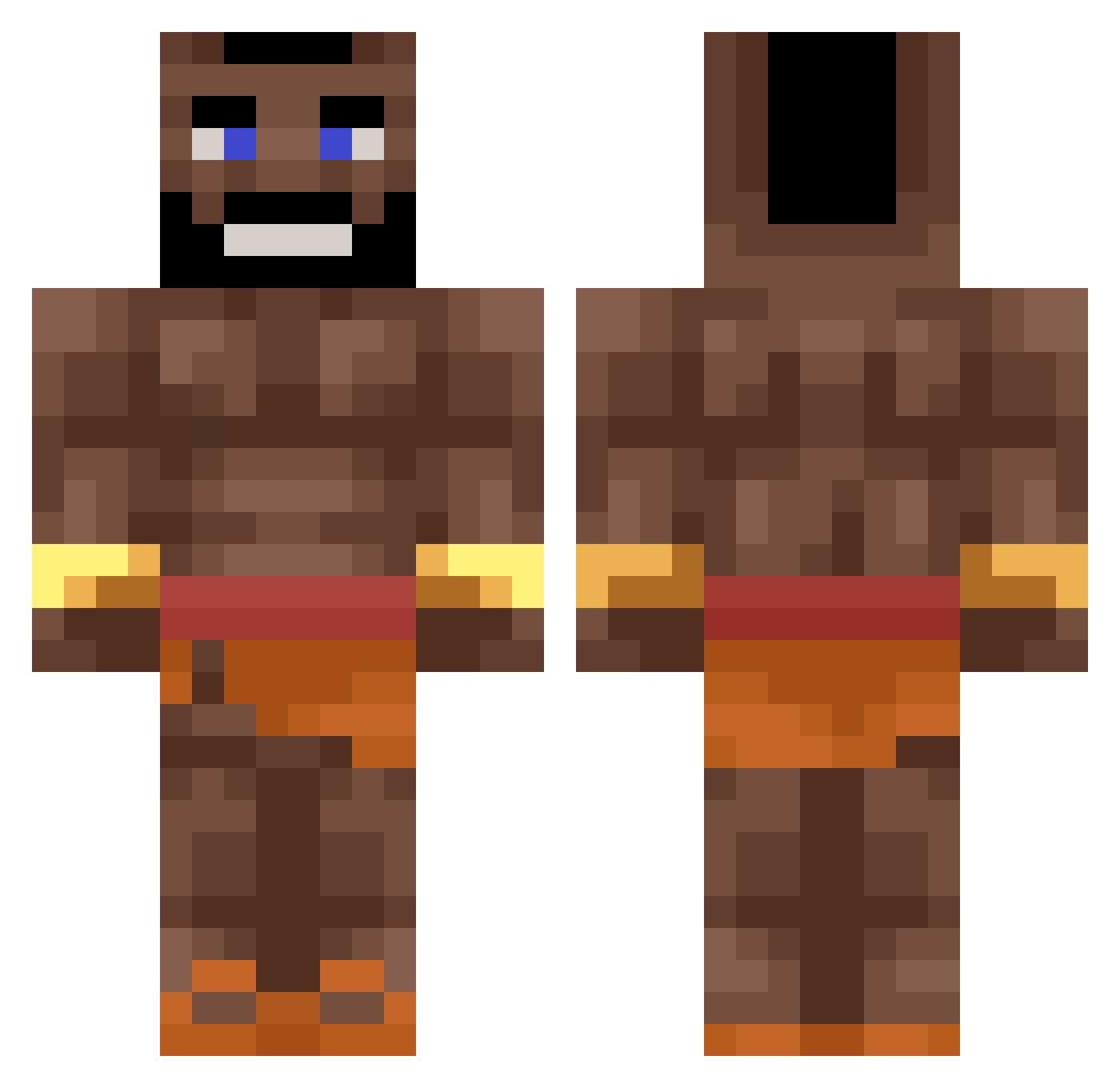
Current Minecraft skin of the player GuerillaFire, loaded from the official Mojang API. Rotate the 3D model with your mouse or finger, then download the skin as a PNG file and use it in Minecraft: Bedrock Edition or Java Edition for free. When GuerillaFire changes their skin, this page updates automatically and the old skin stays in the history below.
Other players with this skin (366)
GuerillaFire was the 300th player we have seen with this skin, first spotted on 08.10.2026. The same skin was seen on these players. Open a nickname to see their current skin and skin history.
 ktx_marshall PayesTR luxWarlock Sugnug420 Wiwatz Ciastekkkk Chubby05 Lostson77 Glizzer_ diablodelanoche AsianBonsaiBaka KratosGod1222 GalaxyRnR illussionz Jvrik_ 1__Nate__1 Danonek_jpg lysys12 Losted99 Bananskal88 Ironghost23 Bagualitom Nai162 Krystian2115 Helixio753 IMatter _FqzeMR_DEWITOES TomikCZ6707 Linkao69 BenzNF1 phrogchamp69 Fankulo syndykat505 hot_cafoi Petya7Let CastleBot50 Loulous14141 Esslo M1l_ squaty_ 1KayzR Vipro1040GH NinjaBowje Mike_svk LXN17 Marwan245_ Gemmyneutron korenbit123 Icyanda eyvahnayfo M3GA161205 ash_don synthicek gryfman ScrappleTheLab RiceGod_ Kelesnikov ActuallyHim Failos kennen33
More Mr T Minecraft skins
How to install the GuerillaFire skin
- Press the Download button above to save the skin as a PNG file.
- Minecraft: Bedrock Edition (PE): open the Dressing Room from the main menu (or tap your character → Edit Character), go to Classic Skins → Owned, press the + (new skin) button, choose the downloaded PNG and pick the Classic (Steve) model. Works on PC and mobile; consoles cannot import custom skins.
- Minecraft: Java Edition: open the Minecraft Launcher, go to the Skins tab, click New Skin, load the PNG, pick the Classic (Steve) model and press Save & Use. You can also upload it at minecraft.net → Profile → Change Skin.
The skin does not show up after import - what should I do?
Restart Minecraft and open the Dressing Room again - imported skins sometimes appear only after a restart. Also make sure you selected the imported skin and picked the Classic (Steve) model.
Which model should I choose, Classic or Slim?
This skin is designed for the Classic (Steve) model. If you pick the wrong model, the arms of the skin will look stretched or squeezed.
Is the skin of GuerillaFire free to download?
Yes. Press Download, save the PNG file and use it in Minecraft: Bedrock Edition or Java Edition - no payment or registration needed. The skin also works on multiplayer servers and Realms.
More skins
Looking for more? Go back to all Minecraft skins and check the top skins of the week, month and all time, or find any player's skin by nickname.