
GsiVestal - Minecraft Skins & Skin History
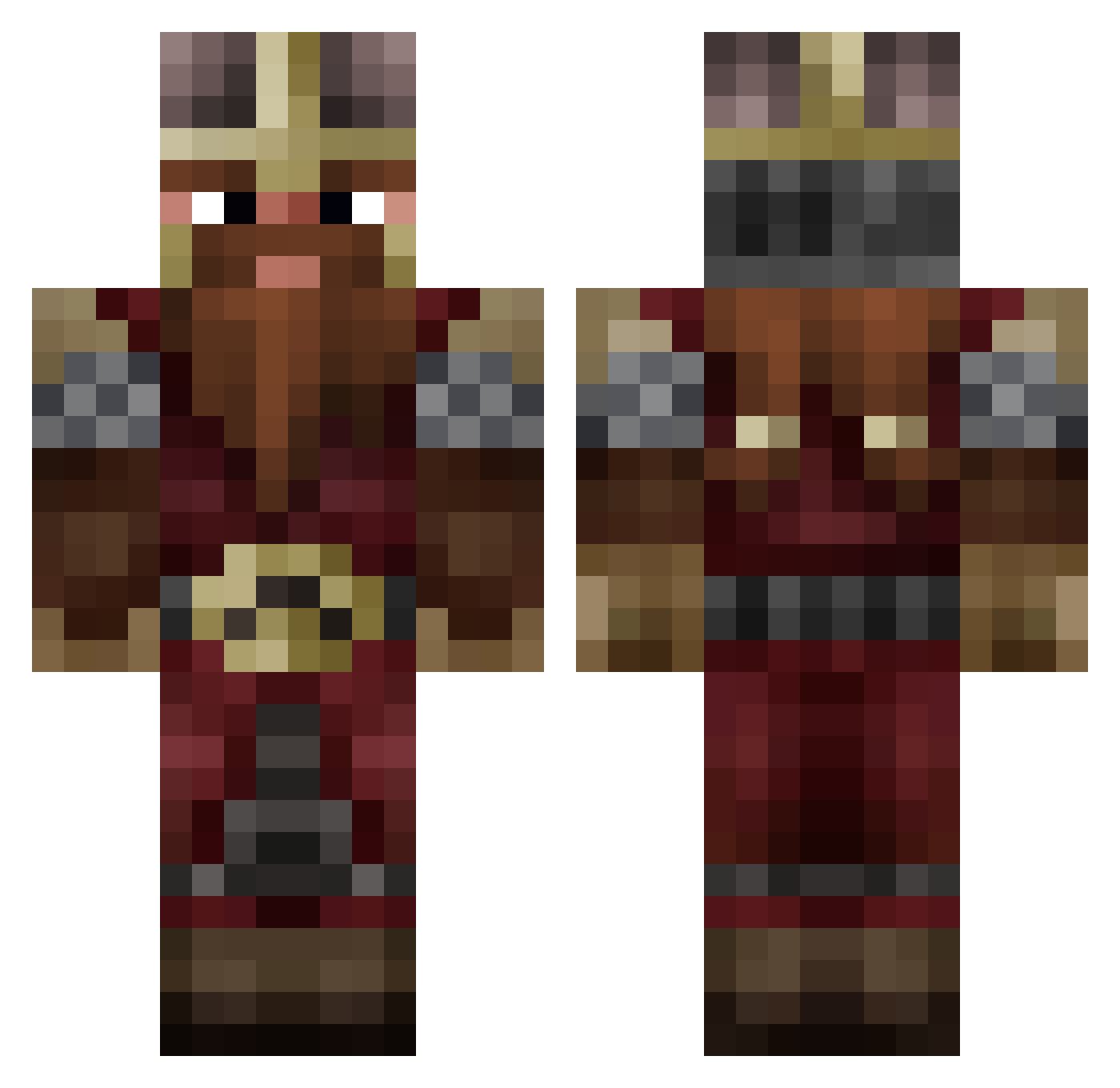
Current Minecraft skin of the player GsiVestal, loaded from the official Mojang API. Rotate the 3D model with your mouse or finger, then download the skin as a PNG file and use it in Minecraft: Bedrock Edition or Java Edition for free. When GsiVestal changes their skin, this page updates automatically and the old skin stays in the history below.
Other players with this skin (809)
GsiVestal was the 52nd player we have seen with this skin, first spotted on 29.07.2026. The same skin was seen on these players. Open a nickname to see their current skin and skin history.
 Paterencroute Dzsucika Negime Xeuhma Evolight_UK Jan_DW Scrol1 Fardim FrodoSaggins7 TachykardieL headfour Rdttz TITOYT2001 Gibi007 Juzzin _Thissa_ Norse_Berserkir Billby Corom88 ACFell ZazaCloudGaming_ KhanXombie Lenakes Itz_Layz_ Schmedl elpapito77 Adventurist27 Ciyangir Groumphr negropow orix34
 Guesclin TT6K
 TheGeb11 Kosher225 hayallbaz AntiBFS kiast3xt cosmycute Monstergabs178 Tommy59295 2_Gimli_2 thedudegeorgee Cal111 Eratoscorn Yordyexe2 Boatakado Icalr Devil_Dare140620 TheCrogs Kovalin Abyss_39 Greece_Euro_2004 Antiphane DaokoDak DwarvenCrafter RocketJan RamonHaubert DvdPlanell biaipi
More Dwarf Minecraft skins
How to install the GsiVestal skin
- Press the Download button above to save the skin as a PNG file.
- Minecraft: Bedrock Edition (PE): open the Dressing Room from the main menu (or tap your character → Edit Character), go to Classic Skins → Owned, press the + (new skin) button, choose the downloaded PNG and pick the Classic (Steve) model. Works on PC and mobile; consoles cannot import custom skins.
- Minecraft: Java Edition: open the Minecraft Launcher, go to the Skins tab, click New Skin, load the PNG, pick the Classic (Steve) model and press Save & Use. You can also upload it at minecraft.net → Profile → Change Skin.
The skin does not show up after import - what should I do?
Restart Minecraft and open the Dressing Room again - imported skins sometimes appear only after a restart. Also make sure you selected the imported skin and picked the Classic (Steve) model.
Which model should I choose, Classic or Slim?
This skin is designed for the Classic (Steve) model. If you pick the wrong model, the arms of the skin will look stretched or squeezed.
Is the skin of GsiVestal free to download?
Yes. Press Download, save the PNG file and use it in Minecraft: Bedrock Edition or Java Edition - no payment or registration needed. The skin also works on multiplayer servers and Realms.
More skins
Looking for more? Go back to all Minecraft skins and check the top skins of the week, month and all time, or find any player's skin by nickname.