
Grzonsky - Minecraft Skins & Skin History
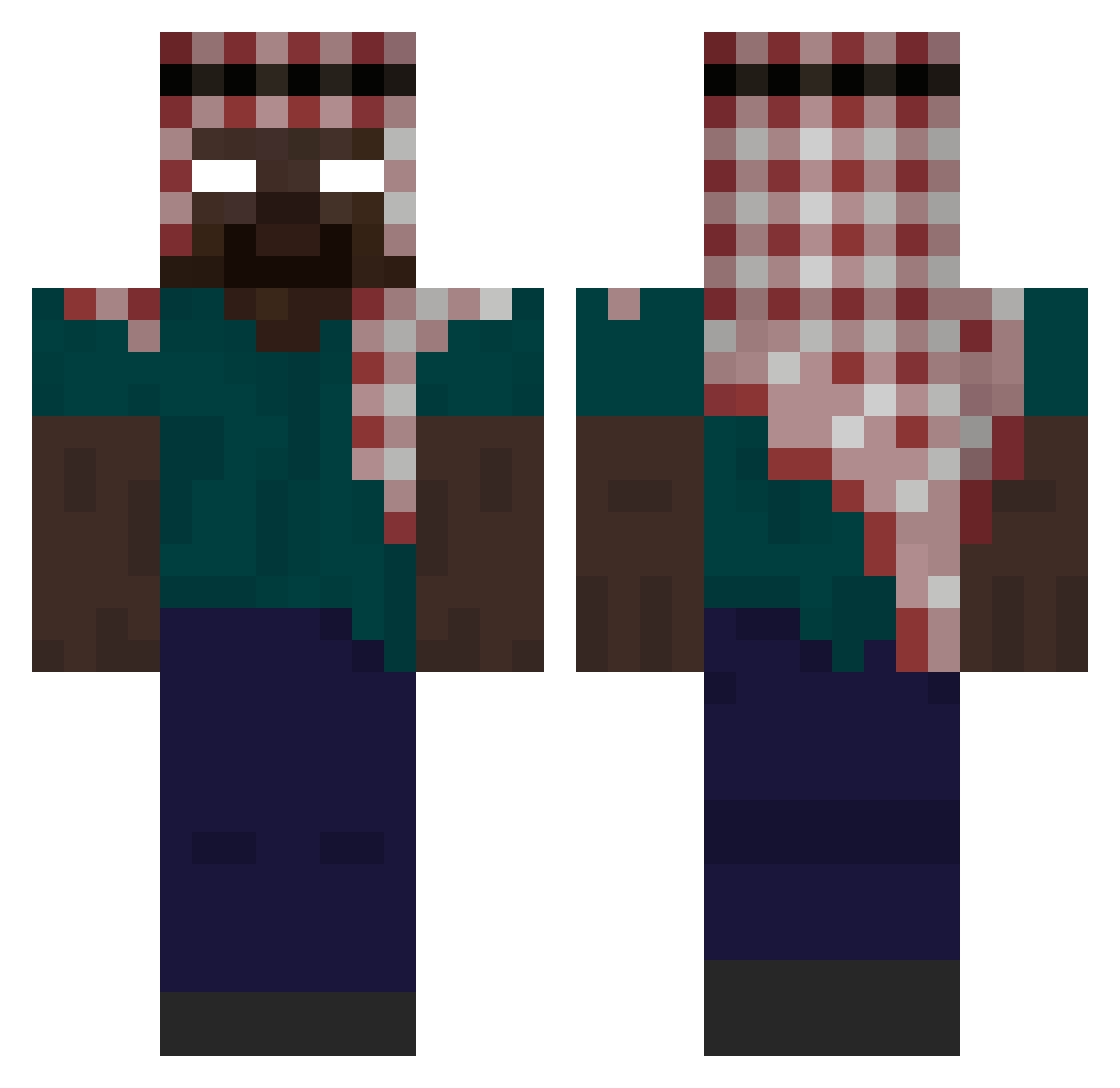
Current Minecraft skin of the player Grzonsky, loaded from the official Mojang API. Rotate the 3D model with your mouse or finger, then download the skin as a PNG file and use it in Minecraft: Bedrock Edition or Java Edition for free. When Grzonsky changes their skin, this page updates automatically and the old skin stays in the history below.
Other players with this skin (372)
Grzonsky was the 333rd player we have seen with this skin, first spotted on 19.10.2026. The same skin was seen on these players. Open a nickname to see their current skin and skin history.
 PEPEEAA Owieczka31 jvsiuu buttsuck Embosom LeBricoleur14 MrGhost11 Lovefromkaneki yamumma_house pexdipie rozrey Jeremy_1019 Platine_nieseux iannnnnnnnnnnnn yAnispoulet SavagePhantom9 fr4nkers Nylex67 tomy662 Eisbaer139 MarconeV2 Arc1111_ EOVD0 Trextsear TARGETs___ CobraDent GLX1491 MichiRed NachtWACHER umutsari00 RNfishyGamer luildolive Valkyrieboy1 DaveHouse52 PrimarchAstartes _Hitler_2 Fernando1646 wuworneur scar12 villain8 Nevrons0 Doka_Ca0s JinjoPrisww Herobrine99N4 Maximdu_36 FlipanteFermin99 L7WA_XD adeak daryus_24k slz3d PatrykGrycan71 IPEIoficial Skvrdem DeltaBaby Kageno1312 Kevin_Moosbauer minepepino aiZm visionair68 OhApoc
More Keffiyeh Minecraft skins
How to install the Grzonsky skin
- Press the Download button above to save the skin as a PNG file.
- Minecraft: Bedrock Edition (PE): open the Dressing Room from the main menu (or tap your character → Edit Character), go to Classic Skins → Owned, press the + (new skin) button, choose the downloaded PNG and pick the Classic (Steve) model. Works on PC and mobile; consoles cannot import custom skins.
- Minecraft: Java Edition: open the Minecraft Launcher, go to the Skins tab, click New Skin, load the PNG, pick the Classic (Steve) model and press Save & Use. You can also upload it at minecraft.net → Profile → Change Skin.
The skin does not show up after import - what should I do?
Restart Minecraft and open the Dressing Room again - imported skins sometimes appear only after a restart. Also make sure you selected the imported skin and picked the Classic (Steve) model.
Which model should I choose, Classic or Slim?
This skin is designed for the Classic (Steve) model. If you pick the wrong model, the arms of the skin will look stretched or squeezed.
Is the skin of Grzonsky free to download?
Yes. Press Download, save the PNG file and use it in Minecraft: Bedrock Edition or Java Edition - no payment or registration needed. The skin also works on multiplayer servers and Realms.
More skins
Looking for more? Go back to all Minecraft skins and check the top skins of the week, month and all time, or find any player's skin by nickname.