
Grunapudo129 - Minecraft Skins & Skin History
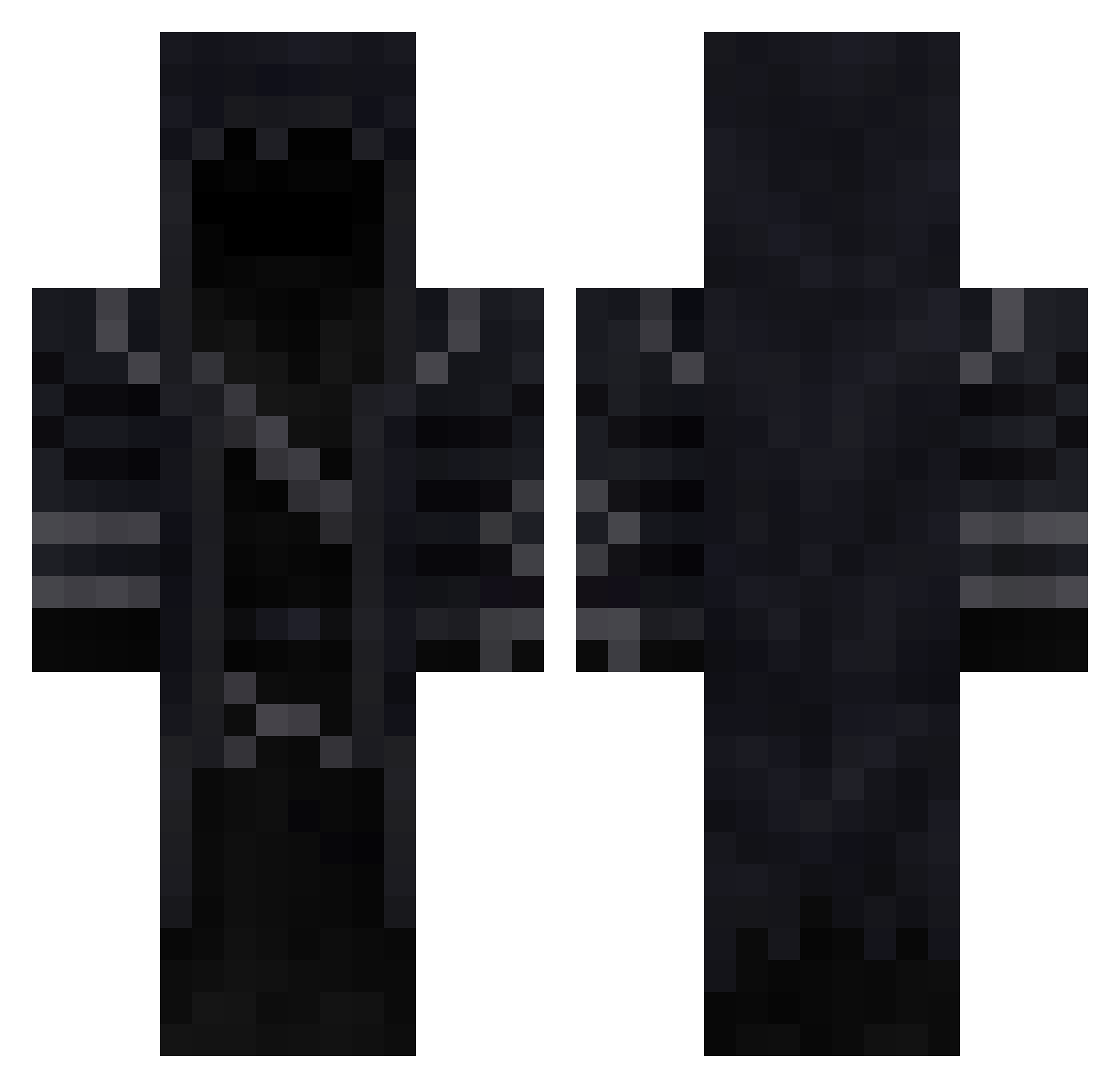
Current Minecraft skin of the player Grunapudo129, loaded from the official Mojang API. Rotate the 3D model with your mouse or finger, then download the skin as a PNG file and use it in Minecraft: Bedrock Edition or Java Edition for free. When Grunapudo129 changes their skin, this page updates automatically and the old skin stays in the history below.
Other players with this skin (293)
Grunapudo129 was the 203rd player we have seen with this skin, first spotted on 09.10.2026. The same skin was seen on these players. Open a nickname to see their current skin and skin history.
 WolfDreams_ LinR23 Alteronn Seur Daygen Ri0t_11 7yaniix aresnw_ Demonhunter78311 Oscarote1093 Zone08 bielslayer _XenonTNT_ ShoyaAsh Doombrobruh 15BRB MarekNarty ksokson Aurezz ChronicJustin Orifuls Hooded_Death_ Lucas_Sholtz S3NAXZY AnaozinBarbudin Hector_C bj4k OberhauptKane GOD12345GH majebe ronyn09 xMISTERxTOASTYx Draynis cvetandjelo cegalvan forestkat BallCruncher48 ItzClues Misanthrop777 Kulhan AsheMelee _Smelli Frost_the_Viking N1h1lum MAXHGV9 Star_Sakura_Love filip7384 Bretaza_ OmarElsayed SPOQTT NICOLAS777GO Dharke000Soniclu JacobKannon betonkeverokee DarkStorm18 JRgamer707 houmreu Agropro Pangan007 175092
Previous skins of Grunapudo129
Skins that Grunapudo129 wore before, newest first. Click a skin to open its page and download it.
More Rogue Minecraft skins
How to install the Grunapudo129 skin
- Press the Download button above to save the skin as a PNG file.
- Minecraft: Bedrock Edition (PE): open the Dressing Room from the main menu (or tap your character → Edit Character), go to Classic Skins → Owned, press the + (new skin) button, choose the downloaded PNG and pick the Classic (Steve) model. Works on PC and mobile; consoles cannot import custom skins.
- Minecraft: Java Edition: open the Minecraft Launcher, go to the Skins tab, click New Skin, load the PNG, pick the Classic (Steve) model and press Save & Use. You can also upload it at minecraft.net → Profile → Change Skin.
The skin does not show up after import - what should I do?
Restart Minecraft and open the Dressing Room again - imported skins sometimes appear only after a restart. Also make sure you selected the imported skin and picked the Classic (Steve) model.
Which model should I choose, Classic or Slim?
This skin is designed for the Classic (Steve) model. If you pick the wrong model, the arms of the skin will look stretched or squeezed.
Is the skin of Grunapudo129 free to download?
Yes. Press Download, save the PNG file and use it in Minecraft: Bedrock Edition or Java Edition - no payment or registration needed. The skin also works on multiplayer servers and Realms.
More skins
Looking for more? Go back to all Minecraft skins and check the top skins of the week, month and all time, or find any player's skin by nickname.