
GreatMoby - Minecraft Skins & Skin History
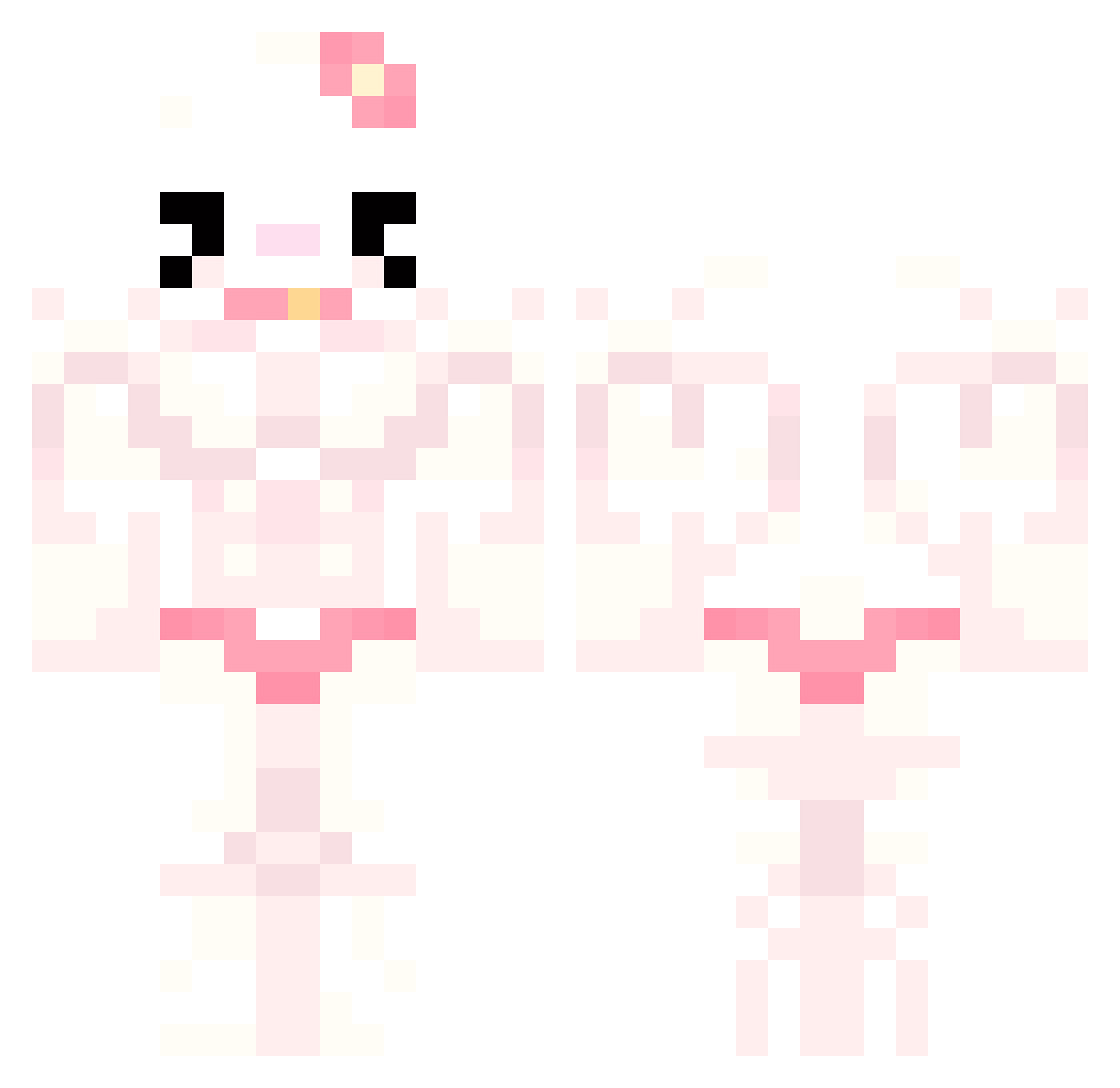
Current Minecraft skin of the player GreatMoby, loaded from the official Mojang API. Rotate the 3D model with your mouse or finger, then download the skin as a PNG file and use it in Minecraft: Bedrock Edition or Java Edition for free. When GreatMoby changes their skin, this page updates automatically and the old skin stays in the history below.
Other players with this skin (741)
GreatMoby was the 506th player we have seen with this skin, first spotted on 05.10.2026. The same skin was seen on these players. Open a nickname to see their current skin and skin history.
 YIN_23 daisy_o3o Emma_10105990 4BUF BosyBosy Yosomiz godseunggi gh0stgirlgames LeFluffyy Ble1z1k suntory1122 ABBADABBA2 ToiletHomicide CantGuardOscar Kaoratty skazalett Patatess23 kweshaa tinykittybell glittersparkle57 kitshiu mekjazz hasangkc Eliteneet1 nzltdd Viqiim xPoisonVeilsx66 jjy1006 Darzgul Baustellenchef S0f13e Cumara Minty3500 leenalol Fruyelee ethnnol Calmadi PepinoPio Xeeyaa Charlieirish1 Elizus7 ibitetoenails saucerosey binjingly axcukz kannnaa xxFREAKzZOIDxx hatee12 snowyberry8 Tactical_Dorito4 pjatohoo Xomito sillylittlelad Naattrix ThE_DeCaYiNg_OnE lycheebby wowmadi Ztiqma Nini90 oDuuKy
More Hello Kitty Minecraft skins
How to install the GreatMoby skin
- Press the Download button above to save the skin as a PNG file.
- Minecraft: Bedrock Edition (PE): open the Dressing Room from the main menu (or tap your character → Edit Character), go to Classic Skins → Owned, press the + (new skin) button, choose the downloaded PNG and pick the Classic (Steve) model. Works on PC and mobile; consoles cannot import custom skins.
- Minecraft: Java Edition: open the Minecraft Launcher, go to the Skins tab, click New Skin, load the PNG, pick the Classic (Steve) model and press Save & Use. You can also upload it at minecraft.net → Profile → Change Skin.
The skin does not show up after import - what should I do?
Restart Minecraft and open the Dressing Room again - imported skins sometimes appear only after a restart. Also make sure you selected the imported skin and picked the Classic (Steve) model.
Which model should I choose, Classic or Slim?
This skin is designed for the Classic (Steve) model. If you pick the wrong model, the arms of the skin will look stretched or squeezed.
Is the skin of GreatMoby free to download?
Yes. Press Download, save the PNG file and use it in Minecraft: Bedrock Edition or Java Edition - no payment or registration needed. The skin also works on multiplayer servers and Realms.
More skins
Looking for more? Go back to all Minecraft skins and check the top skins of the week, month and all time, or find any player's skin by nickname.