
Graste - Minecraft Skins & Skin History
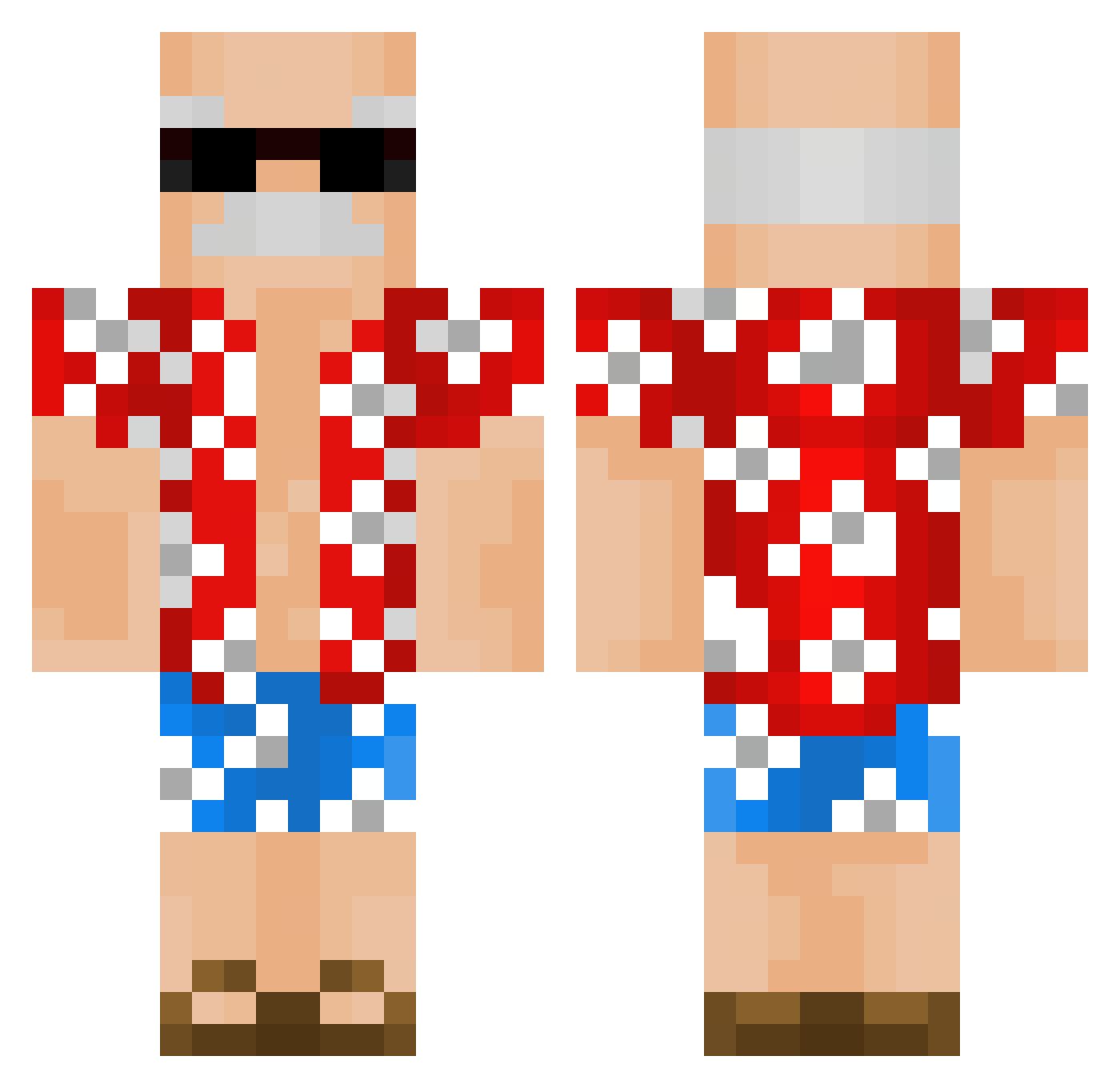
Current Minecraft skin of the player Graste, loaded from the official Mojang API. Rotate the 3D model with your mouse or finger, then download the skin as a PNG file and use it in Minecraft: Bedrock Edition or Java Edition for free. When Graste changes their skin, this page updates automatically and the old skin stays in the history below.
Other players with this skin (337)
Graste was the 110th player we have seen with this skin, first spotted on 30.08.2026. The same skin was seen on these players. Open a nickname to see their current skin and skin history.
 JohnSurfs1978 tinakkjh 3_U Ronith BGeee Valevida NaturalGS YoungHunt BornInManhattan Jonzoll pinksphinx1 Chase_light_Fs Maarysiaa ghostflorian54 Misianekk_ _Jaxy Life_gaming NameS_NC bobawp mahabuffalo J03L3H mromt seenMe Jamiriquaii iEmre_PVP_ LosMorDoR braadyy AndreasSpurgt venimyth t_rat_yoy Knarglock caua___ XAYERR OliVoil5 Squigergy Snakx CallMeViceeh Karanisho OleIcetea NimixaM AUTOCLICK_RASK03 maxde2e zenochi07 OloP122008 Therafapain capela_ fbGz0r lowqualitygod alex_shnv PolakNaZawsze UNCLEGABRIEL arthur615 AreYouBeingGood Bessinha_ RicardoXIV Understore ZIPZZZZZZZ Gamerdu27 Blackskies0 SGibson92
More Old Man Minecraft skins
How to install the Graste skin
- Press the Download button above to save the skin as a PNG file.
- Minecraft: Bedrock Edition (PE): open the Dressing Room from the main menu (or tap your character → Edit Character), go to Classic Skins → Owned, press the + (new skin) button, choose the downloaded PNG and pick the Classic (Steve) model. Works on PC and mobile; consoles cannot import custom skins.
- Minecraft: Java Edition: open the Minecraft Launcher, go to the Skins tab, click New Skin, load the PNG, pick the Classic (Steve) model and press Save & Use. You can also upload it at minecraft.net → Profile → Change Skin.
The skin does not show up after import - what should I do?
Restart Minecraft and open the Dressing Room again - imported skins sometimes appear only after a restart. Also make sure you selected the imported skin and picked the Classic (Steve) model.
Which model should I choose, Classic or Slim?
This skin is designed for the Classic (Steve) model. If you pick the wrong model, the arms of the skin will look stretched or squeezed.
Is the skin of Graste free to download?
Yes. Press Download, save the PNG file and use it in Minecraft: Bedrock Edition or Java Edition - no payment or registration needed. The skin also works on multiplayer servers and Realms.
More skins
Looking for more? Go back to all Minecraft skins and check the top skins of the week, month and all time, or find any player's skin by nickname.