
Grajek2 - Minecraft Skins & Skin History
Current Minecraft skin of the player Grajek2, loaded from the official Mojang API. Rotate the 3D model with your mouse or finger, then download the skin as a PNG file and use it in Minecraft: Bedrock Edition or Java Edition for free. When Grajek2 changes their skin, this page updates automatically and the old skin stays in the history below.
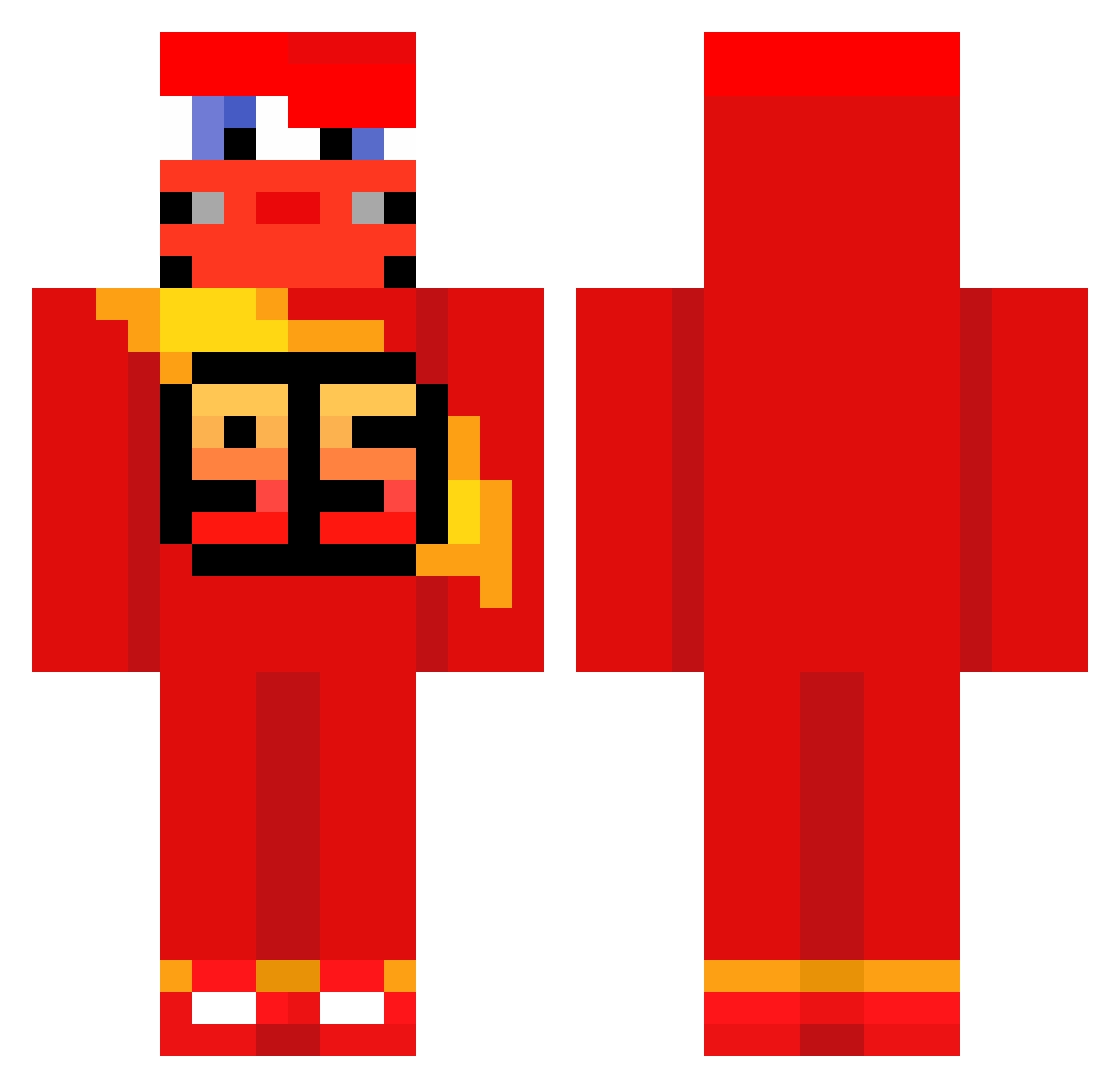
Other players with this skin (589)
Grajek2 was the 113th player we have seen with this skin, first spotted on 12.08.2026. The same skin was seen on these players. Open a nickname to see their current skin and skin history.
 Segomau Shinjin8 amuriii me_weird_911 AiZzer07 Cqrs_ AnsonCh_2004 termostato_21 lululebg Snowy_Cookie greenvinvin ReyCapF JMS_VII Guffbuk 23TiTi23 Endermen009 peeluchee Mkuin bigno09 criciumalovers Milangaconpure12 dealmeals alexvnzla99 jinu401 haD059 sebapkp Matmaxas naacho18 Dirtycup1 jbjk i_like_limes05 KachowCar Simsek095 pokealvaro 7onas_11 franchalopez DaniBolt2 Kiotos Sergiio16 Beck_07 Agusncr Josecito_8 Big_Iltis Vaxniz staesiu meguuu1 centauremanon JerkyKarma 3LQU3T3L4M37I0 tomtomnba dog78 they_callmesonic mamadera1 xSneezy_ Katchow11 itz1phe just_anything_ Sryler_
 Wreiz ml_1704
More Lightning Mcqueen Minecraft skins
See all 110 Lightning Mcqueen skins
How to install the Grajek2 skin
- Press the Download button above to save the skin as a PNG file.
- Minecraft: Bedrock Edition (PE): open the Dressing Room from the main menu (or tap your character → Edit Character), go to Classic Skins → Owned, press the + (new skin) button, choose the downloaded PNG and pick the Classic (Steve) model. Works on PC and mobile; consoles cannot import custom skins.
- Minecraft: Java Edition: open the Minecraft Launcher, go to the Skins tab, click New Skin, load the PNG, pick the Classic (Steve) model and press Save & Use. You can also upload it at minecraft.net → Profile → Change Skin.
The skin does not show up after import - what should I do?
Restart Minecraft and open the Dressing Room again - imported skins sometimes appear only after a restart. Also make sure you selected the imported skin and picked the Classic (Steve) model.
Which model should I choose, Classic or Slim?
This skin is designed for the Classic (Steve) model. If you pick the wrong model, the arms of the skin will look stretched or squeezed.
Is the skin of Grajek2 free to download?
Yes. Press Download, save the PNG file and use it in Minecraft: Bedrock Edition or Java Edition - no payment or registration needed. The skin also works on multiplayer servers and Realms.
More skins
Looking for more? Go back to all Minecraft skins and check the top skins of the week, month and all time, or find any player's skin by nickname.