
Gr1nch8812 - Minecraft Skins & Skin History
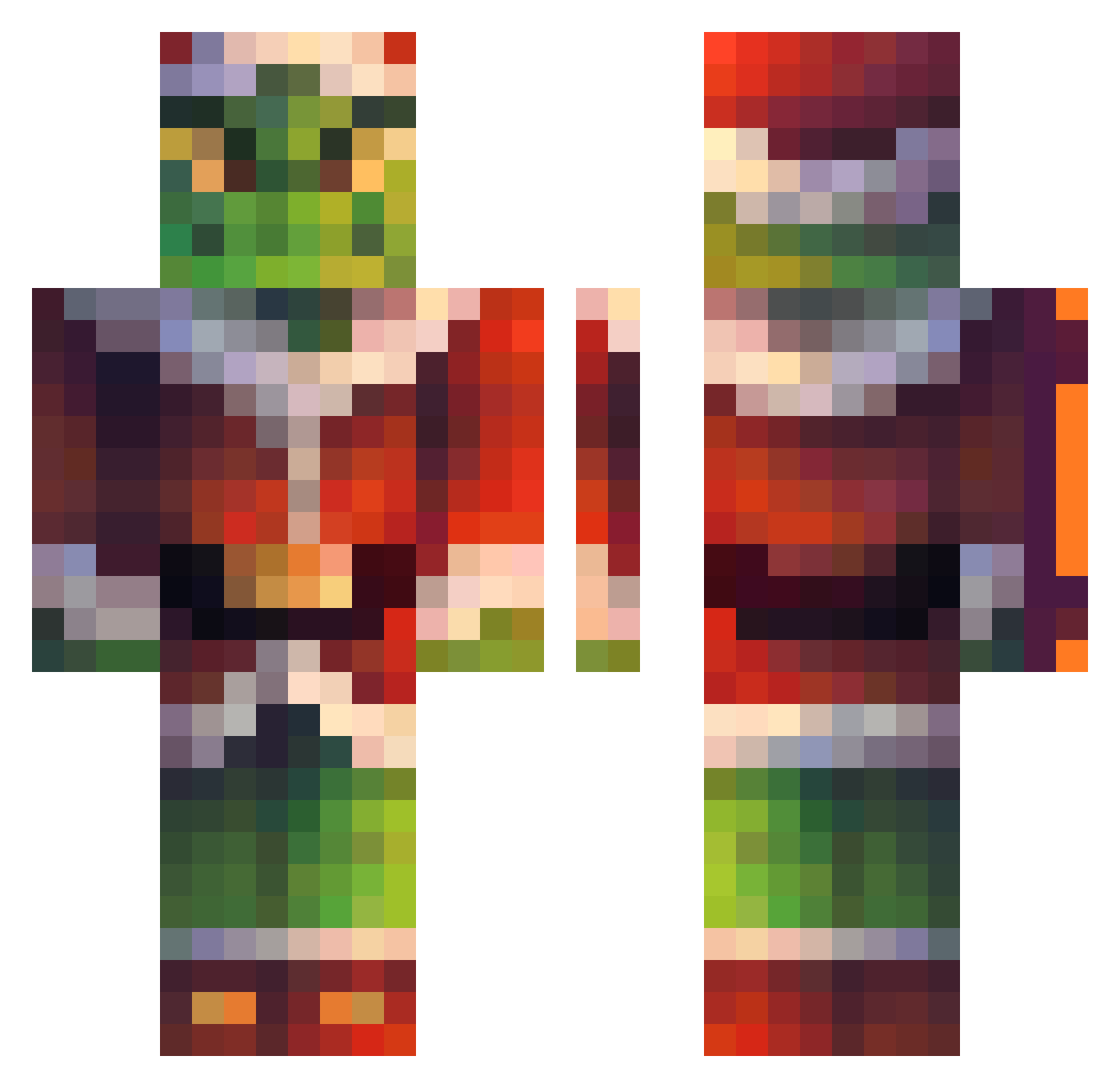
Current Minecraft skin of the player Gr1nch8812, loaded from the official Mojang API. Rotate the 3D model with your mouse or finger, then download the skin as a PNG file and use it in Minecraft: Bedrock Edition or Java Edition for free. When Gr1nch8812 changes their skin, this page updates automatically and the old skin stays in the history below.
Other players with this skin (225)
Gr1nch8812 was the 169th player we have seen with this skin, first spotted on 10.10.2026. The same skin was seen on these players. Open a nickname to see their current skin and skin history.
 SpVcu gaguinha Sandro6073 islapzzHD Striteur FlyingSoot SoiBoi toner3988 EasterPrime batuhannarda Mattia73 GemBartles yibi8bo Vandromen Freemid1854 Barack_Obama_Obu GurkenglasMitEi Nanap11 PLFYK ekittenHMU cevase Notlihc Shirinibini Tomyy_08 tpdhs0804 Mickywan_ leemin_bro NOONGFACE Asimmgol yansuTV midorire ItsJuic3 Fantazja_ nosepicktommy jokea66666 EGOCHO Simo_pecollo04 Sanya_Beton Bosiks8 Caesarfrog em4zpog nickhamanz saitoraen mar1st_ andru977 Framengo7_ projectranked Helenoftroy81 Dracoscuro LilUziSquirt21_ Mads701201 Jage ConndoNTle62o pablobg01 Yuzi2fire Hydro888 SnakeMogila lasvegaslord i_smoke_za_weez Zulfaran
More The Grinch Minecraft skins
How to install the Gr1nch8812 skin
- Press the Download button above to save the skin as a PNG file.
- Minecraft: Bedrock Edition (PE): open the Dressing Room from the main menu (or tap your character → Edit Character), go to Classic Skins → Owned, press the + (new skin) button, choose the downloaded PNG and pick the Classic (Steve) model. Works on PC and mobile; consoles cannot import custom skins.
- Minecraft: Java Edition: open the Minecraft Launcher, go to the Skins tab, click New Skin, load the PNG, pick the Classic (Steve) model and press Save & Use. You can also upload it at minecraft.net → Profile → Change Skin.
The skin does not show up after import - what should I do?
Restart Minecraft and open the Dressing Room again - imported skins sometimes appear only after a restart. Also make sure you selected the imported skin and picked the Classic (Steve) model.
Which model should I choose, Classic or Slim?
This skin is designed for the Classic (Steve) model. If you pick the wrong model, the arms of the skin will look stretched or squeezed.
Is the skin of Gr1nch8812 free to download?
Yes. Press Download, save the PNG file and use it in Minecraft: Bedrock Edition or Java Edition - no payment or registration needed. The skin also works on multiplayer servers and Realms.
More skins
Looking for more? Go back to all Minecraft skins and check the top skins of the week, month and all time, or find any player's skin by nickname.