
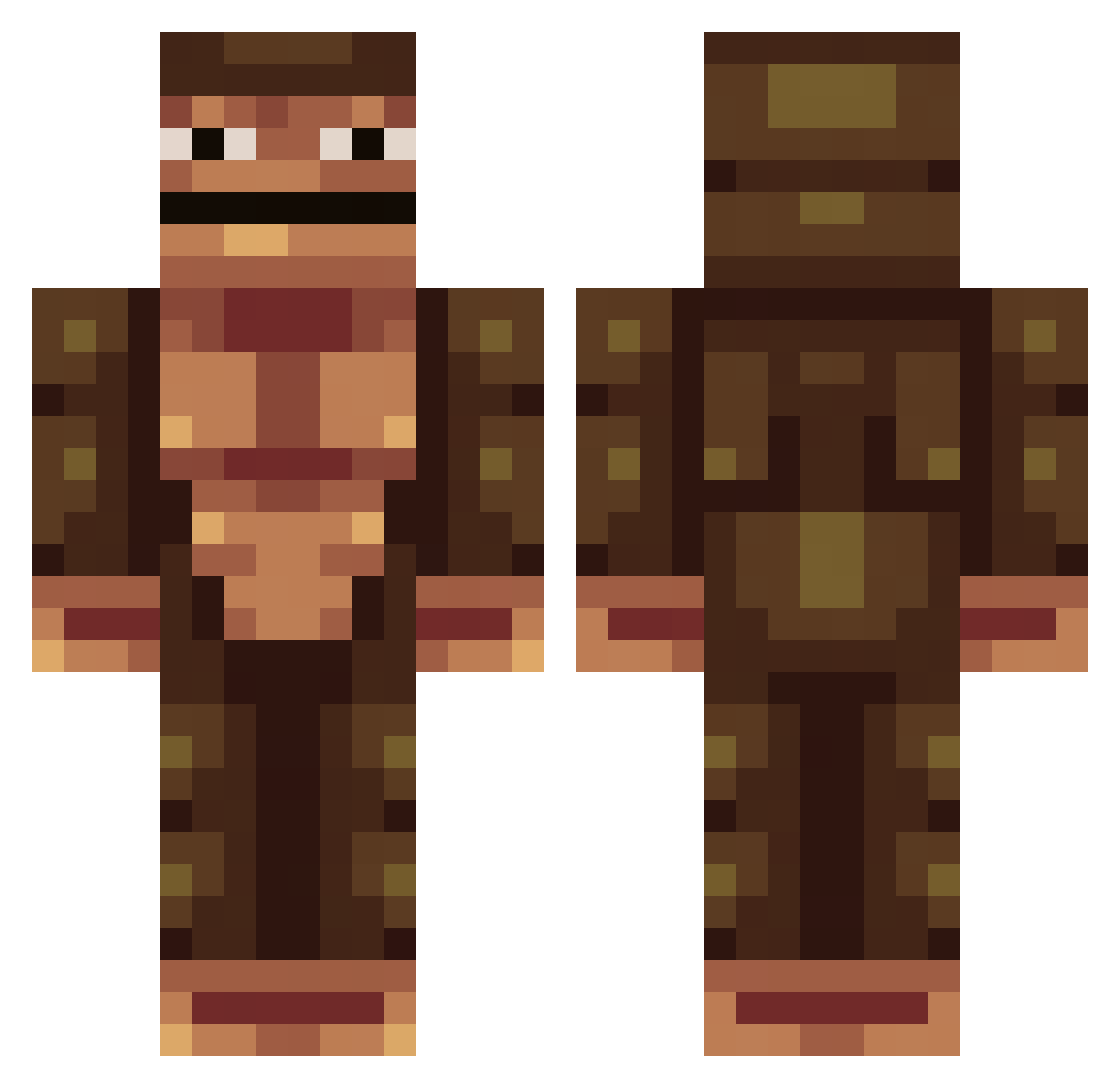
Current Minecraft skin of the player Gprinziv, loaded from the official Mojang API. Rotate the 3D model with your mouse or finger, then download the skin as a PNG file and use it in Minecraft: Bedrock Edition or Java Edition for free. When Gprinziv changes their skin, this page updates automatically and the old skin stays in the history below.
Other players with this skin (233)
Gprinziv was the 179th player we have seen with this skin, first spotted on 30.09.2026. The same skin was seen on these players. Open a nickname to see their current skin and skin history.
 sledkingz DoodyBrown YourMomsFeetPicz Alejugar Bouitony BARASH_69 Chris088 lTreshl Awesome_Bob123 Pearls_For_Swine bigwilly985 FishyPlays7 FourTales GamenMetHus VeltePer dannym123 Theballer36 nilsucci MattAnouthai Oopsl Anetrox samdewey15 ThatOneLegend21 poligamerpro IdntFckWithU Oiilez tharencandi TeenDrinking HansHede THETOPKATS m_ly_nguyen104 julemanden9 MCBob AlphaMale_1 Gorilla_Guy13 oldirtyb zweersjes Tocka24 DankMemeSimp justin1flood kuzefix datingmydaughter Aldatime Twosai2 A7A ZeekeMC TarikCabo Mat0n1 Matrix_Sloth Bracken8or noahAMENAKOI navr665 woutjeey drikke4 Crabby_Data Akavie Morran007 Troll401 gabbe207 AseliosYT
More Colossal Titan Minecraft skins
See all 24 Colossal Titan skins
How to install the Gprinziv skin
- Press the Download button above to save the skin as a PNG file.
- Minecraft: Bedrock Edition (PE): open the Dressing Room from the main menu (or tap your character → Edit Character), go to Classic Skins → Owned, press the + (new skin) button, choose the downloaded PNG and pick the Classic (Steve) model. Works on PC and mobile; consoles cannot import custom skins.
- Minecraft: Java Edition: open the Minecraft Launcher, go to the Skins tab, click New Skin, load the PNG, pick the Classic (Steve) model and press Save & Use. You can also upload it at minecraft.net → Profile → Change Skin.
The skin does not show up after import - what should I do?
Restart Minecraft and open the Dressing Room again - imported skins sometimes appear only after a restart. Also make sure you selected the imported skin and picked the Classic (Steve) model.
Which model should I choose, Classic or Slim?
This skin is designed for the Classic (Steve) model. If you pick the wrong model, the arms of the skin will look stretched or squeezed.
Is the skin of Gprinziv free to download?
Yes. Press Download, save the PNG file and use it in Minecraft: Bedrock Edition or Java Edition - no payment or registration needed. The skin also works on multiplayer servers and Realms.
More skins
Looking for more? Go back to all Minecraft skins and check the top skins of the week, month and all time, or find any player's skin by nickname.