
Gorilla6804 - Minecraft Skins & Skin History
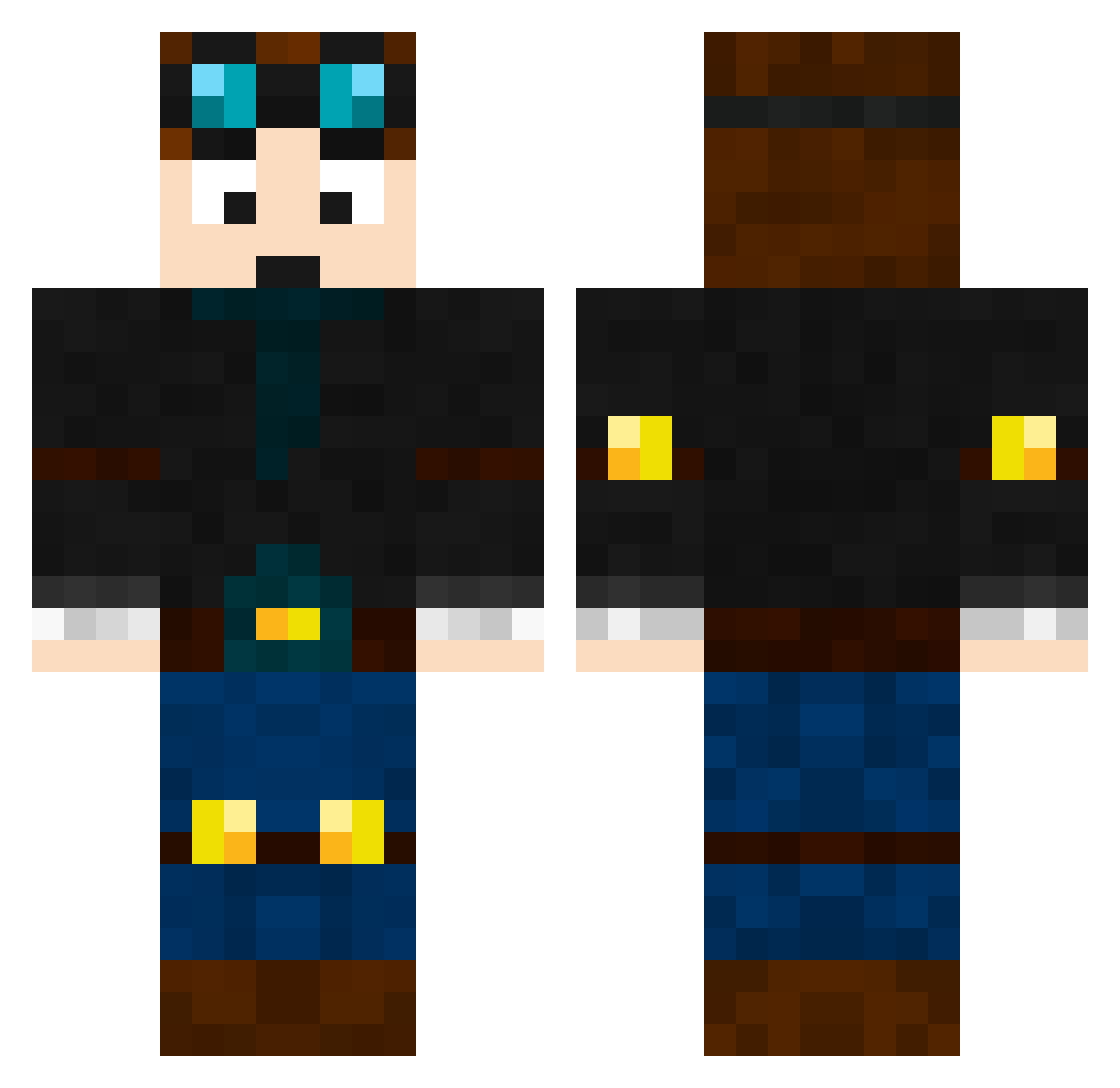
Current Minecraft skin of the player Gorilla6804, loaded from the official Mojang API. Rotate the 3D model with your mouse or finger, then download the skin as a PNG file and use it in Minecraft: Bedrock Edition or Java Edition for free. When Gorilla6804 changes their skin, this page updates automatically and the old skin stays in the history below.
Other players with this skin (669)
Gorilla6804 was the 533rd player we have seen with this skin, first spotted on 31.10.2026. The same skin was seen on these players. Open a nickname to see their current skin and skin history.
 Bradley0811 KFClYinG simmuskhan JTDThomas Ryantheboss15 EforEric JoakimKokholm command__block Benpower21 BOWCRAFT555 Thegoldboat99 DanTDM107 DOGGY1006 NYH2014 HarshCriminal8 Strike_Lightning Staldo25 HUNTER112399 Pandarific2016 iLux123 Nathan303 Stevie184 junkjard 907girl JPR2008 Red_Diamond_15 evanjb08 kaicharles2004 sgtblagger Nitro1110 teamcreeper14 Cheesy246 ahead246 Supert0m ormskirk05 andrew_gew HLC123 aBanditMain leland09 hawkrod hunterdc04 Emarci16 Zhazzam lewi099 boogstar09 harpwner55 tammmyambrose button49 luketowell2004 XxLeoGamingXx wakjob RoonieGoonie X_MiniMenmuir_X oliell DaStinker wweman74 LouisR1 Klouter IzyBoy1 MakiToby
More Engineer Minecraft skins
How to install the Gorilla6804 skin
- Press the Download button above to save the skin as a PNG file.
- Minecraft: Bedrock Edition (PE): open the Dressing Room from the main menu (or tap your character → Edit Character), go to Classic Skins → Owned, press the + (new skin) button, choose the downloaded PNG and pick the Classic (Steve) model. Works on PC and mobile; consoles cannot import custom skins.
- Minecraft: Java Edition: open the Minecraft Launcher, go to the Skins tab, click New Skin, load the PNG, pick the Classic (Steve) model and press Save & Use. You can also upload it at minecraft.net → Profile → Change Skin.
The skin does not show up after import - what should I do?
Restart Minecraft and open the Dressing Room again - imported skins sometimes appear only after a restart. Also make sure you selected the imported skin and picked the Classic (Steve) model.
Which model should I choose, Classic or Slim?
This skin is designed for the Classic (Steve) model. If you pick the wrong model, the arms of the skin will look stretched or squeezed.
Is the skin of Gorilla6804 free to download?
Yes. Press Download, save the PNG file and use it in Minecraft: Bedrock Edition or Java Edition - no payment or registration needed. The skin also works on multiplayer servers and Realms.
More skins
Looking for more? Go back to all Minecraft skins and check the top skins of the week, month and all time, or find any player's skin by nickname.