
God_King_Oryx - Minecraft Skins & Skin History
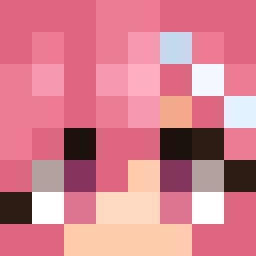
Current Minecraft skin of the player God_King_Oryx, loaded from the official Mojang API. Rotate the 3D model with your mouse or finger, then download the skin as a PNG file and use it in Minecraft: Bedrock Edition or Java Edition for free. When God_King_Oryx changes their skin, this page updates automatically and the old skin stays in the history below.

Other players with this skin (782)
God_King_Oryx was the 297th player we have seen with this skin, first spotted on 09.09.2026. The same skin was seen on these players. Open a nickname to see their current skin and skin history.
 AAAitanaaa wodn11111 WhitexBala jorgetaduro BlackCatto fatsoy SOUYU1 riley7950 cheong_gaegul428 _BKS_ KUTEZY HOMONasX ppOo_oObb home_protect0r Doman2012 Hugo_Li Timo1731 Mental_Help bazsix25 edu_mar67
 sambx_ Daarku TheMachmalo PichuladeLitio 1204222 blobfish13576 SnareMaestro MutedxP IamToni00 Ledlamp2015 GladiSlave Electrixy ierunn Vociferor PraQueUmNome BoomerJuice123 JR_Noz WoWaTa famside Casbel203 muchtar42 SeplxxS00 Braiann27 WallFl0wer_O34U gfn MILK_TT yubrilliant tmaltm Shippo8988 ppoong PawelMiner FFGox Miskinee DannisXiao TheBoss06_pvp ManDu1998 with_ranch Tacodile44Lover nico9634 AdriDhy
More Banana Minecraft skins
How to install the God_King_Oryx skin
- Press the Download button above to save the skin as a PNG file.
- Minecraft: Bedrock Edition (PE): open the Dressing Room from the main menu (or tap your character → Edit Character), go to Classic Skins → Owned, press the + (new skin) button, choose the downloaded PNG and pick the Classic (Steve) model. Works on PC and mobile; consoles cannot import custom skins.
- Minecraft: Java Edition: open the Minecraft Launcher, go to the Skins tab, click New Skin, load the PNG, pick the Classic (Steve) model and press Save & Use. You can also upload it at minecraft.net → Profile → Change Skin.
The skin does not show up after import - what should I do?
Restart Minecraft and open the Dressing Room again - imported skins sometimes appear only after a restart. Also make sure you selected the imported skin and picked the Classic (Steve) model.
Which model should I choose, Classic or Slim?
This skin is designed for the Classic (Steve) model. If you pick the wrong model, the arms of the skin will look stretched or squeezed.
Is the skin of God_King_Oryx free to download?
Yes. Press Download, save the PNG file and use it in Minecraft: Bedrock Edition or Java Edition - no payment or registration needed. The skin also works on multiplayer servers and Realms.
More skins
Looking for more? Go back to all Minecraft skins and check the top skins of the week, month and all time, or find any player's skin by nickname.