
GixlianoKI - Minecraft Skins & Skin History
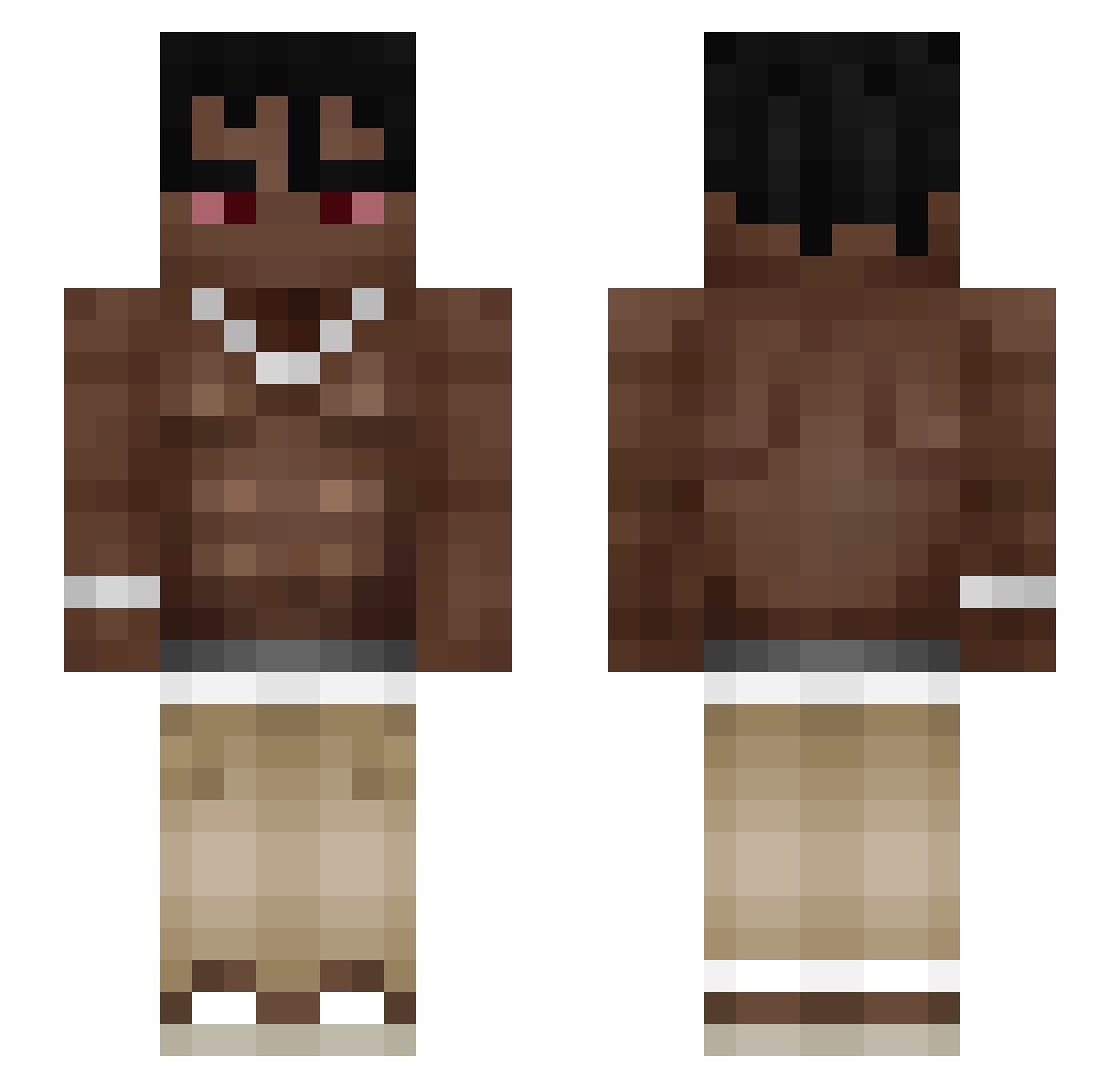
Current Minecraft skin of the player GixlianoKI, loaded from the official Mojang API. Rotate the 3D model with your mouse or finger, then download the skin as a PNG file and use it in Minecraft: Bedrock Edition or Java Edition for free. When GixlianoKI changes their skin, this page updates automatically and the old skin stays in the history below.
Other players with this skin (137)
GixlianoKI was the 98th player we have seen with this skin, first spotted on 05.10.2026. The same skin was seen on these players. Open a nickname to see their current skin and skin history.
 wojtus271 AyKoze OBWM SteiferNippel12 Gnacyk xyzKENAN T1za KingSlayer030 Extn kastay2 schnapp_ Kupie_dziewixtwo Ogbad_MC killua456h The_Grando offmrln staruszek1979 Ronalsoto slumpedlopes Q2weerty MrMiggy Martoz_xD Volkeen cabrera420 _SinanBabaNG_ Zastab Matuffo Jasiu32c davidutz199 DarkBenni69 ttilppagi AMKderHansistda Wisniaaap le_akha M4zi FlowCombat WinkyTinky44 powsitoxpipebff N3YZZ3 Kaxen420 Slogan666 Denisovici04 soydeariigamez18 bartholoss 6sadyx Monkeyeeeeet hj_LPM k2l4 Enranged Xzaso baba_pro22 egoktugkoc XRonyXPL1 zSxolar Grezy_ QasweTy Nikoae LiLScootY pvonly kogosiek
More Shirtless Minecraft skins
How to install the GixlianoKI skin
- Press the Download button above to save the skin as a PNG file.
- Minecraft: Bedrock Edition (PE): open the Dressing Room from the main menu (or tap your character → Edit Character), go to Classic Skins → Owned, press the + (new skin) button, choose the downloaded PNG and pick the Slim (Alex) model. Works on PC and mobile; consoles cannot import custom skins.
- Minecraft: Java Edition: open the Minecraft Launcher, go to the Skins tab, click New Skin, load the PNG, pick the Slim (Alex) model and press Save & Use. You can also upload it at minecraft.net → Profile → Change Skin.
The skin does not show up after import - what should I do?
Restart Minecraft and open the Dressing Room again - imported skins sometimes appear only after a restart. Also make sure you selected the imported skin and picked the Slim (Alex) model.
Which model should I choose, Classic or Slim?
This skin is designed for the Slim (Alex) model. If you pick the wrong model, the arms of the skin will look stretched or squeezed.
Is the skin of GixlianoKI free to download?
Yes. Press Download, save the PNG file and use it in Minecraft: Bedrock Edition or Java Edition - no payment or registration needed. The skin also works on multiplayer servers and Realms.
More skins
Looking for more? Go back to all Minecraft skins and check the top skins of the week, month and all time, or find any player's skin by nickname.