
GiroudBalo - Minecraft Skins & Skin History
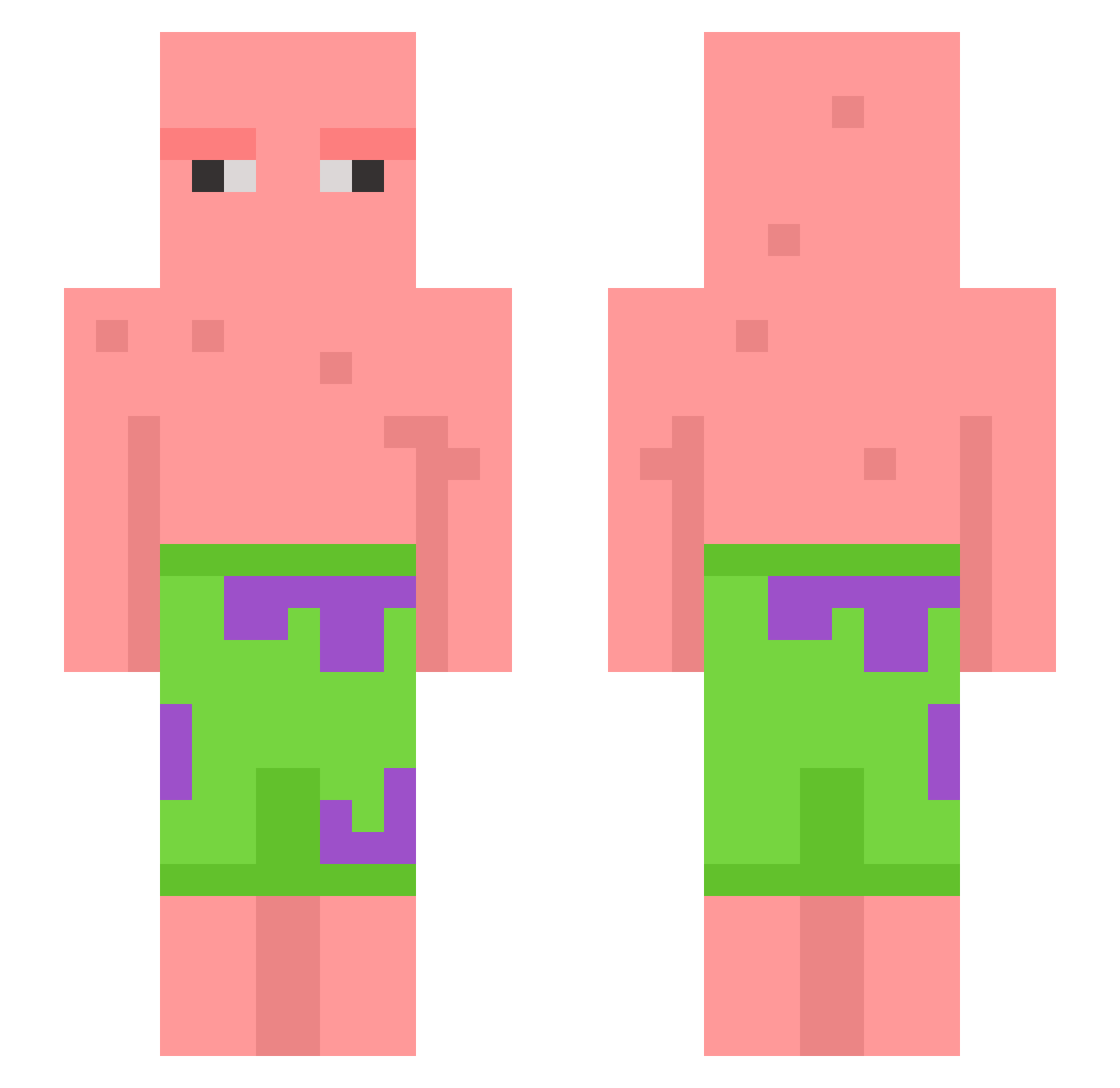
Current Minecraft skin of the player GiroudBalo, loaded from the official Mojang API. Rotate the 3D model with your mouse or finger, then download the skin as a PNG file and use it in Minecraft: Bedrock Edition or Java Edition for free. When GiroudBalo changes their skin, this page updates automatically and the old skin stays in the history below.
Other players with this skin (604)
GiroudBalo was the 370th player we have seen with this skin, first spotted on 27.09.2026. The same skin was seen on these players. Open a nickname to see their current skin and skin history.
 Celsaco10 Yellow_McToad fuzzy9774 LKAY7 The_Juice_Crew Bakanar19 Mimeboi666 CoastOuO xXuziXx WAGABI turkiamaa OfficerWilly BigDaddyM6 MMATSOV Pearish_p lilbike_ burritomane ScaryGhost06 Gangly78 Eroxy9667 Epicman2024 Sharp_Guns JustJa_k mai_a_pa Lulzes dude1004 TYRONE_MCNUGGETS DirsSpaardis fortnitegodkev Murzyn4U _HitrollMC Mischa_345 Jacko90000 HYEONGJIN ziyeeeee kihyun97 marvalalarve 2yung2understand qqinton Angelo1869 yjs05 Widschi brickbonce willabrahamson PatrickDaPlayer OltyX woojin0312 Gen3k LukaszMiko FujiTurbo MonsterPaPa Smoke3_3 uk2320 Saladazz69 Helcob lawrence0209 khevenchy SpoyerZeujal sub_fire25 Call_Me_DaddyVic
More Patrick Star Minecraft skins
See all 612 Patrick Star skins
How to install the GiroudBalo skin
- Press the Download button above to save the skin as a PNG file.
- Minecraft: Bedrock Edition (PE): open the Dressing Room from the main menu (or tap your character → Edit Character), go to Classic Skins → Owned, press the + (new skin) button, choose the downloaded PNG and pick the Slim (Alex) model. Works on PC and mobile; consoles cannot import custom skins.
- Minecraft: Java Edition: open the Minecraft Launcher, go to the Skins tab, click New Skin, load the PNG, pick the Slim (Alex) model and press Save & Use. You can also upload it at minecraft.net → Profile → Change Skin.
The skin does not show up after import - what should I do?
Restart Minecraft and open the Dressing Room again - imported skins sometimes appear only after a restart. Also make sure you selected the imported skin and picked the Slim (Alex) model.
Which model should I choose, Classic or Slim?
This skin is designed for the Slim (Alex) model. If you pick the wrong model, the arms of the skin will look stretched or squeezed.
Is the skin of GiroudBalo free to download?
Yes. Press Download, save the PNG file and use it in Minecraft: Bedrock Edition or Java Edition - no payment or registration needed. The skin also works on multiplayer servers and Realms.
More skins
Looking for more? Go back to all Minecraft skins and check the top skins of the week, month and all time, or find any player's skin by nickname.