
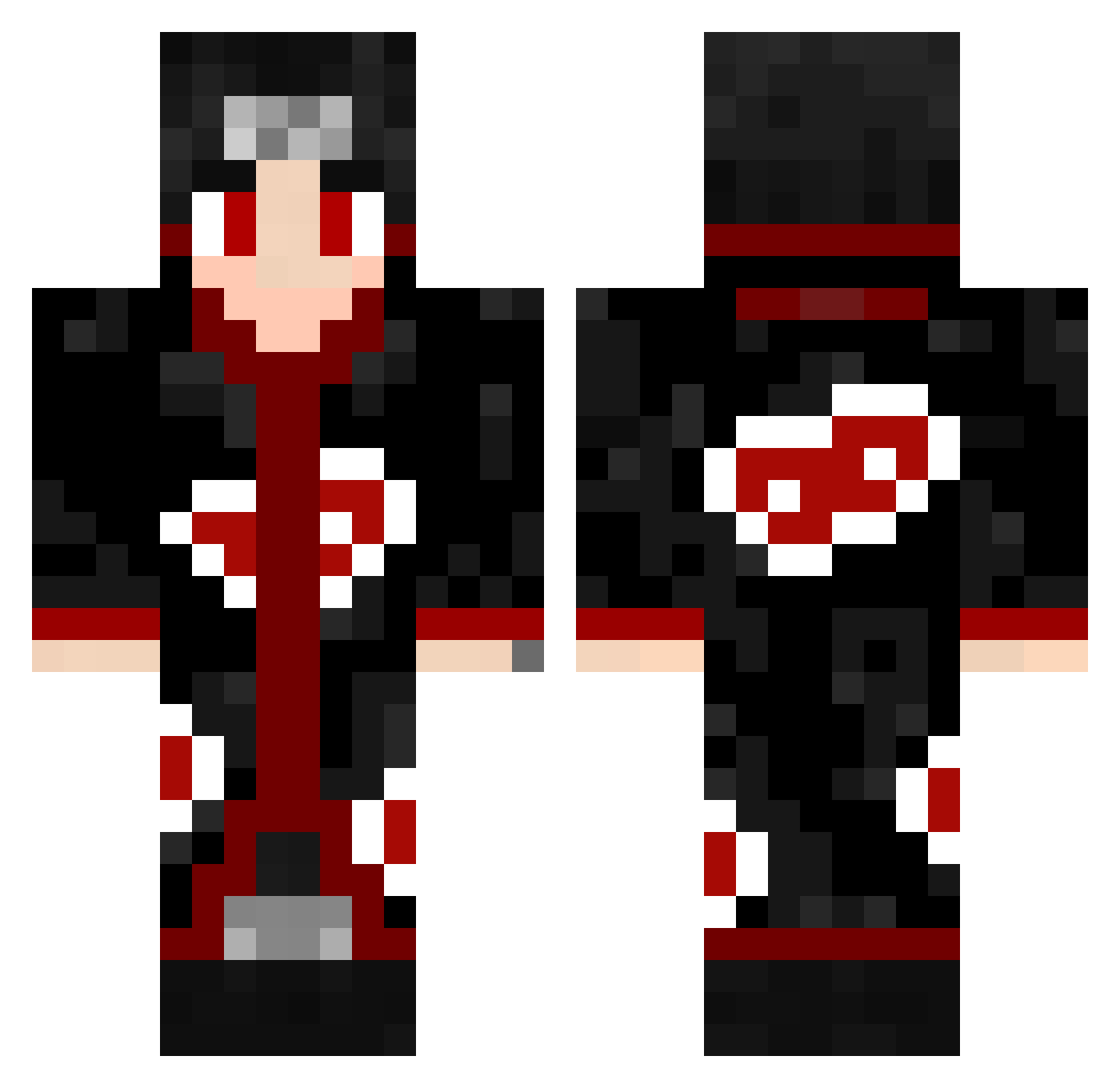
Current Minecraft skin of the player Giovanyxxx, loaded from the official Mojang API. Rotate the 3D model with your mouse or finger, then download the skin as a PNG file and use it in Minecraft: Bedrock Edition or Java Edition for free. When Giovanyxxx changes their skin, this page updates automatically and the old skin stays in the history below.
Other players with this skin (435)
Giovanyxxx was the 242nd player we have seen with this skin, first spotted on 10.09.2026. The same skin was seen on these players. Open a nickname to see their current skin and skin history.
 azoulucoux DonEloy05 NextorGamer 666untildeath Daiberinho Pedro15cCPSs Next_qen_Gam3r Jmichelss Jaggerino Castro_BRA GaLaXyboyJD xNardo1 Picker655 99a9 tutz70 Bryannn78 nicolasvr3 H3nta11 therealasr Warrior5023 ATAKANN8761 xFerchi Seninhaxl IsJackHere AXOLOT05 saintdave Asherat
 OP0722 ImVentan Toomxx xXFabMasterXx mateuziu ITz_Gena machobla0 h3xt0r JustFlow21 Sermenq Btw_Lost Zeysensai Ibaad9004 UchihaIsco pedrin007 Kyvun26 ArnoldStrong Maui114 McChiMan TheNippleLord3 CSEYoung Roimers KrazyDogXD marc_xz97 HALXD MiGO1990 Prof_Pwnage eternal3735 Kapre_ Kryics otaku_jikimo RxolleR zTOYPRO
More Itachi Uchiha Minecraft skins
See all 307 Itachi Uchiha skins
How to install the Giovanyxxx skin
- Press the Download button above to save the skin as a PNG file.
- Minecraft: Bedrock Edition (PE): open the Dressing Room from the main menu (or tap your character → Edit Character), go to Classic Skins → Owned, press the + (new skin) button, choose the downloaded PNG and pick the Classic (Steve) model. Works on PC and mobile; consoles cannot import custom skins.
- Minecraft: Java Edition: open the Minecraft Launcher, go to the Skins tab, click New Skin, load the PNG, pick the Classic (Steve) model and press Save & Use. You can also upload it at minecraft.net → Profile → Change Skin.
The skin does not show up after import - what should I do?
Restart Minecraft and open the Dressing Room again - imported skins sometimes appear only after a restart. Also make sure you selected the imported skin and picked the Classic (Steve) model.
Which model should I choose, Classic or Slim?
This skin is designed for the Classic (Steve) model. If you pick the wrong model, the arms of the skin will look stretched or squeezed.
Is the skin of Giovanyxxx free to download?
Yes. Press Download, save the PNG file and use it in Minecraft: Bedrock Edition or Java Edition - no payment or registration needed. The skin also works on multiplayer servers and Realms.
More skins
Looking for more? Go back to all Minecraft skins and check the top skins of the week, month and all time, or find any player's skin by nickname.