
GilgaTwelve - Minecraft Skins & Skin History
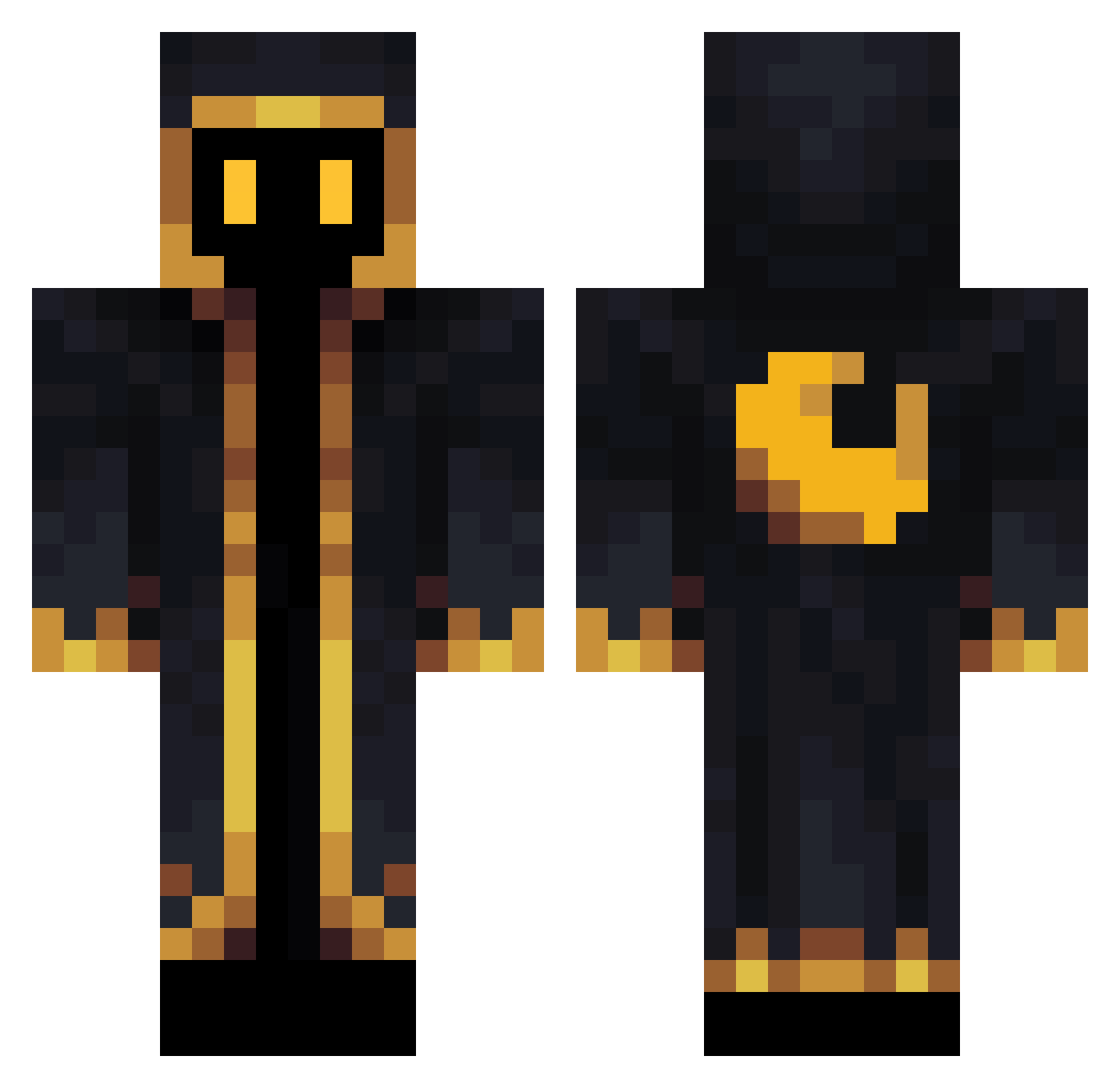
Current Minecraft skin of the player GilgaTwelve, loaded from the official Mojang API. Rotate the 3D model with your mouse or finger, then download the skin as a PNG file and use it in Minecraft: Bedrock Edition or Java Edition for free. When GilgaTwelve changes their skin, this page updates automatically and the old skin stays in the history below.
Other players with this skin (340)
GilgaTwelve was the 295th player we have seen with this skin, first spotted on 17.10.2026. The same skin was seen on these players. Open a nickname to see their current skin and skin history.
 Dylanfeitt CarlosMP1998 Dark1us mdk75 _JustLeo06_ Lucas7380 Nyxdorf AVelasquez2003 Yselim rlaehdgml10 ffPerchik Okitakaze mochi_mochi_ LimpWizard Xayko_ Reshins Trusty105 CRODA97 HuluMaster clayrbear extroias Aspirotron Oliverbr7 czocikk AlucardTHCF _Totorito_ Dani40017 cpftl07 Prins3104 CroissantMage PapaEwa metalodead SimpleMikael Panda_mon kronos2340 xPoenieChapperx artweght BlyatVader Lennart4real FranJFC joatgame DankGlitter7797 FullMetalBBA kacper450 xeniia88 crazymame1023 shiro_usa Yurosi Carm0naPT YanirR3000 Marimosaaan Whoknows18 Heorashar Soct Koro021 Petek25 cozysleeper Sir_Purpur Arimasama Cottonet
More Cultist Minecraft skins
How to install the GilgaTwelve skin
- Press the Download button above to save the skin as a PNG file.
- Minecraft: Bedrock Edition (PE): open the Dressing Room from the main menu (or tap your character → Edit Character), go to Classic Skins → Owned, press the + (new skin) button, choose the downloaded PNG and pick the Classic (Steve) model. Works on PC and mobile; consoles cannot import custom skins.
- Minecraft: Java Edition: open the Minecraft Launcher, go to the Skins tab, click New Skin, load the PNG, pick the Classic (Steve) model and press Save & Use. You can also upload it at minecraft.net → Profile → Change Skin.
The skin does not show up after import - what should I do?
Restart Minecraft and open the Dressing Room again - imported skins sometimes appear only after a restart. Also make sure you selected the imported skin and picked the Classic (Steve) model.
Which model should I choose, Classic or Slim?
This skin is designed for the Classic (Steve) model. If you pick the wrong model, the arms of the skin will look stretched or squeezed.
Is the skin of GilgaTwelve free to download?
Yes. Press Download, save the PNG file and use it in Minecraft: Bedrock Edition or Java Edition - no payment or registration needed. The skin also works on multiplayer servers and Realms.
More skins
Looking for more? Go back to all Minecraft skins and check the top skins of the week, month and all time, or find any player's skin by nickname.