
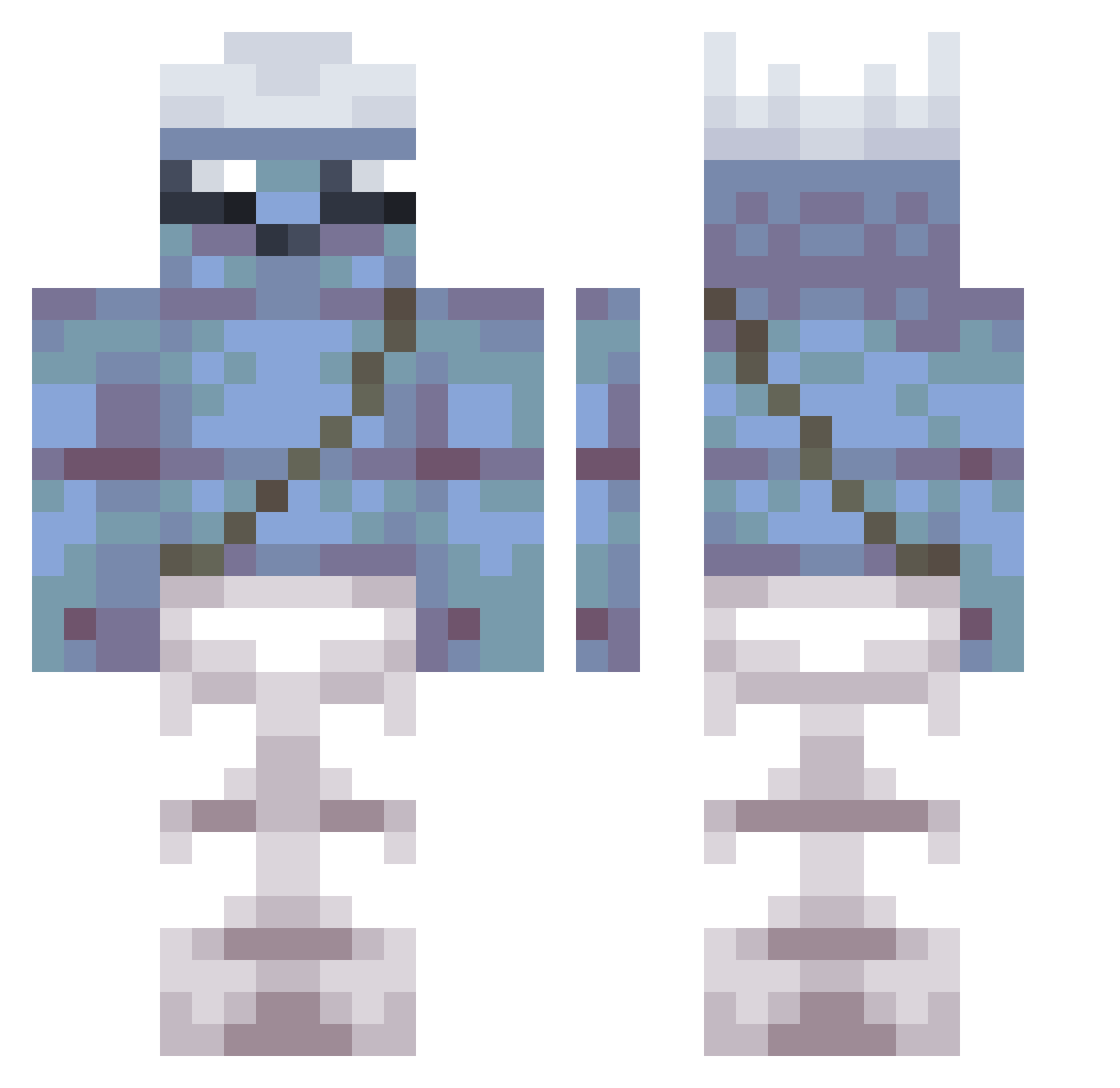
Current Minecraft skin of the player Gic760, loaded from the official Mojang API. Rotate the 3D model with your mouse or finger, then download the skin as a PNG file and use it in Minecraft: Bedrock Edition or Java Edition for free. When Gic760 changes their skin, this page updates automatically and the old skin stays in the history below.
Other players with this skin (278)
Gic760 was the 196th player we have seen with this skin, first spotted on 25.09.2026. The same skin was seen on these players. Open a nickname to see their current skin and skin history.
 Gorken998 tolow450nz NotF4TTTT KotBorisGG happykadin ilovemyslatts Neepgin leaf_greens nzG901 Evk987 huvbutz Fuggitivo PETERY108 GUTO0938 rtx_Goblin Sh1mtzl3 avesha MimicTugboat804 Rhutar elpicoto pick1990 Rodri_Wafle JBN801 Zmggz joiler8 cNL44 Maketzu lOI221 eFg77 insan_evladiyesi Dragon_MasterYT4 zJd656 giw977 DaMikeE Nuke_Sky jlS682 pxy64 astrolunar wazarxx Karyony Babossa_ MSGguy8888 Dog500m SpeczyY DustyCurved510 MercZ12 fYd750 TheSejkyCZ BlockBuster53 289Fifarafa 1haman motiboi SatueratedSkil findikkiran SSeyha3 alphaTHEking Znok2065 HESS05 imG728 baccinemshawtys
More Papa Smurf Minecraft skins
How to install the Gic760 skin
- Press the Download button above to save the skin as a PNG file.
- Minecraft: Bedrock Edition (PE): open the Dressing Room from the main menu (or tap your character → Edit Character), go to Classic Skins → Owned, press the + (new skin) button, choose the downloaded PNG and pick the Classic (Steve) model. Works on PC and mobile; consoles cannot import custom skins.
- Minecraft: Java Edition: open the Minecraft Launcher, go to the Skins tab, click New Skin, load the PNG, pick the Classic (Steve) model and press Save & Use. You can also upload it at minecraft.net → Profile → Change Skin.
The skin does not show up after import - what should I do?
Restart Minecraft and open the Dressing Room again - imported skins sometimes appear only after a restart. Also make sure you selected the imported skin and picked the Classic (Steve) model.
Which model should I choose, Classic or Slim?
This skin is designed for the Classic (Steve) model. If you pick the wrong model, the arms of the skin will look stretched or squeezed.
Is the skin of Gic760 free to download?
Yes. Press Download, save the PNG file and use it in Minecraft: Bedrock Edition or Java Edition - no payment or registration needed. The skin also works on multiplayer servers and Realms.
More skins
Looking for more? Go back to all Minecraft skins and check the top skins of the week, month and all time, or find any player's skin by nickname.