
GetChurned - Minecraft Skins & Skin History
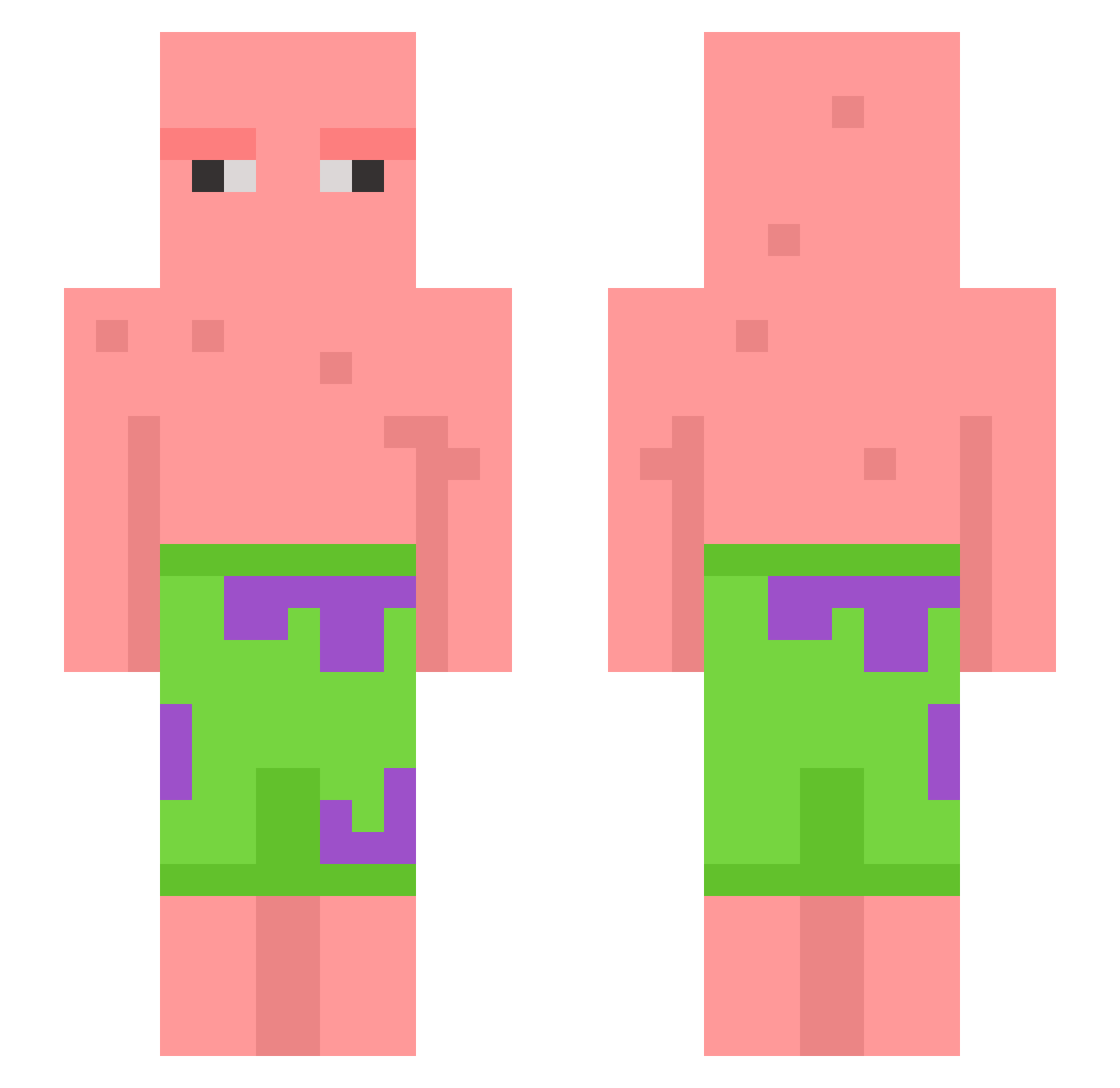
Current Minecraft skin of the player GetChurned, loaded from the official Mojang API. Rotate the 3D model with your mouse or finger, then download the skin as a PNG file and use it in Minecraft: Bedrock Edition or Java Edition for free. When GetChurned changes their skin, this page updates automatically and the old skin stays in the history below.
Other players with this skin (602)
GetChurned was the 560th player we have seen with this skin, first spotted on 26.10.2026. The same skin was seen on these players. Open a nickname to see their current skin and skin history.
 Zaheve Weioooooo Gadzodebylni alifdinie tagporra DRODEO Salt_Is_Spicy SouljaCraft Erpetufo Broodvich Rezrvd stephgotts Turbiin rfsh11 LazyAsian04 cloverhoney andylaw3366 jacob_4321 PORK12356 ripulirotta Mattie_B27 diamondfreak22 ElyCooperYT PlsNotSoDeep martinayho moistmonkey07 Epyks1 m1lfhunter33 coolyface fattythepatty BEmre95 Zombieboy_007 stinkhead__ Valoit ketodiet01 lahzlo Ultimaciel FireCitCat BEOMGUN02 lukatus osjunn Gobonch leafeon220 Arniii17 Russian_Patrick Mitchoh6 mp6063 thiccinbrain SubtleNoodle crowbait2213 angel_NoWing b00mAner Helpzy Pansukiw Zarrelito shaz3333 Mascarello_77 franiu666 JTaylor99 Natiea
More Patrick Star Minecraft skins
See all 611 Patrick Star skins
How to install the GetChurned skin
- Press the Download button above to save the skin as a PNG file.
- Minecraft: Bedrock Edition (PE): open the Dressing Room from the main menu (or tap your character → Edit Character), go to Classic Skins → Owned, press the + (new skin) button, choose the downloaded PNG and pick the Slim (Alex) model. Works on PC and mobile; consoles cannot import custom skins.
- Minecraft: Java Edition: open the Minecraft Launcher, go to the Skins tab, click New Skin, load the PNG, pick the Slim (Alex) model and press Save & Use. You can also upload it at minecraft.net → Profile → Change Skin.
The skin does not show up after import - what should I do?
Restart Minecraft and open the Dressing Room again - imported skins sometimes appear only after a restart. Also make sure you selected the imported skin and picked the Slim (Alex) model.
Which model should I choose, Classic or Slim?
This skin is designed for the Slim (Alex) model. If you pick the wrong model, the arms of the skin will look stretched or squeezed.
Is the skin of GetChurned free to download?
Yes. Press Download, save the PNG file and use it in Minecraft: Bedrock Edition or Java Edition - no payment or registration needed. The skin also works on multiplayer servers and Realms.
More skins
Looking for more? Go back to all Minecraft skins and check the top skins of the week, month and all time, or find any player's skin by nickname.