
GenericSmoothman - Minecraft Skins & Skin History
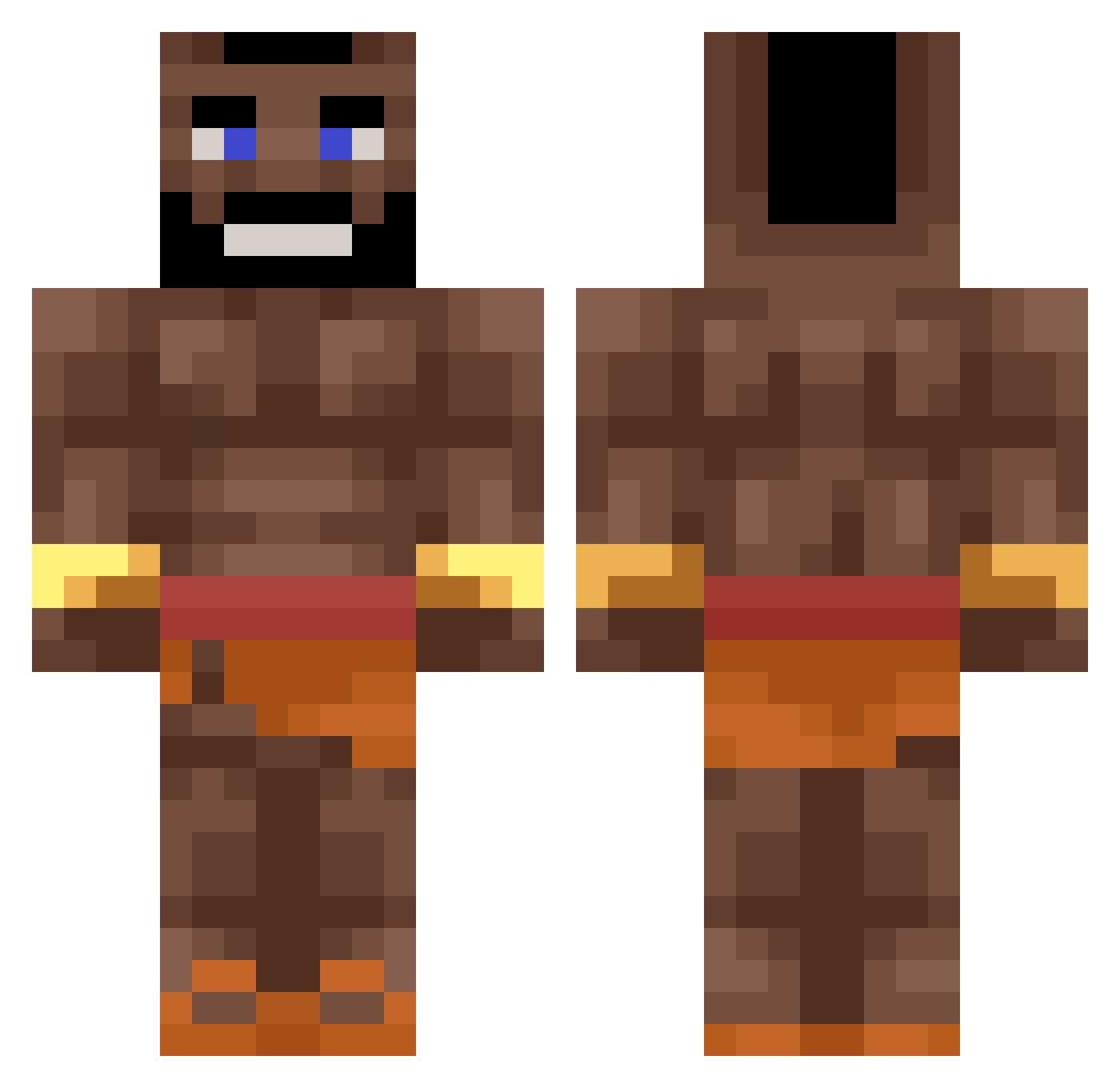
Current Minecraft skin of the player GenericSmoothman, loaded from the official Mojang API. Rotate the 3D model with your mouse or finger, then download the skin as a PNG file and use it in Minecraft: Bedrock Edition or Java Edition for free. When GenericSmoothman changes their skin, this page updates automatically and the old skin stays in the history below.
Other players with this skin (370)
GenericSmoothman was the 125th player we have seen with this skin, first spotted on 24.08.2026. The same skin was seen on these players. Open a nickname to see their current skin and skin history.
 Apexsay BrandinoBud Wojtazikk lol980lol980xd el_maquinitas
 activ_P_nes MIDXX unlucky722 Rodrigues05 ZevseZ1 DerZerstampfer Kingcraft_HD NotWarppi binbiba Obliged_Cake786 Hydegeek Senegal_Jester Guille_2005 Tito_T_T El_PrimoPablo SoniREVOLTADO KJPETERSHARKGUOY Ninjalouch NuudeliRaineri mikiuu Kakamoue Charmi123 Tobobble obi_warrior RFSGRG FatTick65156669 deu3 Alvoii DemonPandie Dragorc lafeve7 Mvte00sh Stefos_123 Fausthepro Dioximus GiveMeAMango MangoOatmeal Harzyj PyRzEK2 BADMIGUE Bxckxtt MLJ201 awacikus Levin1248 Modecizer Biftekkk DuckStyle_ YassXYounes Kwabzak ShadowTrundle Camion69 reudig_DreamZ CurlyQue10 ArilisDev33 Bent1527
More Mr T Minecraft skins
How to install the GenericSmoothman skin
- Press the Download button above to save the skin as a PNG file.
- Minecraft: Bedrock Edition (PE): open the Dressing Room from the main menu (or tap your character → Edit Character), go to Classic Skins → Owned, press the + (new skin) button, choose the downloaded PNG and pick the Classic (Steve) model. Works on PC and mobile; consoles cannot import custom skins.
- Minecraft: Java Edition: open the Minecraft Launcher, go to the Skins tab, click New Skin, load the PNG, pick the Classic (Steve) model and press Save & Use. You can also upload it at minecraft.net → Profile → Change Skin.
The skin does not show up after import - what should I do?
Restart Minecraft and open the Dressing Room again - imported skins sometimes appear only after a restart. Also make sure you selected the imported skin and picked the Classic (Steve) model.
Which model should I choose, Classic or Slim?
This skin is designed for the Classic (Steve) model. If you pick the wrong model, the arms of the skin will look stretched or squeezed.
Is the skin of GenericSmoothman free to download?
Yes. Press Download, save the PNG file and use it in Minecraft: Bedrock Edition or Java Edition - no payment or registration needed. The skin also works on multiplayer servers and Realms.
More skins
Looking for more? Go back to all Minecraft skins and check the top skins of the week, month and all time, or find any player's skin by nickname.