
GeneralDarwin5 - Minecraft Skins & Skin History
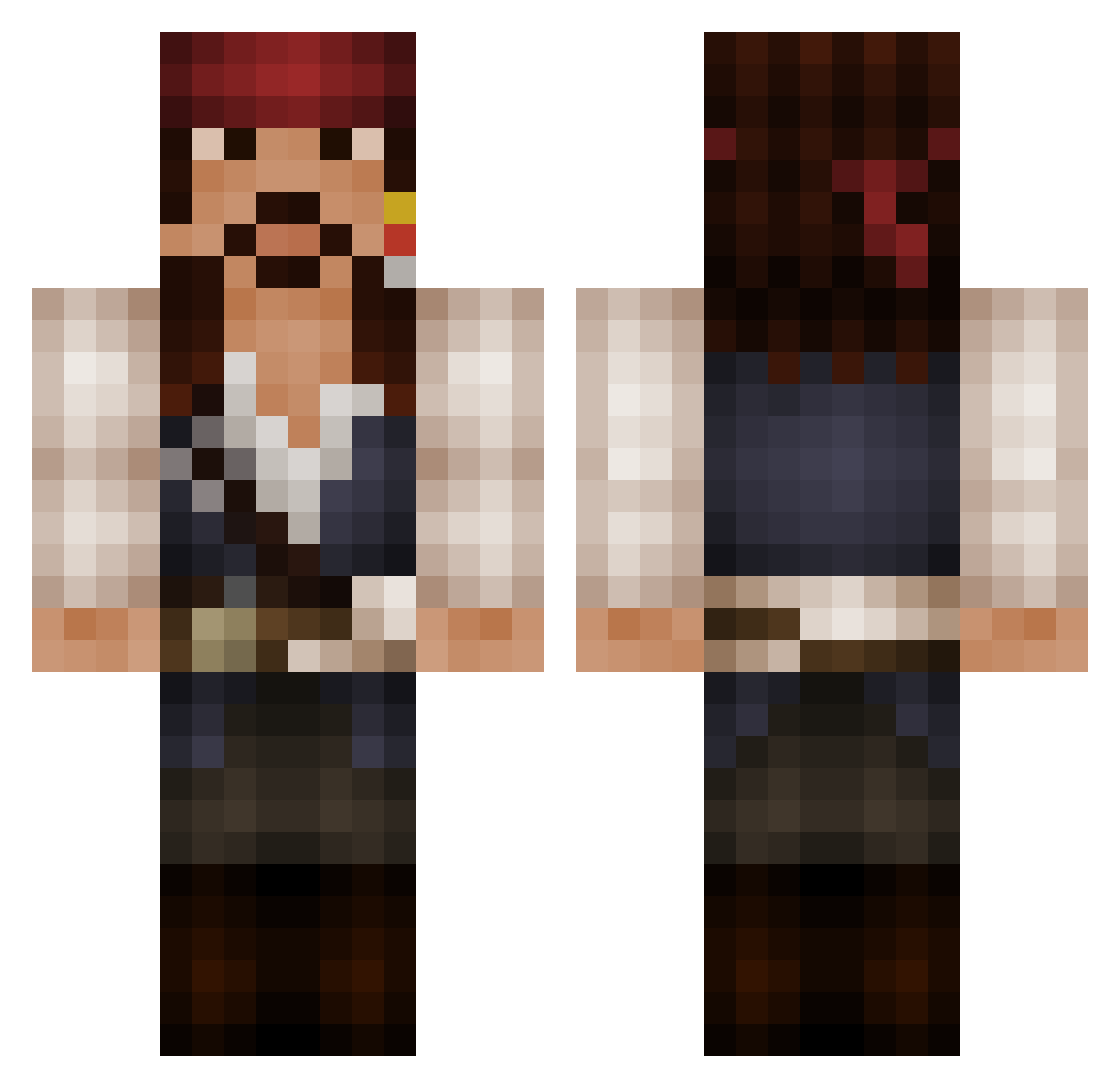
Current Minecraft skin of the player GeneralDarwin5, loaded from the official Mojang API. Rotate the 3D model with your mouse or finger, then download the skin as a PNG file and use it in Minecraft: Bedrock Edition or Java Edition for free. When GeneralDarwin5 changes their skin, this page updates automatically and the old skin stays in the history below.
Other players with this skin (137)
GeneralDarwin5 was the 91st player we have seen with this skin, first spotted on 30.09.2026. The same skin was seen on these players. Open a nickname to see their current skin and skin history.
 Ninomon16 Stormsheezer DocsterMe vescovinator JKline5 Drod9920 WarldWorZ Zomkiller135 TheRock135 pokemonsta433 guozili000 STLCanadian XZenn_ CitrusCandy420 Gandalof Naphelim316 xXDAQUICHEXx Bengandalf cuden ppiteer HandInSock Jaegre Riceandbees whomecoyote2020 Arcane137 viliko chas618 xXDarkraverXx Mr_G4F Leach212 TommyCorleoneW kleinerbersi MendelD DAOBAZI Niceboy27 Prorenzo edy829_ SquiggilyDo starsmartin Squeeze_Out SzymonKruk Deplorable1989 bblakes117 lyritan fishiehere sadiebobadie1737 ColtraneMiles LittleJP18 FiredUPs GayLittlePixie breadgraphics chasewm nacSOAP TenebrisAvem joaopedrofg7 RevolverX ArtikWorld ipichtou Ziven3301 DjFrappuchino
More Jack Sparrow Minecraft skins
See all 108 Jack Sparrow skins
How to install the GeneralDarwin5 skin
- Press the Download button above to save the skin as a PNG file.
- Minecraft: Bedrock Edition (PE): open the Dressing Room from the main menu (or tap your character → Edit Character), go to Classic Skins → Owned, press the + (new skin) button, choose the downloaded PNG and pick the Classic (Steve) model. Works on PC and mobile; consoles cannot import custom skins.
- Minecraft: Java Edition: open the Minecraft Launcher, go to the Skins tab, click New Skin, load the PNG, pick the Classic (Steve) model and press Save & Use. You can also upload it at minecraft.net → Profile → Change Skin.
The skin does not show up after import - what should I do?
Restart Minecraft and open the Dressing Room again - imported skins sometimes appear only after a restart. Also make sure you selected the imported skin and picked the Classic (Steve) model.
Which model should I choose, Classic or Slim?
This skin is designed for the Classic (Steve) model. If you pick the wrong model, the arms of the skin will look stretched or squeezed.
Is the skin of GeneralDarwin5 free to download?
Yes. Press Download, save the PNG file and use it in Minecraft: Bedrock Edition or Java Edition - no payment or registration needed. The skin also works on multiplayer servers and Realms.
More skins
Looking for more? Go back to all Minecraft skins and check the top skins of the week, month and all time, or find any player's skin by nickname.