
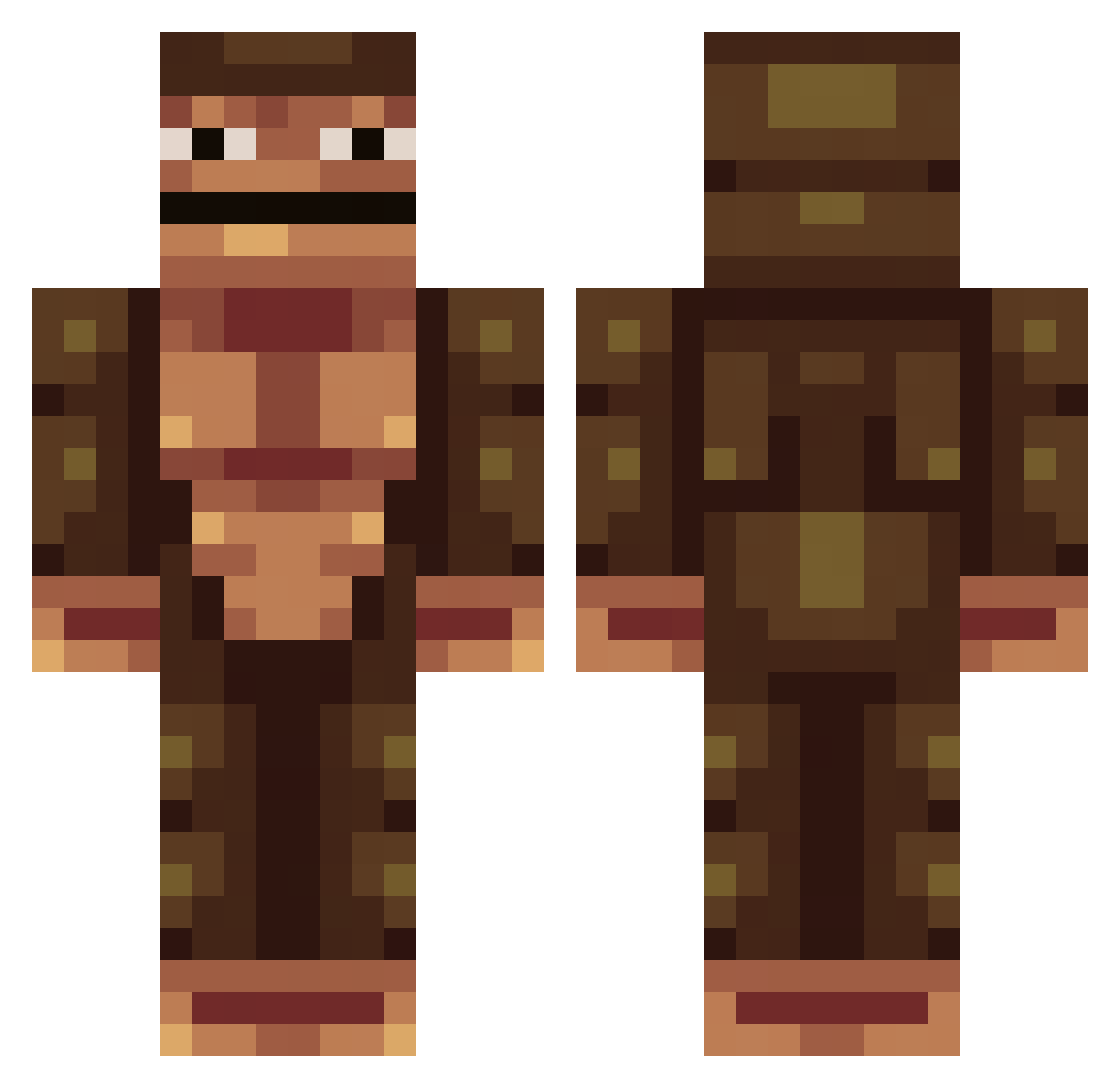
Current Minecraft skin of the player GekkeNoob, loaded from the official Mojang API. Rotate the 3D model with your mouse or finger, then download the skin as a PNG file and use it in Minecraft: Bedrock Edition or Java Edition for free. When GekkeNoob changes their skin, this page updates automatically and the old skin stays in the history below.
Other players with this skin (233)
GekkeNoob was the 101st player we have seen with this skin, first spotted on 29.08.2026. The same skin was seen on these players. Open a nickname to see their current skin and skin history.
 napqueen24 zouteburg Talos_Maximus stephane0707 AutismLord tuttEEEE Oliperrin99 Crazy_Drifter_YT RST7770 KartonnenDoos ExplodingPumpkin Rix JudasLord billy07creeper Orbit_cruz AxAce ingisterki LittiL madrenor Vangod Jellez_03 BossOfKills BirgerMyhrvold Limbebecita goldkinglewis42 CRZE_ORIGINAL deki22 SexySalsa JulienVermeer PeeGuzzler FeeTischmann LelleBlod bradhart20 nart_nata Barrelrouge686 RobeXGames CyberTheif Scrumma Beasty_boy29 strawberrydrink jjslion20 polhem21 Sp4n TheFuriousWrath Porkypapi KingJett Baydoss8 KingKryOS SeiFeiJai BBChadje darkhydra darin15r Laviouz Puunkt IronSlade knudsenGamer03 mrukkeli MikiMonkey07 johnbro007 Ksif
More Colossal Titan Minecraft skins
See all 24 Colossal Titan skins
How to install the GekkeNoob skin
- Press the Download button above to save the skin as a PNG file.
- Minecraft: Bedrock Edition (PE): open the Dressing Room from the main menu (or tap your character → Edit Character), go to Classic Skins → Owned, press the + (new skin) button, choose the downloaded PNG and pick the Classic (Steve) model. Works on PC and mobile; consoles cannot import custom skins.
- Minecraft: Java Edition: open the Minecraft Launcher, go to the Skins tab, click New Skin, load the PNG, pick the Classic (Steve) model and press Save & Use. You can also upload it at minecraft.net → Profile → Change Skin.
The skin does not show up after import - what should I do?
Restart Minecraft and open the Dressing Room again - imported skins sometimes appear only after a restart. Also make sure you selected the imported skin and picked the Classic (Steve) model.
Which model should I choose, Classic or Slim?
This skin is designed for the Classic (Steve) model. If you pick the wrong model, the arms of the skin will look stretched or squeezed.
Is the skin of GekkeNoob free to download?
Yes. Press Download, save the PNG file and use it in Minecraft: Bedrock Edition or Java Edition - no payment or registration needed. The skin also works on multiplayer servers and Realms.
More skins
Looking for more? Go back to all Minecraft skins and check the top skins of the week, month and all time, or find any player's skin by nickname.