
Geist84 - Minecraft Skins & Skin History
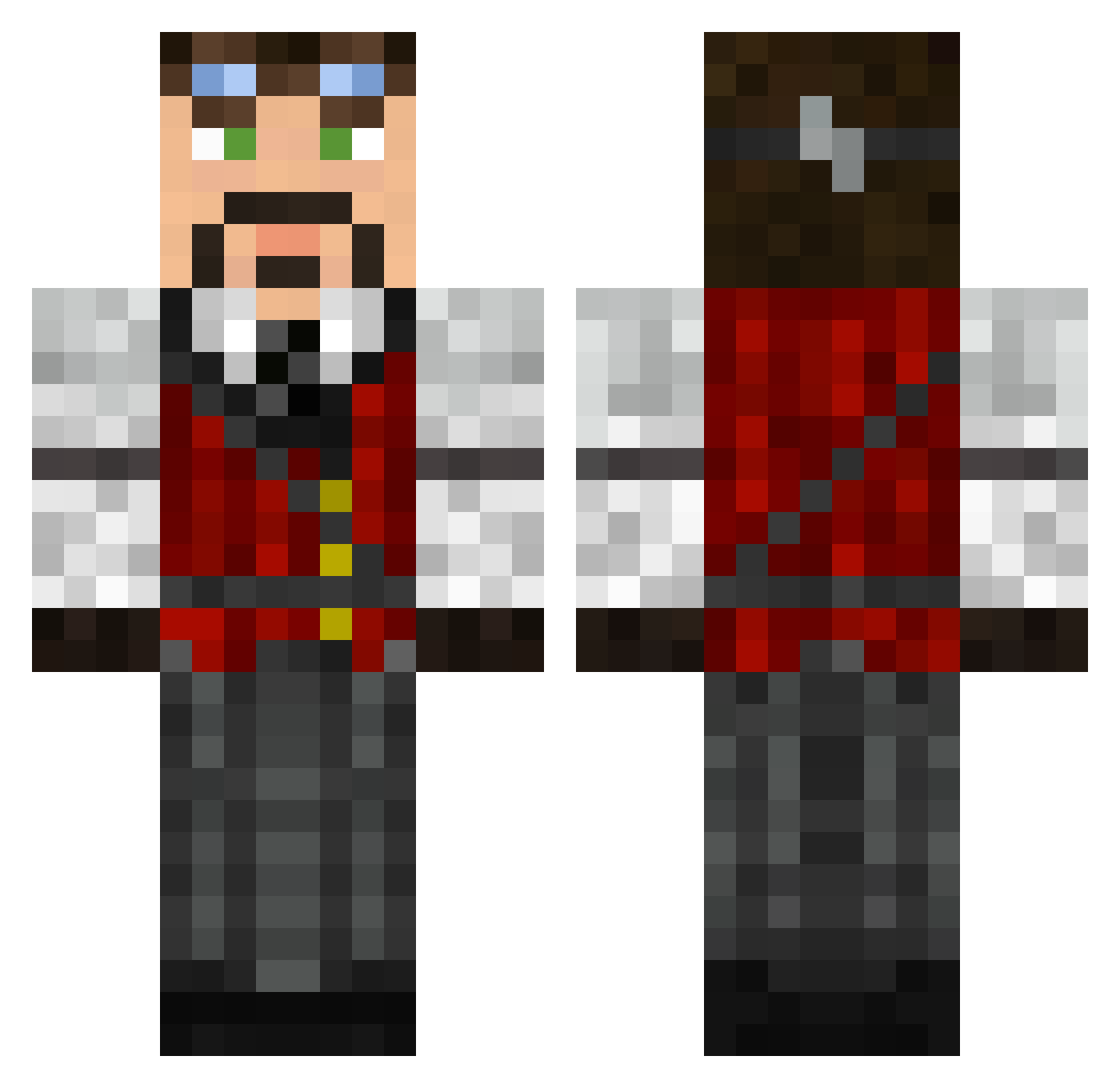
Current Minecraft skin of the player Geist84, loaded from the official Mojang API. Rotate the 3D model with your mouse or finger, then download the skin as a PNG file and use it in Minecraft: Bedrock Edition or Java Edition for free. When Geist84 changes their skin, this page updates automatically and the old skin stays in the history below.
Other players with this skin (626)
Geist84 was the 48th player we have seen with this skin, first spotted on 05.08.2026. The same skin was seen on these players. Open a nickname to see their current skin and skin history.
 twanboy96 Kon2000 tsa99 xXOPTICRAGEXx BBeaterBeau Tanguy19d Rees GangYii Zodiac79 MoonwalkerGoli Alpha_Icarus RobertAsper DavionThule Th1nker Christianmoen94 ShonkyD InfraredElegy BitOaDouchebag ThatJackBuilt DMange Mattish fortyseven05 warfarewizard2 GentlemanFerret Enomine111 Armored_Hedgehog Fyreyes kingofshadows66 Rekoness Gali_Lei Chepa58 Forcyctus tinyl33t Kameleon84 whelpd krazify Ebony_Angel Asassia fiv75 Mcbean81 OtakuMCKnight rumplestien NickZan Project_2510 PinWars humanperson l12alov3 KingAshley02 Numerisch TheRainKing420 Paradogmatic Auztin89 Malchik1023 Chookaka Dirkwood Lord_Cyclone CubanCivilian GoldenMoon Mitch453 joejoe38083
More Steampunk Minecraft skins
How to install the Geist84 skin
- Press the Download button above to save the skin as a PNG file.
- Minecraft: Bedrock Edition (PE): open the Dressing Room from the main menu (or tap your character → Edit Character), go to Classic Skins → Owned, press the + (new skin) button, choose the downloaded PNG and pick the Classic (Steve) model. Works on PC and mobile; consoles cannot import custom skins.
- Minecraft: Java Edition: open the Minecraft Launcher, go to the Skins tab, click New Skin, load the PNG, pick the Classic (Steve) model and press Save & Use. You can also upload it at minecraft.net → Profile → Change Skin.
The skin does not show up after import - what should I do?
Restart Minecraft and open the Dressing Room again - imported skins sometimes appear only after a restart. Also make sure you selected the imported skin and picked the Classic (Steve) model.
Which model should I choose, Classic or Slim?
This skin is designed for the Classic (Steve) model. If you pick the wrong model, the arms of the skin will look stretched or squeezed.
Is the skin of Geist84 free to download?
Yes. Press Download, save the PNG file and use it in Minecraft: Bedrock Edition or Java Edition - no payment or registration needed. The skin also works on multiplayer servers and Realms.
More skins
Looking for more? Go back to all Minecraft skins and check the top skins of the week, month and all time, or find any player's skin by nickname.