
GatoCitrico - Minecraft Skins & Skin History
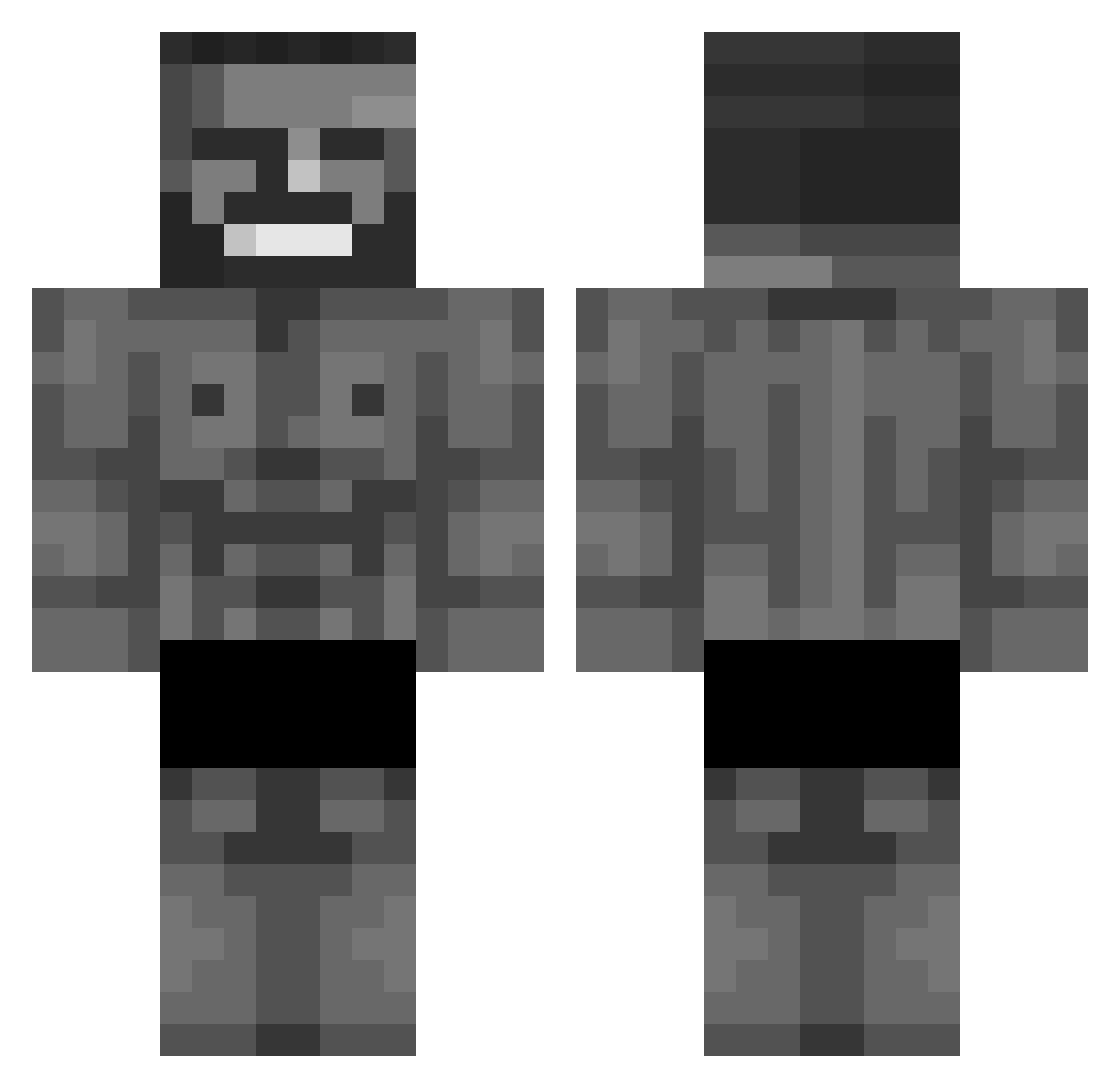
Current Minecraft skin of the player GatoCitrico, loaded from the official Mojang API. Rotate the 3D model with your mouse or finger, then download the skin as a PNG file and use it in Minecraft: Bedrock Edition or Java Edition for free. When GatoCitrico changes their skin, this page updates automatically and the old skin stays in the history below.
Other players with this skin (803)
GatoCitrico was the 690th player we have seen with this skin, first spotted on 03.11.2026. The same skin was seen on these players. Open a nickname to see their current skin and skin history.
 16Robber16 Burabers lzwzhz Ardatos MBA2025 _1Kg daivon TTATTSU Dodonya P3R123 NA9R305 MaximoMax12 steve7239 asogn mrg00ner Iraduz _Krhys ASemicolon 0neSim Clush99 Benja77719 Aweonazo69 gyystk Ichbinstim9660 turbonorsken xNuke Silassss 985hPa lilvito56 yerism kelizak Young_NesiuK ZdC14 Alextoo Keleleih Ieo_ Renard1701 orangepitch insanefost Sneaxx_ Helictite Arslan13 Bberge_evej mothmanstarlord Dexu3 Fxzx_urlly LordNub AbbiFedee ser_patschi Cronomaly aarowa77 GleamingKarl SentinelZero octopi28 scenicroute Chikooo00 Frizyx Lizzy_37 TriggerTaco FelcoMC
More Gigachad Minecraft skins
How to install the GatoCitrico skin
- Press the Download button above to save the skin as a PNG file.
- Minecraft: Bedrock Edition (PE): open the Dressing Room from the main menu (or tap your character → Edit Character), go to Classic Skins → Owned, press the + (new skin) button, choose the downloaded PNG and pick the Classic (Steve) model. Works on PC and mobile; consoles cannot import custom skins.
- Minecraft: Java Edition: open the Minecraft Launcher, go to the Skins tab, click New Skin, load the PNG, pick the Classic (Steve) model and press Save & Use. You can also upload it at minecraft.net → Profile → Change Skin.
The skin does not show up after import - what should I do?
Restart Minecraft and open the Dressing Room again - imported skins sometimes appear only after a restart. Also make sure you selected the imported skin and picked the Classic (Steve) model.
Which model should I choose, Classic or Slim?
This skin is designed for the Classic (Steve) model. If you pick the wrong model, the arms of the skin will look stretched or squeezed.
Is the skin of GatoCitrico free to download?
Yes. Press Download, save the PNG file and use it in Minecraft: Bedrock Edition or Java Edition - no payment or registration needed. The skin also works on multiplayer servers and Realms.
More skins
Looking for more? Go back to all Minecraft skins and check the top skins of the week, month and all time, or find any player's skin by nickname.