
AbbiFedee - Minecraft Skins & Skin History
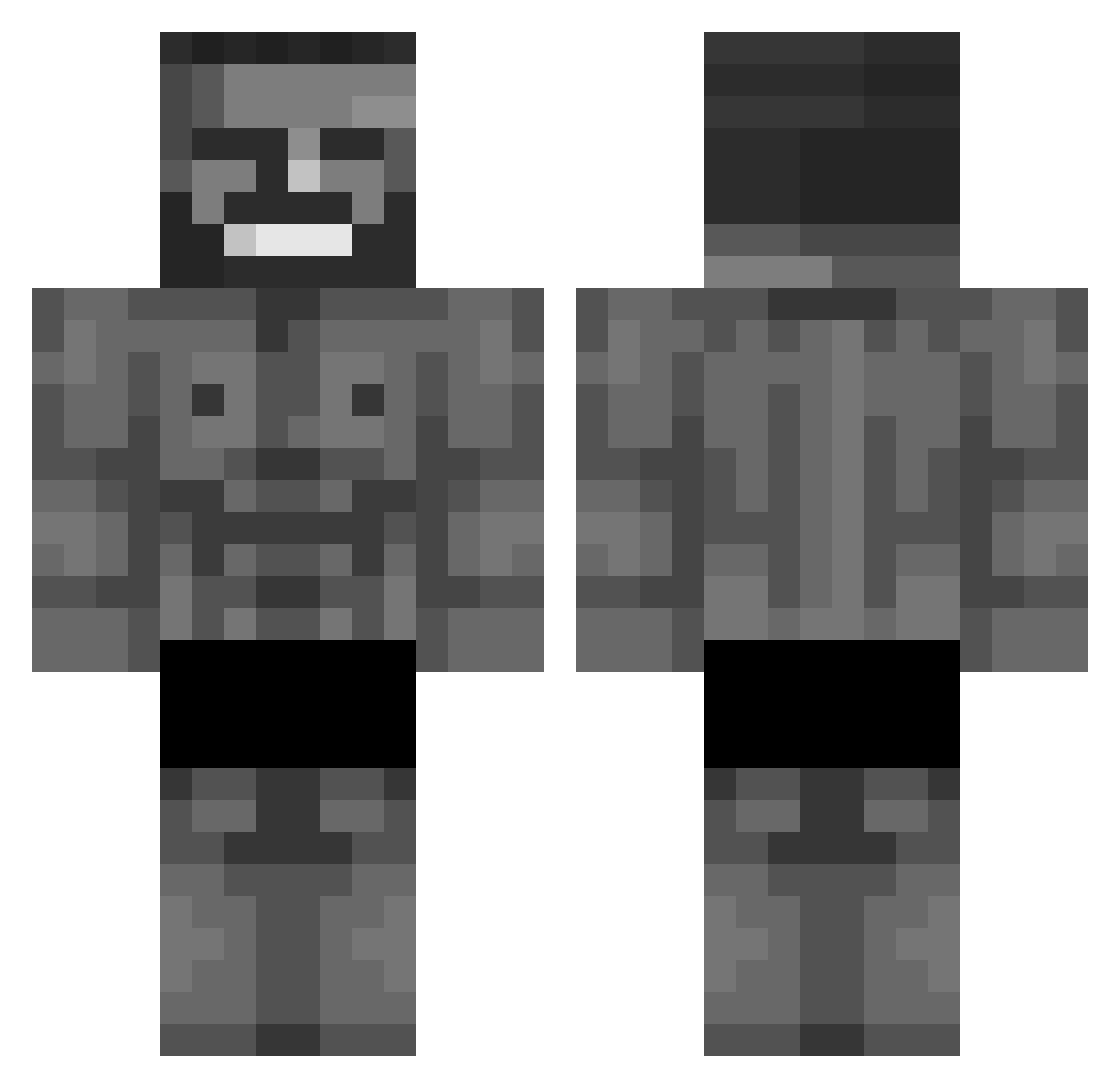
Current Minecraft skin of the player AbbiFedee, loaded from the official Mojang API. Rotate the 3D model with your mouse or finger, then download the skin as a PNG file and use it in Minecraft: Bedrock Edition or Java Edition for free. When AbbiFedee changes their skin, this page updates automatically and the old skin stays in the history below.
Other players with this skin (803)
AbbiFedee was the 672nd player we have seen with this skin, first spotted on 30.10.2026. The same skin was seen on these players. Open a nickname to see their current skin and skin history.
 ser_patschi aarowa77 Dexu3 Helictite GleamingKarl SentinelZero octopi28 scenicroute Lizzy_37 orangepitch Ieo_ Timmy44 Keleleih P3NISIN4SHOL3 Heroix49 Lucas77145 yerism xNuke Anorsael utk_ Wicaksana puh0y gyystk Wayoxx_ Vasikneasi OmegaStar16 Benja77719 Donhenri Iraduz Ready_PLayerZero steve7239 maybe_nobody P3R123 TTATTSU iusepepsi _1Kg MBA2025 Tetokkar Burabers Lord_SSV 16Robber16 GatoCitrico CTPaNHbly lzwzhz Ardatos B_WowNie Jachowski daivon _Royzen_ Dodonya Nyons Fatcat39 NA9R305 MaximoMax12 Pachika Cohrvo asogn mrg00ner Whizzed_My_Pants _Krhys
More Gigachad Minecraft skins
How to install the AbbiFedee skin
- Press the Download button above to save the skin as a PNG file.
- Minecraft: Bedrock Edition (PE): open the Dressing Room from the main menu (or tap your character → Edit Character), go to Classic Skins → Owned, press the + (new skin) button, choose the downloaded PNG and pick the Classic (Steve) model. Works on PC and mobile; consoles cannot import custom skins.
- Minecraft: Java Edition: open the Minecraft Launcher, go to the Skins tab, click New Skin, load the PNG, pick the Classic (Steve) model and press Save & Use. You can also upload it at minecraft.net → Profile → Change Skin.
The skin does not show up after import - what should I do?
Restart Minecraft and open the Dressing Room again - imported skins sometimes appear only after a restart. Also make sure you selected the imported skin and picked the Classic (Steve) model.
Which model should I choose, Classic or Slim?
This skin is designed for the Classic (Steve) model. If you pick the wrong model, the arms of the skin will look stretched or squeezed.
Is the skin of AbbiFedee free to download?
Yes. Press Download, save the PNG file and use it in Minecraft: Bedrock Edition or Java Edition - no payment or registration needed. The skin also works on multiplayer servers and Realms.
More skins
Looking for more? Go back to all Minecraft skins and check the top skins of the week, month and all time, or find any player's skin by nickname.