
GardenChoe - Minecraft Skins & Skin History
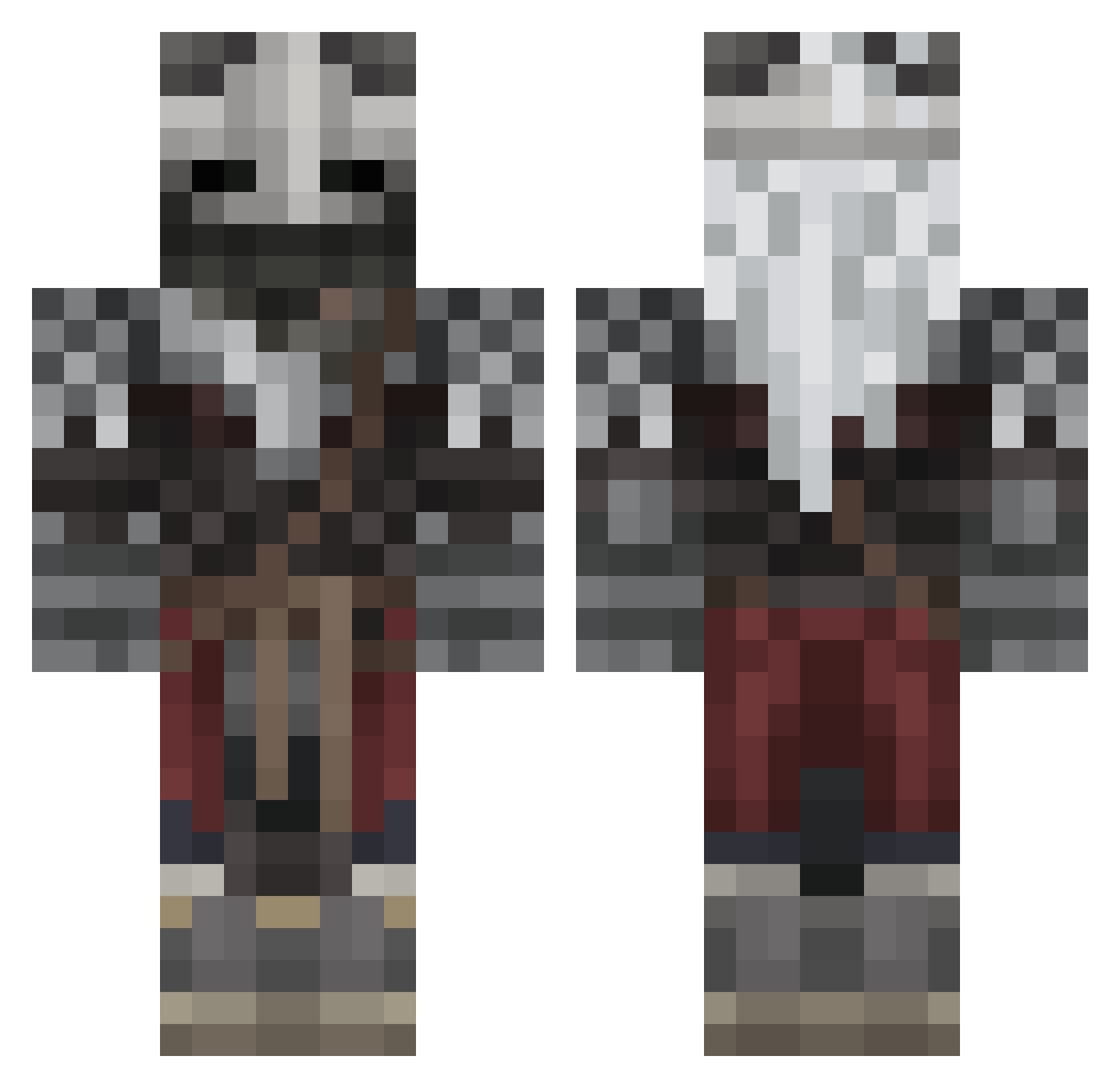
Current Minecraft skin of the player GardenChoe, loaded from the official Mojang API. Rotate the 3D model with your mouse or finger, then download the skin as a PNG file and use it in Minecraft: Bedrock Edition or Java Edition for free. When GardenChoe changes their skin, this page updates automatically and the old skin stays in the history below.
Other players with this skin (567)
GardenChoe was the 403rd player we have seen with this skin, first spotted on 09.10.2026. The same skin was seen on these players. Open a nickname to see their current skin and skin history.
 Sheowww2137 diabloxv2 Arturbinado BasedMontgomery toblorne Varkony1 Sonicsova ShaneH44 CrazyKoreanGuy RisoyXD Dyphsos CinderEssential qq_v emilsinc ItsCriptik Crimcinder Kaentos Vagabon_The_Wise OutlawFX nicxraptorx LimitBreak236 WTFuh Ekzinn Shanezzzz Flamingax76 Ghost_HD12 _Corrvus DocWrench juanthetickler Johnsm11 freshwater27 Donutdominator12 skymilkgod Ologamer30 JesterRace79 TungstenVol ItsCamillo Martin_Dominik BUFFGUSFRING FivesLV Fruppa12 eyebagsandmuscle MarcoRR13 GIMOV zZaWarudOo ExpiredTea1 LostMoss_ kotenulVn FrYedROOstr SZKC NobodyJoe Rebelior Mercury_planet rodrix_05 AryaRoBiN DemS_58 gundi19 Cayneee Nick_Scopre Arobotics2017
More Warrior Minecraft skins
How to install the GardenChoe skin
- Press the Download button above to save the skin as a PNG file.
- Minecraft: Bedrock Edition (PE): open the Dressing Room from the main menu (or tap your character → Edit Character), go to Classic Skins → Owned, press the + (new skin) button, choose the downloaded PNG and pick the Classic (Steve) model. Works on PC and mobile; consoles cannot import custom skins.
- Minecraft: Java Edition: open the Minecraft Launcher, go to the Skins tab, click New Skin, load the PNG, pick the Classic (Steve) model and press Save & Use. You can also upload it at minecraft.net → Profile → Change Skin.
The skin does not show up after import - what should I do?
Restart Minecraft and open the Dressing Room again - imported skins sometimes appear only after a restart. Also make sure you selected the imported skin and picked the Classic (Steve) model.
Which model should I choose, Classic or Slim?
This skin is designed for the Classic (Steve) model. If you pick the wrong model, the arms of the skin will look stretched or squeezed.
Is the skin of GardenChoe free to download?
Yes. Press Download, save the PNG file and use it in Minecraft: Bedrock Edition or Java Edition - no payment or registration needed. The skin also works on multiplayer servers and Realms.
More skins
Looking for more? Go back to all Minecraft skins and check the top skins of the week, month and all time, or find any player's skin by nickname.